How to Share Amazon Prime Video with Friends & Family (2026 Guide)
 By Miles Kent
Can you share Amazon Prime Video with friends? Yes, you can do this through profiles or household features. Watching Prime Video together online generally needs watch party tools or streaming solutions. This guide will present five ways to share and watch videos from Amazon Prime Video with your friends and family, along with a hidden tip to watch Prime Video without risking your account or facing streaming limits.
- Use Amazon Household if you: Live with the person, trust them completely with your saved credit cards, and want a official way to share Prime Video without giving out your login password. See Method 1.
- Share your account login if you: Are sharing with trusted, remote friends who live in different houses and don't mind navigating Amazon's 3-device simultaneous streaming limit. See Method 2.
- Use Discord or Teleparty if you: Want to host a virtual movie night with friends online and enjoy chatting together in real-time. See Method 3 and Method 4.
- Use VidiFab Downloader if you: Want to bypass all strict screen limits, completely protect your password privacy, and watch movies and shows in high-quality without buffering or streaming conflicts. See Method 5.
Part 1. How to Share Amazon Prime Video Account with Friends
To let your friends or family use Prime Video separately instead of watching the same movie together, you have two main options. You can use Amazon Household, which is Amazon's official sharing feature, or share your Prime Video login with someone else.
Method 1: Share Prime Video Through Amazon Household
Amazon Household is Amazon's official method for sharing some Prime benefits with family members. A household can include two adults and up to four teens aged 13 to 17. Once part of the household, all members can share eligible Prime benefits without needing to share the same login information.
However, Amazon Household is mainly designed for people who live together, so it may not be the best choice for friends who live in different locations.
What Can You Share Through Amazon Household?
- Prime Video: Full access to Prime Video streaming on their own devices (laptops, TVs, etc.). However, shared members only receive the ad-supported version.
- Shipping: Prime shipping benefits.
- Reading: Prime Reading (e-books).
- Deals: Early access to Lightning Deals.
What Do You Need to Use Amazon Household?
- Active Membership: The host should have an active Amazon Prime membership.
- Separate Accounts: The other person has their own Amazon account.
- Shared Wallet: Both adults agree to link their accounts and share certain payment settings.
- Same Residence: Both people are part of the same household.
How to Set Up Amazon Household for Prime Video Sharing
-
01
Go to the Amazon website and log into your primary account.
-
02
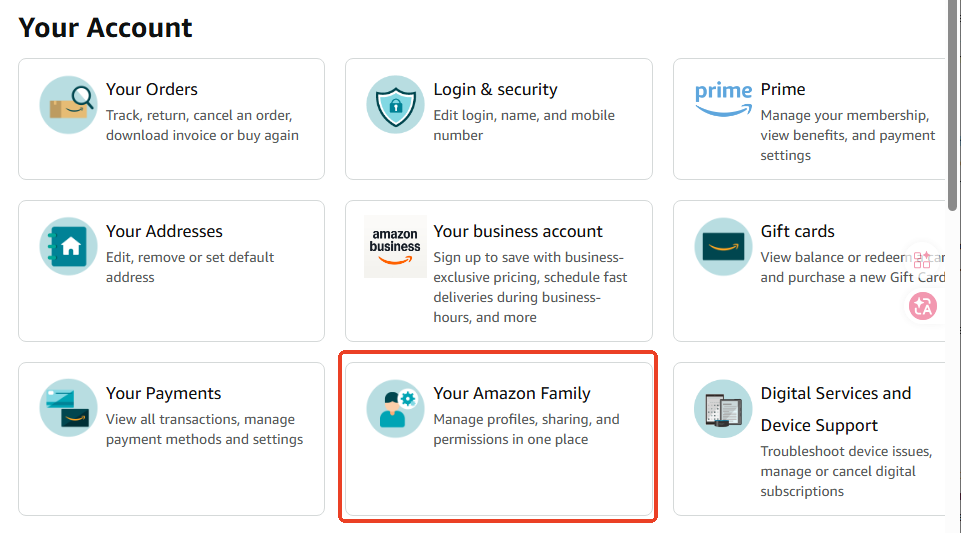
Hover over Account & Lists in the top-right corner and click on Account.
-
03
Scroll down and click on Your Amazon Family (or Amazon Household).
-
04
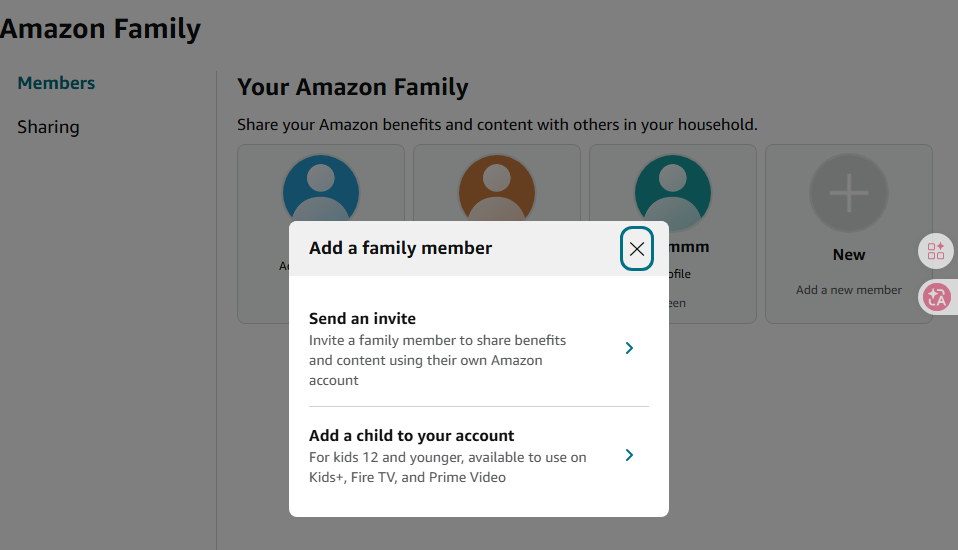
Click the Add (+) icon and choose Send an invite to another adult, or Add a child to your account.
-
05
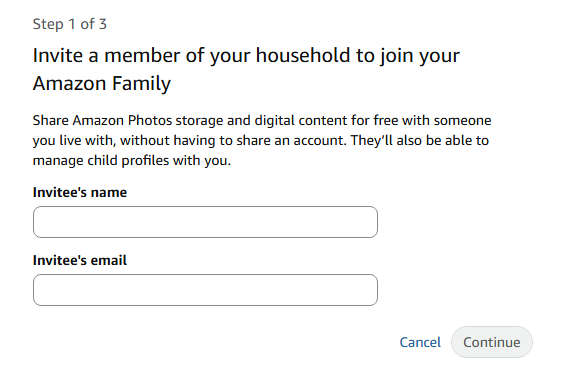
Type in your friend or family member's name and email address, then click Continue.
-
06
Amazon will ask you to share payment methods with the other adult to share the Prime benefits and digital content. Click Agree and continue.
-
07
Now, Amazon will send the recipient an email invitation. Once they click the link and log into their own free Amazon account, they can immediately use your Prime Video benefits!
Pros:
- Official Amazon sharing option.
- No need to give away your secret password.
- Each person can keep separate progress and personalized recommendations.
- The invited person gets full Prime Video access for free.
Cons:
- The host must have a full Amazon Prime membership.
- Amazon forces both adults to share credit card info.
- Both accounts must have the same home country address.
Method 2: Share Your Prime Video Account Login
If you want to share Prime Video with friends who do not live with you, the most common workaround is to directly share your account login credentials (email and password). Since Amazon allows you to create multiple sub-profiles, your friends can watch videos without messing up your personal viewing history.
How to Share Your Prime Video Login
-
01
Give your friend your Amazon account email and password.
-
02
Have your friend open the Prime Video app or website and log in.
-
03
Click on the profile icon, select Add new, and type in your friend's name. An Amazon account supports up to 6 separate profiles.
-
04
Your friend can click on their own profile to start streaming independently.
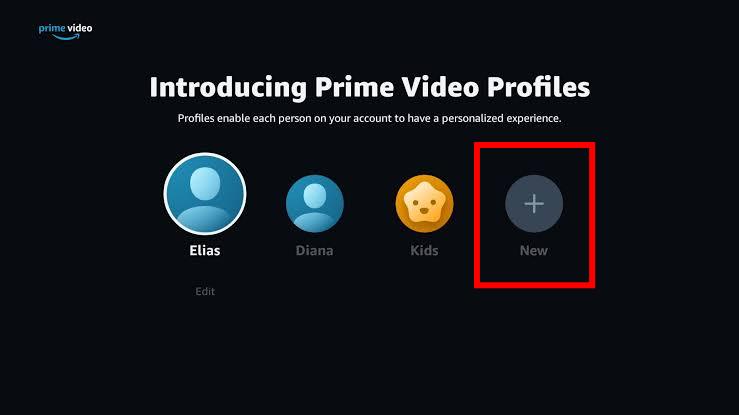
A shared account can stream on up to 3 devices at the same time. However, if multiple people watch the same movie or episode, playback is limited to 2 devices. A third viewer may see a playback limit error.
Sharing your Prime Video password can put your account security at risk. Other people may access your Amazon account details, and the 3-device streaming limit can interrupt your viewing experience.
A better option is to download Prime Video titles for offline viewing with VidiFab Prime Video Downloader. It saves Prime Video movies and shows as MP4 or MKV files in up to 1080p quality, so your friends and family can watch them offline on their own devices without using your Amazon password or dealing with streaming limits.
Pros:
- Easy to set up.
- Works with friends or family in different locations.
- No need to create an Amazon Household.
Cons:
- Requires sharing your account password.
- May expose your Amazon account information.
- Multiple users can cause streaming conflicts.
- Someone with access may change account settings.
- Maximum of only 2 people can watch the same show simultaneously.
Part 2. How to Watch Amazon Prime Video with Friends
Even if your friends have their own Amazon accounts and live in different locations, you can still watch movies together in real-time. You can use watch party tools, Discord, and VidiFab Prime Video downloader to sync your screens and enjoy Prime Video with your friends online.
Method 3: Use Prime Video Watch Party Extensions
The Amazon Prime Video Watch Party feature is no longer available, but there are several extensions that allow you to stream together. Popular options include Teleparty, SyncUp, and WatchMates. If your friends and family want to host a movie night and watch together on their devices, these extensions are a great choice. They sync playback and enable chatting, with some even offering voice chat.
How to Use a Prime Video Watch Party Extension to Watch Together
-
01
Have everyone in your group install a compatible extension like Teleparty on their Chrome browser.
-
02
The host logs into the Prime Video website and starts playing the chosen movie or show.
-
03
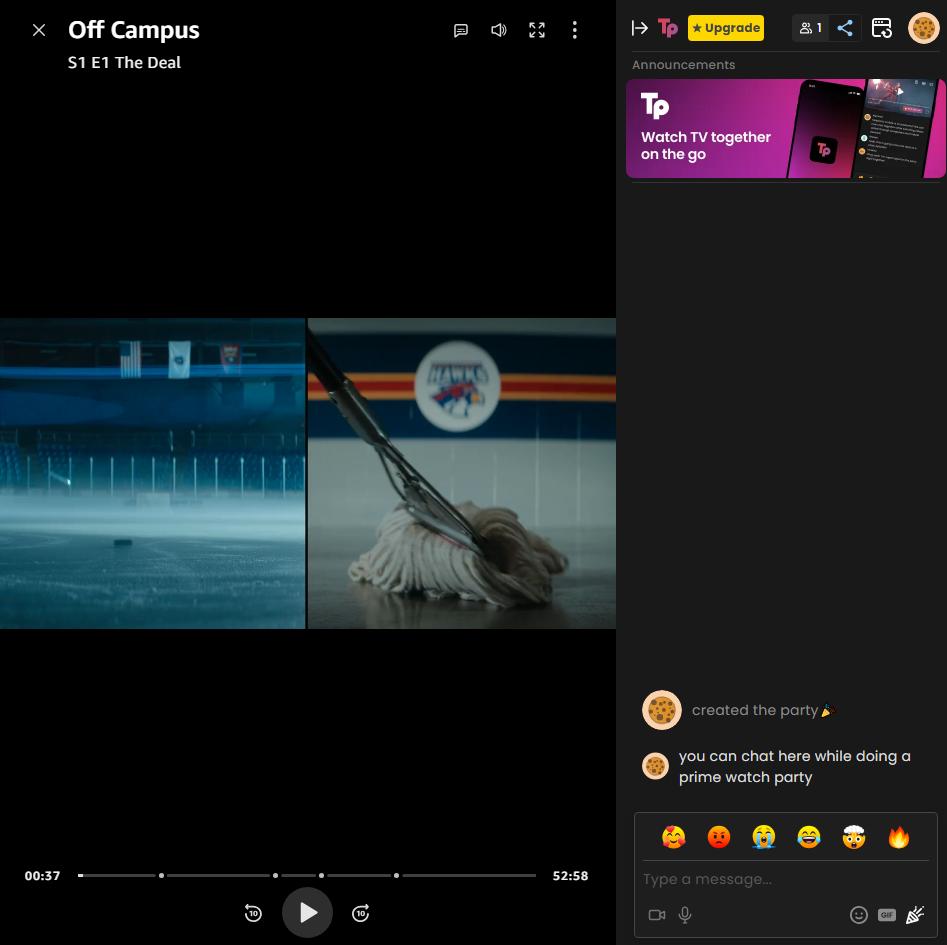
Click the extension icon (such as the "TP" icon for Teleparty) in your browser toolbar and select Start the Party.
-
04
Copy the generated invite URL and send it to your friends. Once they open the link, their videos will sync with yours, and a live text chat sidebar will appear for everyone.
Pros:
- Keeps video playback synced automatically.
- Allows friends to watch together remotely.
- Usually includes chat features.
Cons:
- Everyone may need their own Prime Video account.
- Only works on desktop or laptop browsers.
- You cannot watch a title if it is not available in your region.
- Some tools may stop working after Prime Video updates.
Method 4: Stream Amazon Prime Video with Friends on Discord
Discord screen sharing Prime Video is another way to watch Prime Video with friends. You can stream your browser or application window in a Discord voice channel and let others watch your screen.
How to Watch Prime Video with Friends on Discord
-
01
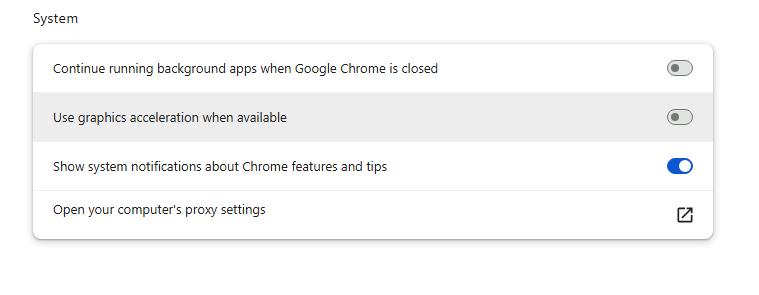
Open your browser settings, search for Hardware Acceleration, turn it OFF, and relaunch your browser.
-
02
Go to the Prime Video website and open the movie or TV show you want to watch.
-
03
Launch the Discord desktop application and join a voice channel with your friends.
-
04
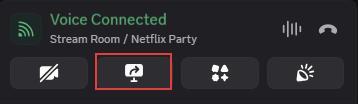
Click the Share Your Screen button at the bottom left of Discord.
-
05
Choose the Application Window tab and select your browser. Avoid sharing your Entire Screen, or the audio may not be transmitted properly.
-
06
Click Go Live. Your friends can now watch the Prime Video stream and hear the movie audio together.
This method also works for watching Netflix on Discord if the desired title is not on Amazon Prime Video.
Pros:
- Only one person needs to have a Prime Video account.
- No additional watch party extension is required.
- Allows live voice and video chatting while watching the movie.
- Works around the strict limit of three devices streaming at the same time.
Cons:
- Video quality relies on the host's internet speed.
- Only the host can control playback.
- Video quality is limited to 720p at 30 frames per second.
Method 5: Download Prime Video Movies for Offline Watching Together
The watch party tools and Discord work, but it either requires everyone to have an active Prime membership or to sit through internet buffers and low-quality streaming.
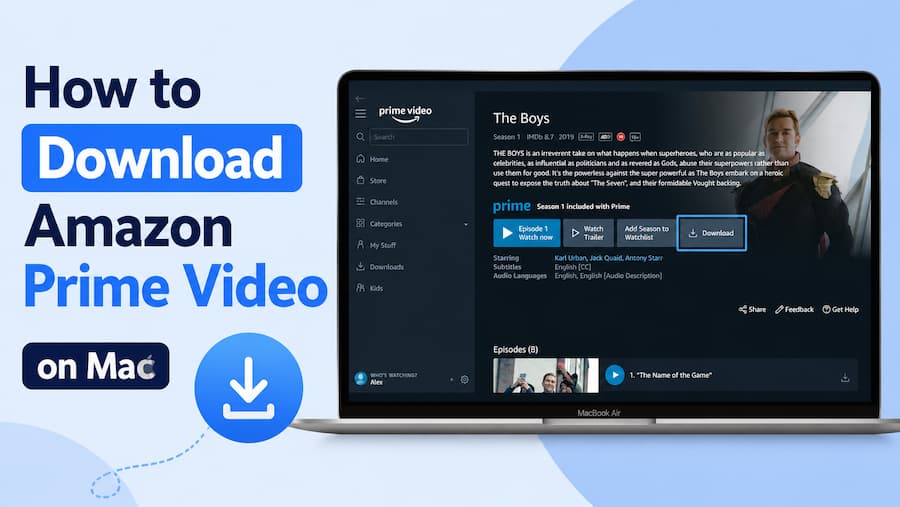
To bypass these streaming limits, you can first try downloading the video to your computer and streaming it as a local video file online. To do this, you'll need VidiFab Amazon Prime Video Downloader.
VidiFab Prime Video Downloader
Download Prime Video titles on PC or Mac computer into permanent ad-free 1080p MP4/MKV files.
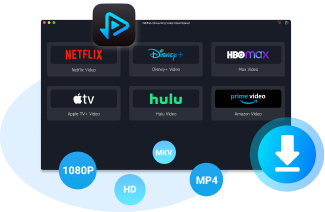
This desktop software saves Prime Video movies and shows onto your PC or Mac computer for offline viewing. If you prefer the online watch party with your friends remotely, you can use general meeting tools such as Zoom to play the video and watch together.
How to Download Prime Video Videos for Stable Online Watching
-
01
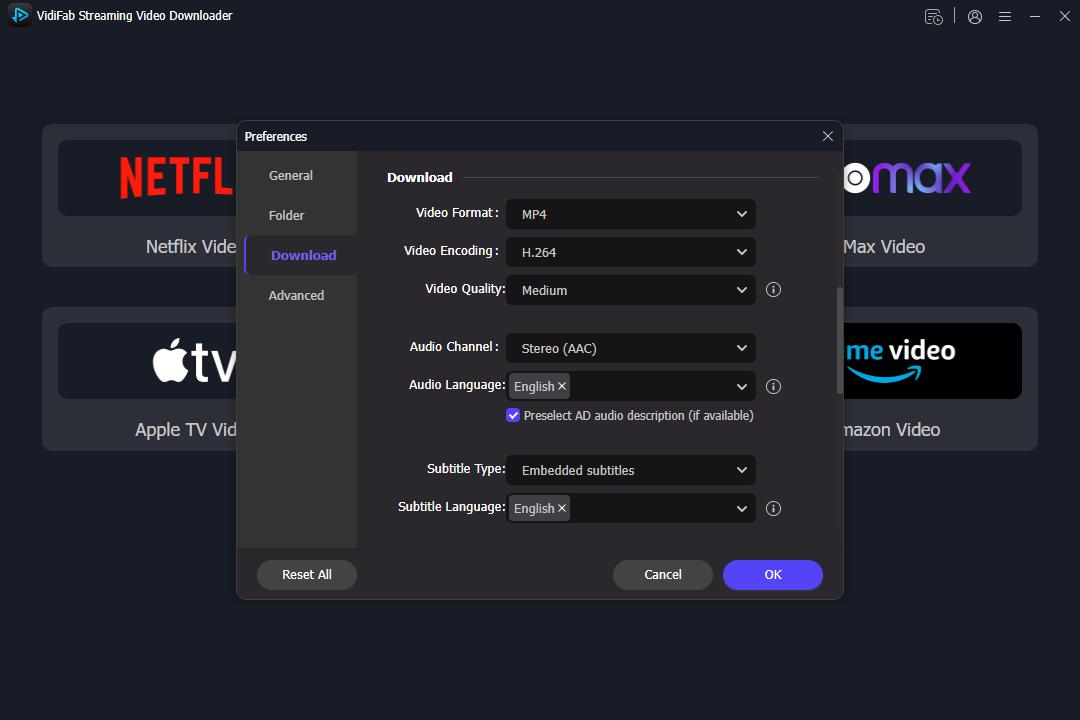
Open Prime Video and Set the Download Preferences. Start the VidiFab Streaming Video Downloader. Click on the menu icon, then go to Preferences > Download > Output format. Select MP4 or MKV and click OK to save.
-
02
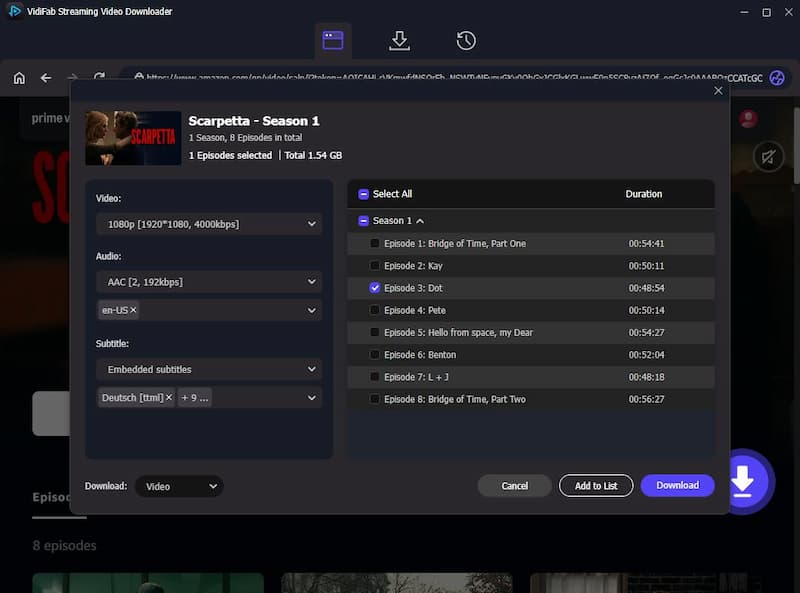
Select Video Quality and Begin Download. Close the window and select the Amazon Video tab. Search for the movie or TV show you want to watch. After finding your title, click the Download icon in the bottom right corner. In the pop-up window, choose your desired video quality, audio track quality, language, and subtitle options. Click the Download button and wait for it to complete.
-
03
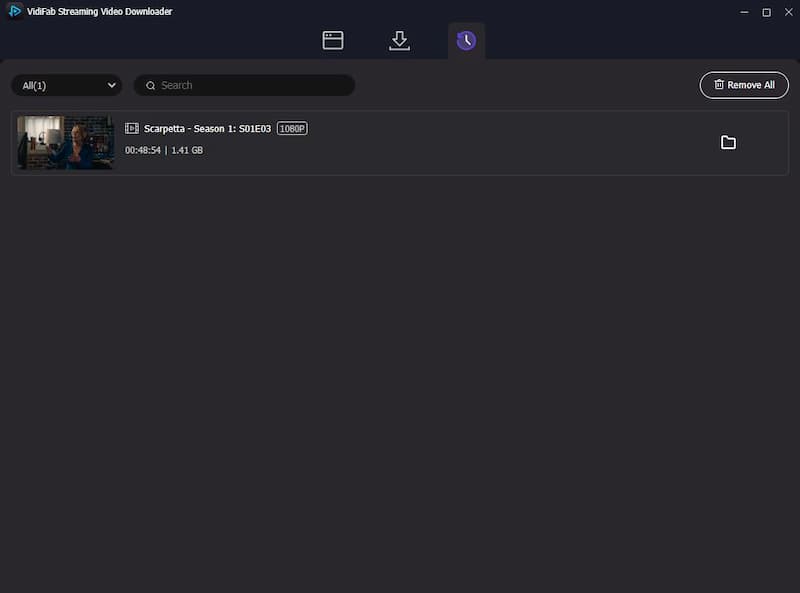
Play and Watch Together. Once the download is done, click the folder icon next to the title. You will find the Prime videos in local format. You can play the video and enjoy it with friends using platforms like Zoom. Playing the video locally helps you avoid issues like buffering or unstable connections.
If you want to watch Amazon Prime Video content on a friend's TV, transfer the downloaded video to a USB drive. You can then play the video on their TV without needing an internet connection or your account.
Pros:
- No streaming limits or playback interruptions.
- Works without an internet connection.
- Keeps viewing separate from your Prime Video account.
- Ads are blocked once the video is downloaded.
- You can watch Prime Video on your phone, TV, desktop, and other devices.
Cons:
- Requires downloading videos before watching.
- Downloaded files take up storage space.
- Not suitable if you want instant online watch parties.
Part 3. FAQs About Sharing Amazon Prime Video
Can I Share Amazon Prime Video with Someone Who Lives in Another House?
Can Two People Watch Different Shows on Prime Video at the Same Time?
Can I Create Multiple Prime Video Profiles for Different Users?
Do My Friends Need Their Own Prime Video Account to Join a Watch Party?
Can I Watch Prime Video with Friends Without Sharing My Password?
Why Is Prime Video Not Working When I Share My Account?
Can I Share Downloaded Prime Video Movies with Friends?
Does Amazon notify me if someone logs into my Prime Video account?
Does Amazon Household Share Prime Video with Family Members?
Part 4. Conclusion
Sharing Amazon Prime Video with friends is easy if you know the right workarounds. While official options like Amazon Household have strict payment and address limitations, third-party watch party tools offer excellent sync options. For an error-free, private movie night without password risks or screen limits, downloading videos via VidiFab Downloader remains the most flexible solution.
 Free Download
 Secure Download
 Free Download
Secure Download
Free Download
Secure Download



I'm a video tech specialist with over 10 years of experience in digital media and streaming. I focus on making complex workflows simple and practical. Through my guides, you'll learn how to convert media, keep high-quality playback across devices, and manage your streaming video library with ease.
 Leave Your Comment