Best Ad Blockers for Amazon Prime Video: Do They Really Work?
 By Miles Kent
Amazon Prime Video offers a great selection of movies and shows for free, but there's a catch: ads. Even with a Standard Prime or Prime Video Solo subscription, you still face ads in almost every video, including Amazon Originals, Freevee, licensed content, and live sports. Plus, you can't skip them.
While you can avoid ads by downloading videos to watch offline, but this consumes a lot of time and storage space. That's why finding a good Prime Video ad blocker is key for a better viewing experience.
In this guide, I'll share three free ad blockers I've tested to help you block ads on Amazon Prime Video. If these tools stop working later, don't worry. I also have a solid backup solution: a professional Amazon Prime Video Downloader that lets you save videos without ads and watch them on any device, anytime.
Part 1. Why Traditional Ad Blockers Fail on Prime Video?
Traditional ad blockers struggle on Amazon Prime Video because the platform uses advanced techniques to manage ads. These include server-side ad insertion (SSAI), manipulating manifest files, real-time playback checks, and new browser restrictions that limit how extensions interact with streaming content.
1. Ads and Videos are Now One File (SSAI Technology)
In the past, ads were separate files, which made it easy for blockers to find and stop them. Now, Amazon uses Server-Side Ad Insertion (SSAI). This means Amazon's servers "stitch" the video and the ad together into a single video stream. Because they share the same domain and CDN (Content Delivery Network), your browser thinks the ad is just part of the video.
2. Manifest File Manipulation
Prime Video relies on Manifest Files to stream videos. Think of it as a playlist that tells the player which 10-second clip to load next. Amazon inserts ad segments into this playlist. If an ad blocker tries to remove these segments, the player detects a gap. Instead of skipping the ad, the video may freeze or go black.
3. Real-Time Checking
Amazon continuously monitors your playback. If you attempt to skip an ad, the system detects it. When it notices an ad didn't play correctly, it may lower your video quality or pause the video until the ad finishes.
4. New Browser Rules (Manifest V3)
Most Chrome extensions now must comply with Google's Manifest V3 rules, which limit how much an extension can alter website data. This change means blockers can't dig deep into video streams to remove stitched ads.

Don't worry! While these technologies stop old and simple blockers, they are not perfect. The ad blockers we recommend below are specially designed to handle these problems and give you a smooth, ad-free experience.
Part 2. 3 Free Ad Blockers That Work on Amazon Prime Video
I tested several ad blockers and gathered user feedback from Reddit and the Google Web Store. I discovered three free ad blockers for Amazon Prime Video that effectively remove or fast forward ads.
These ad blockers target Pre-roll and Mid-roll ads in streaming movies and TV series. They won't block ads in Live Sports or Live TV since those commercials are part of a live broadcast.
1. uBlock Origin
uBlock Origin (referred to as uBO below) is widely regarded as one of the most powerful content blockers available today. It is free and open-source and effectively blocks XHR requests and tracking beacons that Amazon uses for ads.
On Reddit, users highly recommend uBO for skipping ads on Amazon Prime Video. Many say the experience is even smoother on Firefox compared to Chrome, because Firefox allows the extension to better stop complex tracking scripts. In my own testing on Firefox, I was able to watch full-length movies without any pre-roll or mid-roll interruptions.
How to Use uBO to Block Prime Video Ads
Step 1. Install uBlock Origin
Download and install the uBlock Origin extension from the Firefox Add-ons store or Chrome Web Store.
Step 2. Enable Advanced Mode
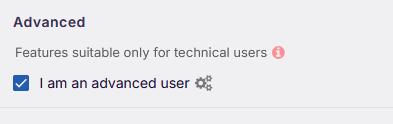
Click the uBO icon, open the Dashboard (gear icon), and under Settings, check the box for “I am an advanced user.”
Step 3. Update Filter Lists
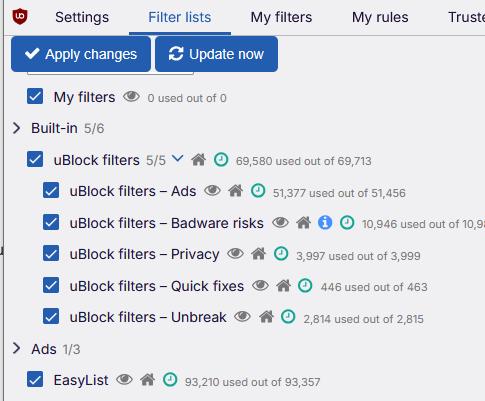
Go to the Filter Lists tab. Make sure “uBlock filters – Quick fixes” and “uBlock filters – Annoyances” are checked. Click Update Now to get the latest anti-SSAI rules. This helps the extension recognize Amazon Prime Video's most recent ad-delivery patterns.
Step 4. Start Streaming
Open your Prime Video account and play a video. uBO is active by default, so ads should now be skipped automatically.
Pros:
- Completely free and open-source
- Minimal CPU and RAM usage, keeping your system fast
- Frequent updates from the community
- Can skip mid-roll ads without breaking playback
Cons:
- Slightly less effective on Chrome due to Manifest V3 restrictions
- Dashboard can be confusing for beginners
- Temporary playback errors if Amazon updates its manifest
2. AdGuard
AdGuard is a leading name in ad blocking. According to the AdGuard blog, it actively targets Amazon's SSAI technology and encourages users to report any ads that slip through so its filters stay up to date. While many tools struggle to block these embedded ads, AdGuard develops specialized filters to handle ads hidden within video streams.
AdGuard works for free as a browser extension on Chrome, Firefox, Edge, and Safari. It also offers a standalone app for Windows, Mac, Android, and iOS, which is a paid version with a 14-day free trial. Unlike the browser extension, the AdGuard app blocks ads across your entire device, including the Prime Video app.
For most users, the browser extension is sufficient. In fact, due to the way web players operate, the browser version is often more effective at detecting and blocking ads in streaming videos than the desktop app.
How to Use AdGuard to Block Prime Video Ads
Step 1. Install the Extension
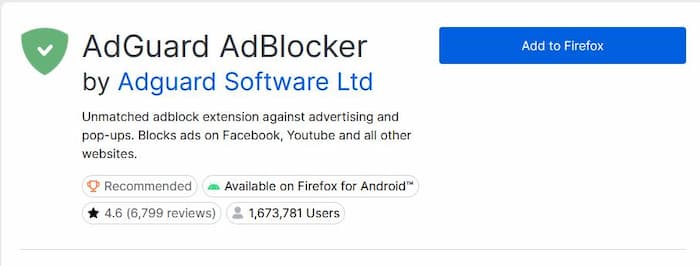
Go to your browser's store (Chrome, Firefox, Safari, or Edge) and install AdGuard AdBlocker.
Step 2. Turn on Filters
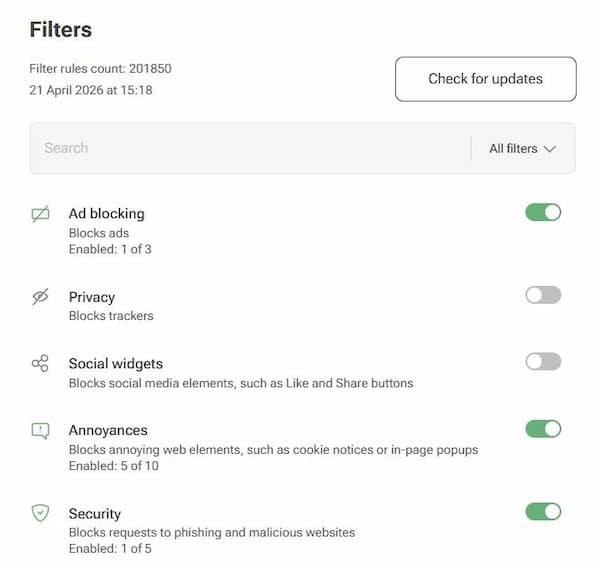
Open AdGuard's settings and make sure the Ad Blocking, Annoyances, and Security filters are enabled.
Step 3. Update Regularly
Amazon frequently updates its ad delivery system. Click Check for Filter Updates within the extension to ensure your filters stay current.
Step 4. Watch Prime Video
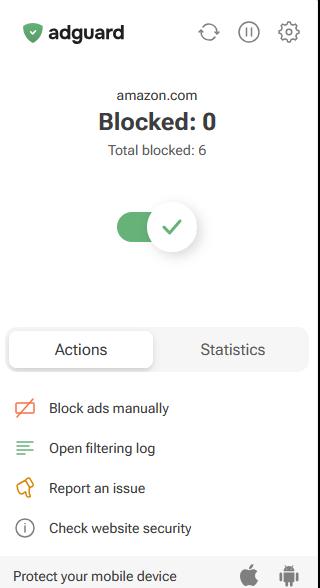
Visit primevideo.com and log into your account to start streaming. AdGuard will automatically be active, so you should see fewer ads or none at all.
Pros:
- Clean and easy-to-use interface
- Free browser extension works well for streaming
- Removes “Sponsored” labels on the Prime Video homepage
- Frequently updated filter lists
Cons:
- Uses slightly more RAM than uBlock Origin
- Full app requires a paid subscription after trial
- Mobile setup can be complex (VPN required)
- May miss some ads
3. Ad Skipper for Prime Video (Chrome Extension)
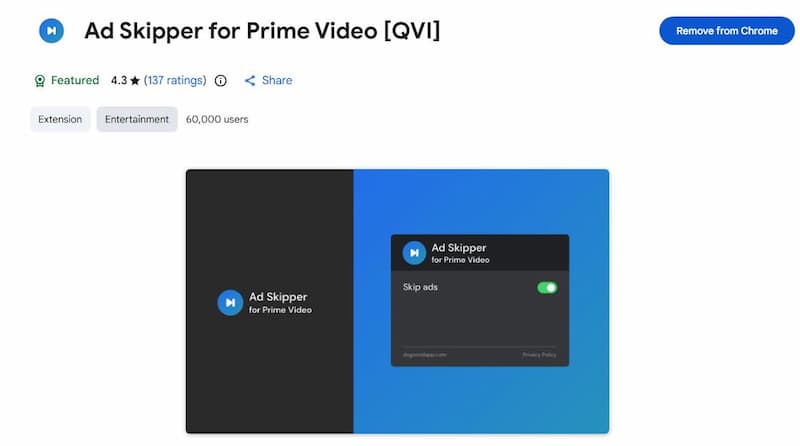
Ad Skipper for Prime Video is a popular choice in the Chrome Web Store with a 4.3 out of 5 rating from over 137 reviews. With more than 60,000 users, it is a trusted tool for people who want a simple way to deal with unskippable commercials.
Unlike a typical ad blocker for Prime Video, this tool does not remove ads from the stream. Instead, it uses a fast-forward method. When an ad is detected, it automatically increases the playback speed (often up to 10×). This means a 2-minute commercial break will fly by in just a few seconds.
How to Use Ad Skipper for Prime Video
Step 1. Install the Extension
Go to the Chrome Web Store, search for Ad Skipper for Prime Video, and click Add to Chrome.
Step 2. Pin the Extension
Click the puzzle icon in your browser and pin the extension so you can confirm it's active.
Step 3. Open Prime Video
Go to the Prime Video website and start playing a video.
Step 4. Let It Run Automatically
When an ad starts, the extension detects it and speeds up playback automatically. No manual action is needed.
Pros:
- High success rate since it doesn't interfere with ad delivery
- Free to use
- Very easy setup with no complex settings
Cons:
- Ads are sped up, not removed
- May skip a small part at the start of content
- Only works on Chrome
Part 3. How to Block Ads on Prime Video Without Ad Blockers
Ad blockers and ad skippers can help reduce interruptions on Amazon Prime Video, but they're not always reliable. As Amazon updates its ad delivery system, many ad blocker tools struggle to keep up. What works today might not work after the next update.
That's why a backup plan is essential.
Option 1: The Official (But Costly) Method
The simplest way to remove ads is to upgrade your account. Amazon offers an "Ad-Free" plan, called Prime Video Ultra, for $4.99 a month. This can add up quickly over a year.
Option 2: The Best Value – VidiFab Prime Video Downloader
Instead of paying a monthly fee indefinitely, use a video downloading software like VidiFab Prime Video Downloader. This tool lets you download movies and TV shows from Amazon to Mac and Windows without ads and save them on your device for playback without the Prime Video app.
Ads on Prime Video appear during streaming, so once you save a video locally, those ad segments are gone. In other words, you're not just blocking ads; you're completely avoiding them.
VidiFab Prime Video Downloader
Download Prime Video titles as ad-free MP4/MKV in 1080p with 5.1 Surround Sound to bypass commercials and watch offline.
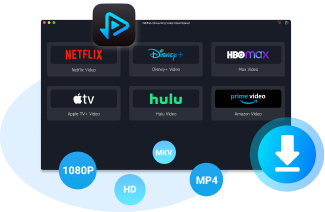
- High Quality: Download videos in up to 1080p HD with stable bitrate, keeping clear and detailed playback.
- Universal Formats: Save content as MP4 or MKV files, so you can play them on Smart TVs, tablets, phones, or any media player without needing extra apps.
- Super Fast Downloading: With up to 8× batch download speed, you can save an entire season of your favorite Amazon Originals in just a short time.
How to Download Amazon Prime Videos Without Ads
Step 1. Launch VidiFab and Set Your Preferences
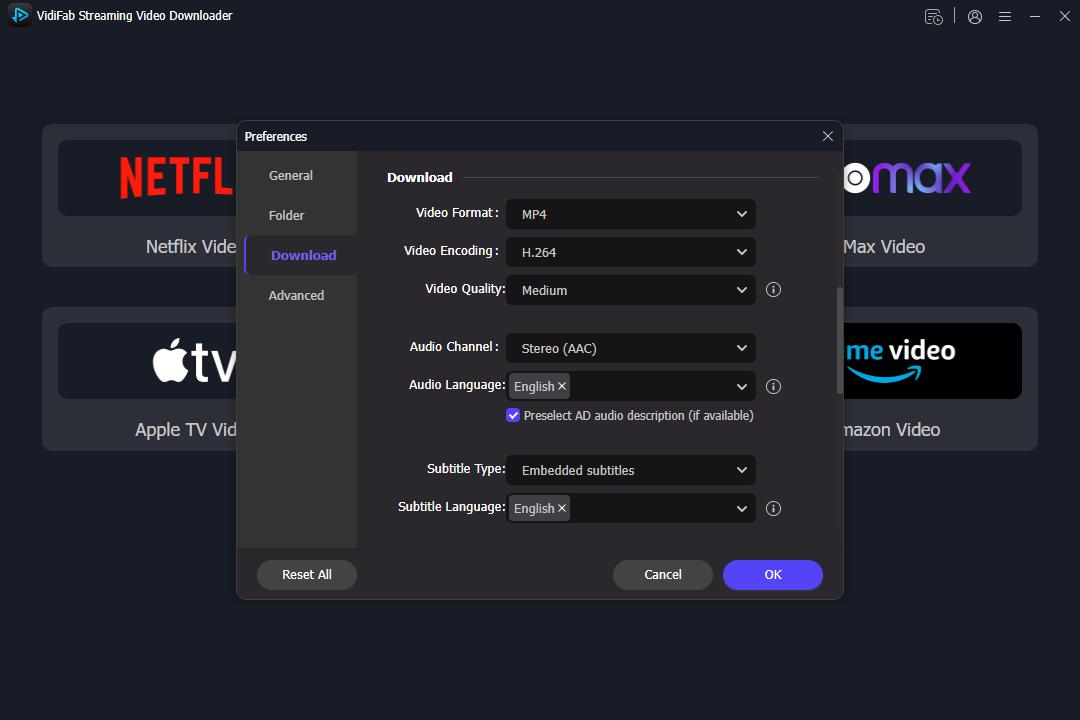
Install and open the VidiFab Amazon Prime Video Downloader. Click the menu icon in the top right corner and select Preferences. In the settings window, set your output format to MP4 or MKV. You can also choose your preferred video encoding and quality. Click OK to save. Next, click the Amazon icon and log in to your account using the secure built-in browser.
Step 2. Find the Movie or Show You Want to Watch
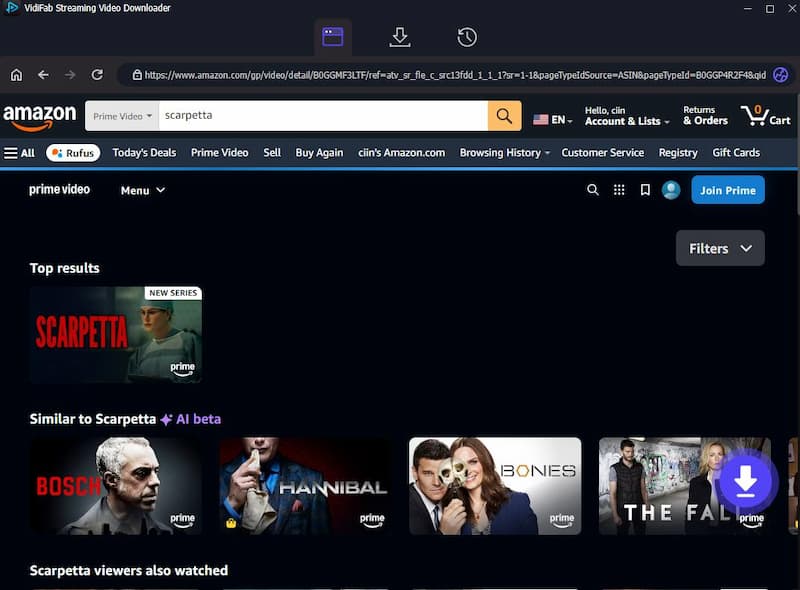
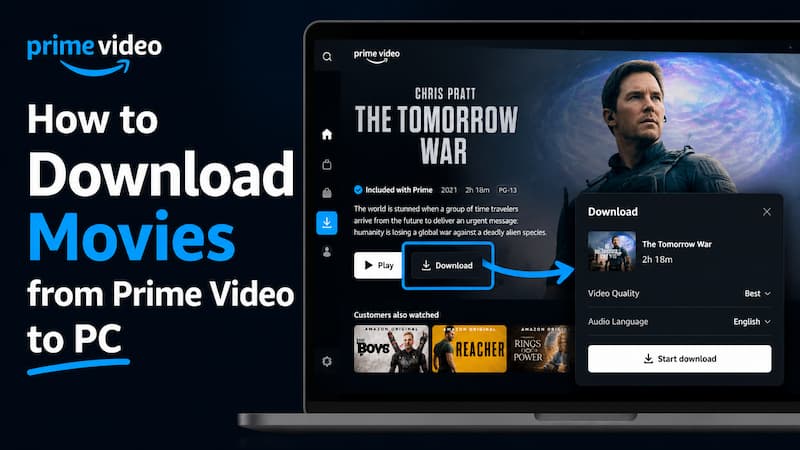
Browse the Prime Video library or paste the URL of a specific movie or Amazon Original series into the search bar. Once you open the video's detail page, VidiFab will show a Download button in the bottom-right corner. Click it.
Step 3. Choose Output Format and Quality
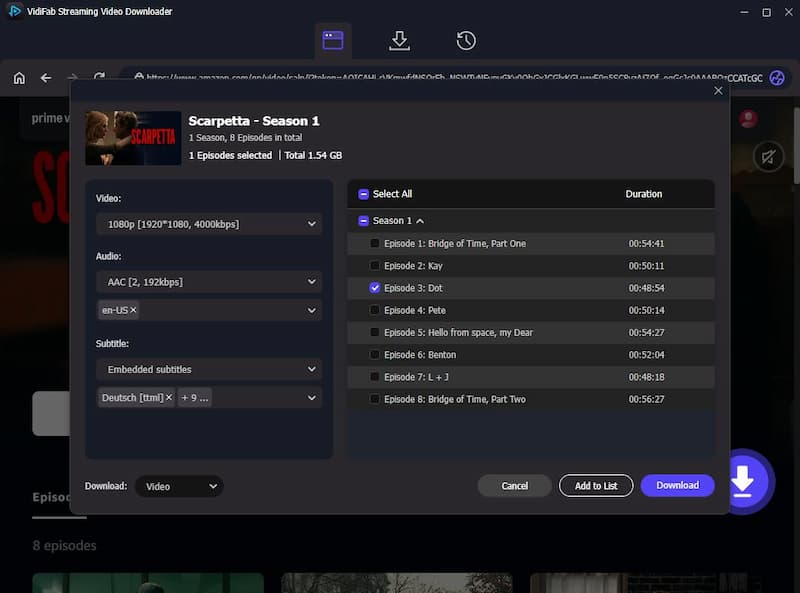
A settings window will appear. Choose 1080p for the best HD experience. You can also select your preferred audio language and subtitles. To download multiple episodes, select them on the right side or check the Select All box.
Step 4. Download and Save to Your Computer
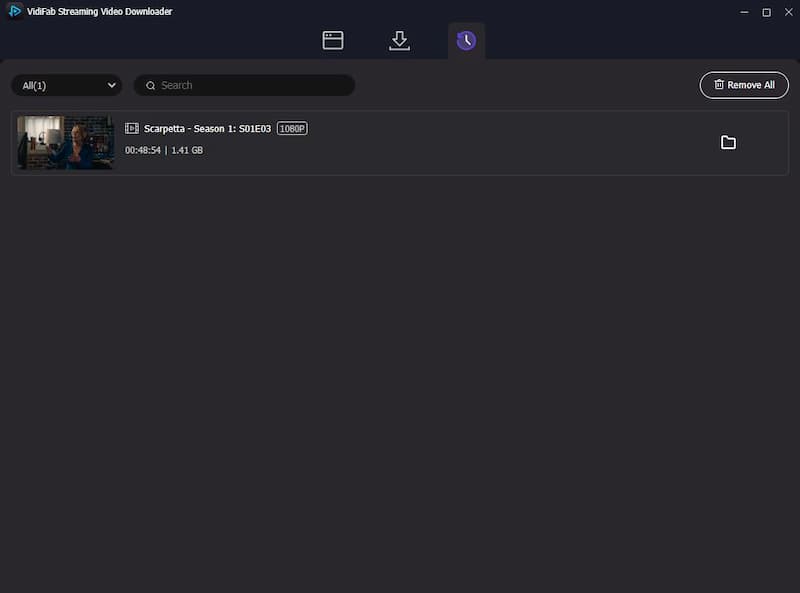
Click Download to start the high-speed extraction (up to 8×). VidiFab saves a permanent, ad-free file directly to your storage. Once finished, go to the History tab and click the folder icon to locate your video. You can now move these files to your Smart TV, tablet, or phone for uninterrupted offline viewing. Prefer a movie night? You can also stream Prime Video content together with friends and family.
Part 4. FAQs about Amazon Prime Video Ad Blocker
Why do I still see Promotional Trailers even with an active blocker?
Can Amazon ban my account for using an ad blocker?
Why does my screen go black for 30 seconds instead of skipping the ad?
Do these ad blockers work on the Prime Video Windows/macOS app?
Is there any way to skip ads on the mobile Prime Video app for free?
Conclusion: What's the Best Way to Stop Ads on Prime Video?
If you watch just one or two shows a month, try a free extension like uBlock Origin or Ad Skipper for Prime Video. They're quick, easy to use, and many users confirm they work well.
However, if you are a big fan of Amazon Prime Video and want to avoid the $4.99 monthly fee, VidiFab Prime Video Downloader is the best investment. It guarantees a smooth, high-quality, and 100% ad-free experience every single time.
 Free Download
 Secure Download
 Free Download
Secure Download
Free Download
Secure Download


I'm a video tech specialist with over 10 years of experience in digital media and streaming. I focus on making complex workflows simple and practical. Through my guides, you'll learn how to convert media, keep high-quality playback across devices, and manage your streaming video library with ease.
 Leave Your Comment