Amazon Prime Watch Party Is Gone: What Are Your Options?
 By Miles Kent
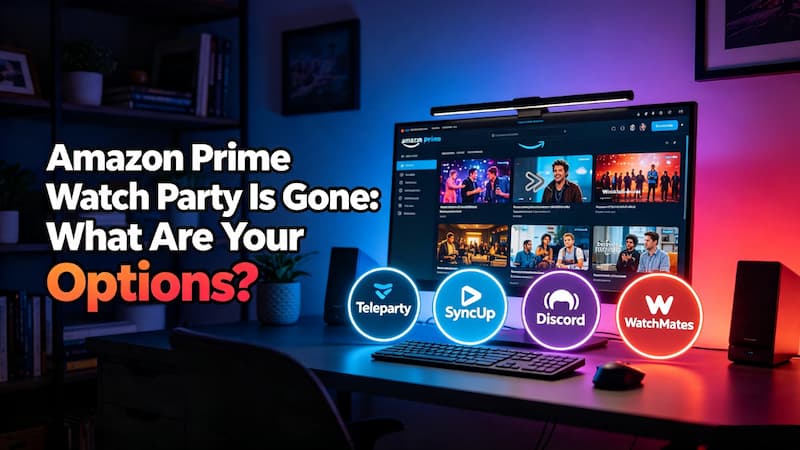
Amazon Prime Video Watch Party is no longer available. The feature previously let up to 100 viewers watch content together in a synchronized virtual room, but Amazon officially discontinued it in April 2024.
However, you can still watch Prime Video with friends using alternatives such as Teleparty, Discord, SyncUp, and WatchMates. If you're looking for a Prime Video Watch Party solution, this guide explains what happened to the official feature and shows how to start a watch party on Prime Video using the best available methods.
Part 1. Can You Do a Watch Party on Amazon Prime?
Yes, you can host a watch party for Amazon Prime, but not through Amazon's official Watch Party feature anymore. Amazon permanently discontinued the native Prime Video Watch Party feature worldwide in April 2024.
Why Amazon Discountinued the Watch Party Feature?
Amazon has never officially explained why it removed Watch Party. However, the feature was launched during the pandemic, and its usage may have declined as people returned to in-person viewing. The introduction of Prime Video's ad-supported plan in 2024 may have also created technical and licensing challenges for synchronized group streaming.
Part 2. How to Do a Watch Party on Prime with Browser Extensions
Browser extensions are now the easiest way to create a Prime Video watch party. Based on community feedback from Reddit and my hands-on testing, I have selected the three best free browser extensions that perform well for hosting a watch party on Amazon Prime Video.
3 Best Watch Party Apps and Extensions for Prime Video
| Feature | Teleparty 🎬 | WatchMates 👀 | SyncUp 🎧 |
|---|---|---|---|
| Max Participants | Up to 1,000 | Up to 10 | Up to 5 |
| Free Party Limit | Unlimited | Up to 5 parties/month | Unlimited |
| Streaming Quality | Up to 1080p | Up to 1080p | Up to 1080p |
| Chat Features | Text chat | Text chat | Text + Voice chat |
| Supported Devices | Desktop browsers only (Chrome, Edge, Safari, Opera extensions) |
Desktop browsers only (Chrome extension) |
Desktop browsers only (Chrome, Edge, Firefox, Safari extensions) |
| Best For | Large groups | Casual viewing | Small friend groups |
| Standout Feature | Massive party size | Simple setup | Built-in voice chat + Local video streaming |
No matter which extension you choose, everyone in the room needs their own active Prime Video subscription and access to the same title in the same region. If a movie or show is not available on your friend's account, VidiFab Prime Video Downloader can help you save supported Prime Video titles as local files for playback.
 Free Download
 Secure Download
 Free Download
Secure Download
Free Download
Secure Download
1. Teleparty: Best for Large Groups and Unlimited Movie Nights
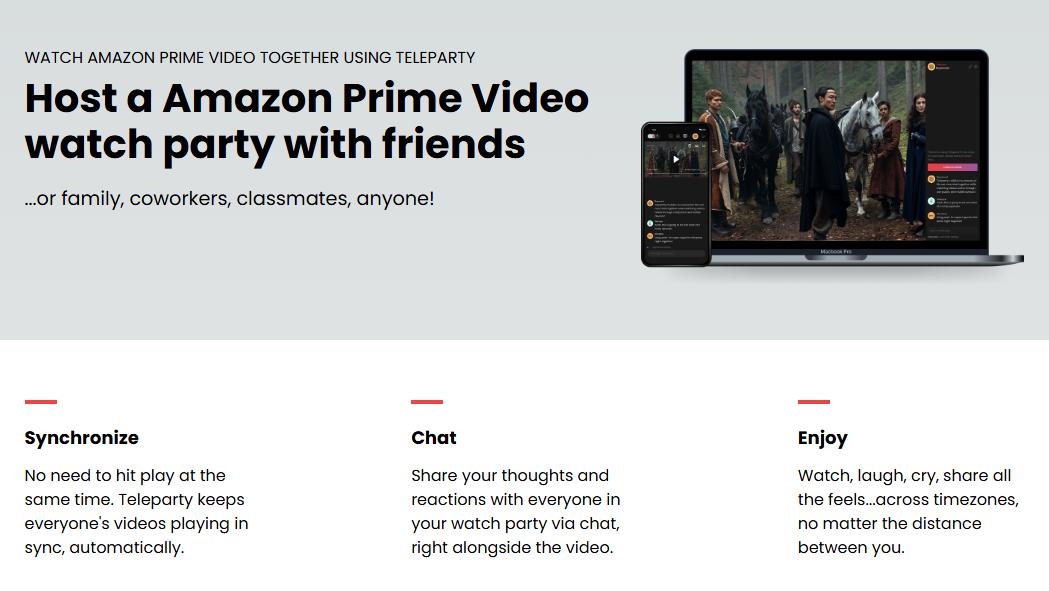
Teleparty (formerly Netflix Party) is the most popular extension for synced streaming. It can host more than 1,000 people in a single room. It gives you reliable, real-time playback sync and a text chat sidebar with custom emojis for Amazon Prime Video.
How to Use Teleparty for a Prime Video Watch Party
-
01
Download and install the Teleparty extension on your desktop browser (Google Chrome, Microsoft Edge, Safari, or Opera).
-
02
Open Prime Video on your computer, sign in to your active Amazon account, and start playing the movie or show you want to watch.
-
03
Click the red TP icon in your browser toolbar. Tick "Only I have control" if you want to be the sole host, then click Start the Party.
-
04
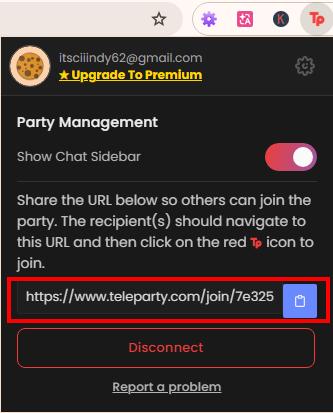
Copy the unique room URL and send it to your friends. They click it to join your synced stream right away.
-
05
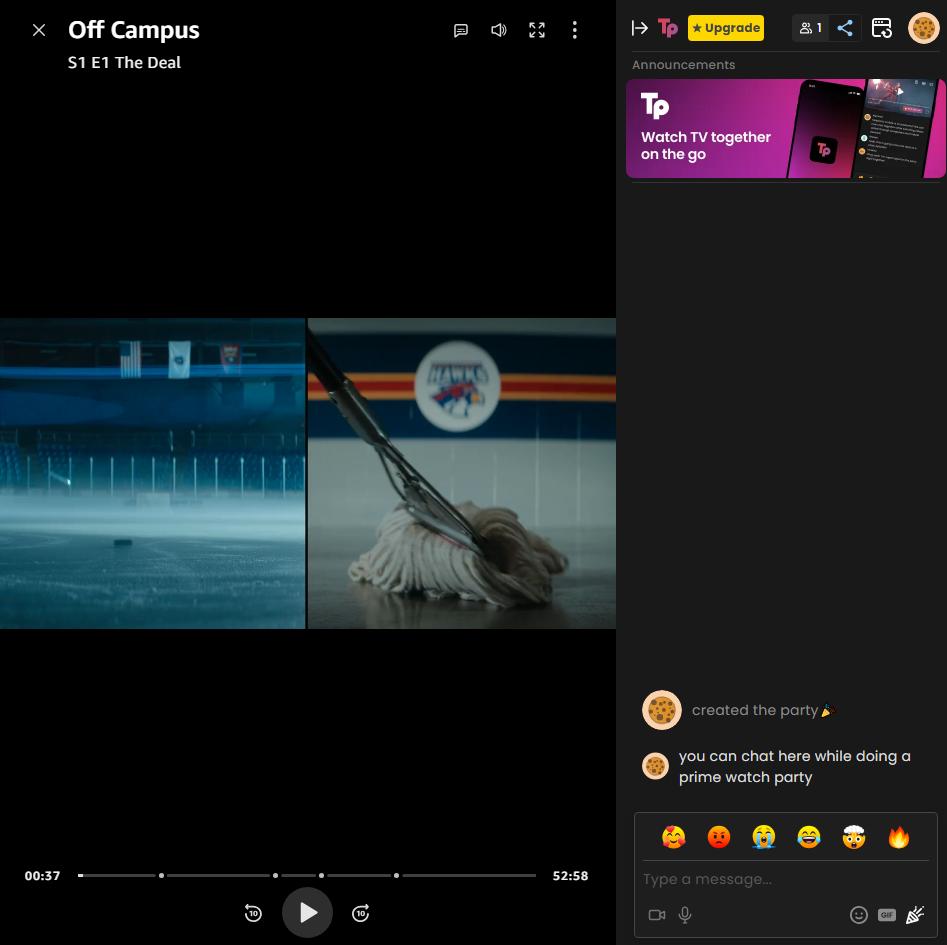
After everyone joins, Teleparty syncs playback automatically, so you all watch together.
Pros:
- Supports large watch parties with up to 1,000 participants.
- Unlimited watch parties with the free version.
- Works with multiple streaming platforms, including Prime Video, Netflix, Disney+, and more.
- Includes built-in text chat for group conversations.
- Highly stable playback sync.
Cons:
- Voice and video calls require a premium upgrade ($3.99/mo).
- Only available on desktop browsers for Prime Video.
- All participants need access to Prime Video content.
2. SyncUp: Best for Couples (Free Built-In Voice Chat)
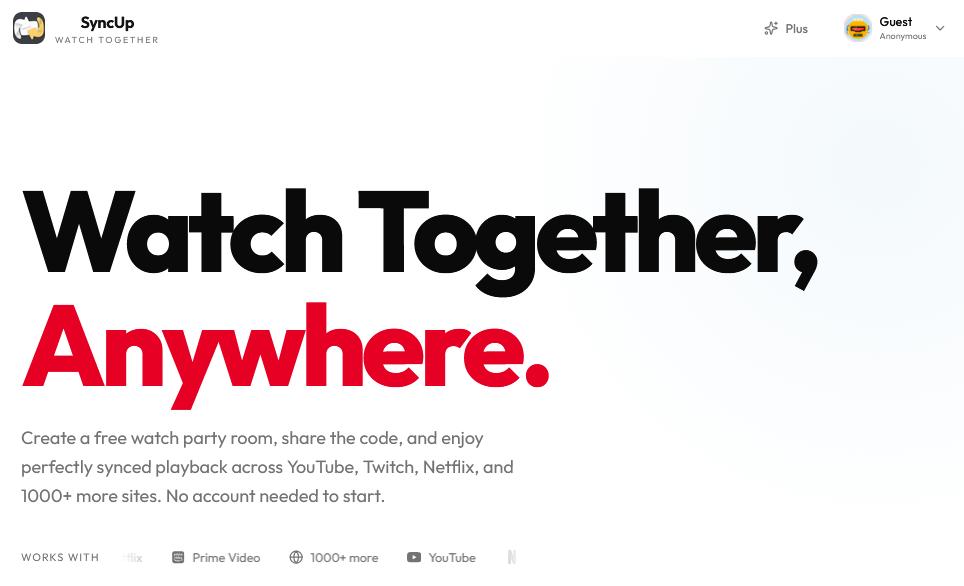
SyncUp is built for smaller groups. The free version supports up to 5 people. Unlike most other extensions, it has built-in voice chat, so you can talk to your friends while watching without opening Discord or FaceTime. It also works with 1,000+ HTML5 video sites, including Prime Video.
How to Use SyncUp to Watch Prime Video with Your Friends
-
01
Install the free SyncUp extension on your desktop browser.
-
02
Go to the SyncUp website, enter a room name, and click Create to start a watch room.
-
03
Copy the room code and send it to your friends. They enter the same code on SyncUp to join.
-
04
Open Prime Video, sign in to your Amazon account, and play the title you want to watch.
-
05
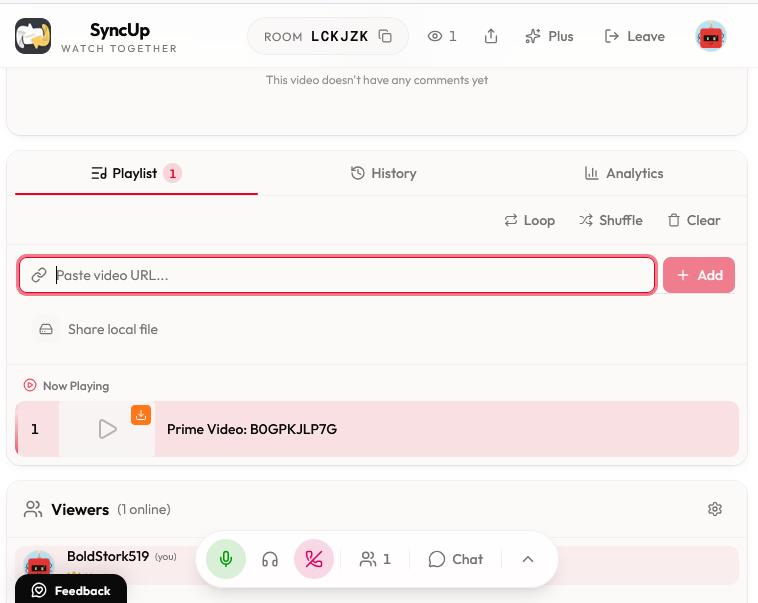
Copy the URL of the playing Prime Video page and paste it into the Paste Video URL field in SyncUp.
-
06
SyncUp opens the watch party page. Everyone can watch and control playback together. To use voice chat, return to the SyncUp page and click Join Voice at the bottom center.
A Trick If Your Friends Don't Have Prime Video Access
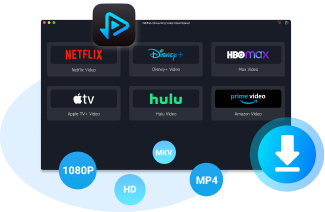
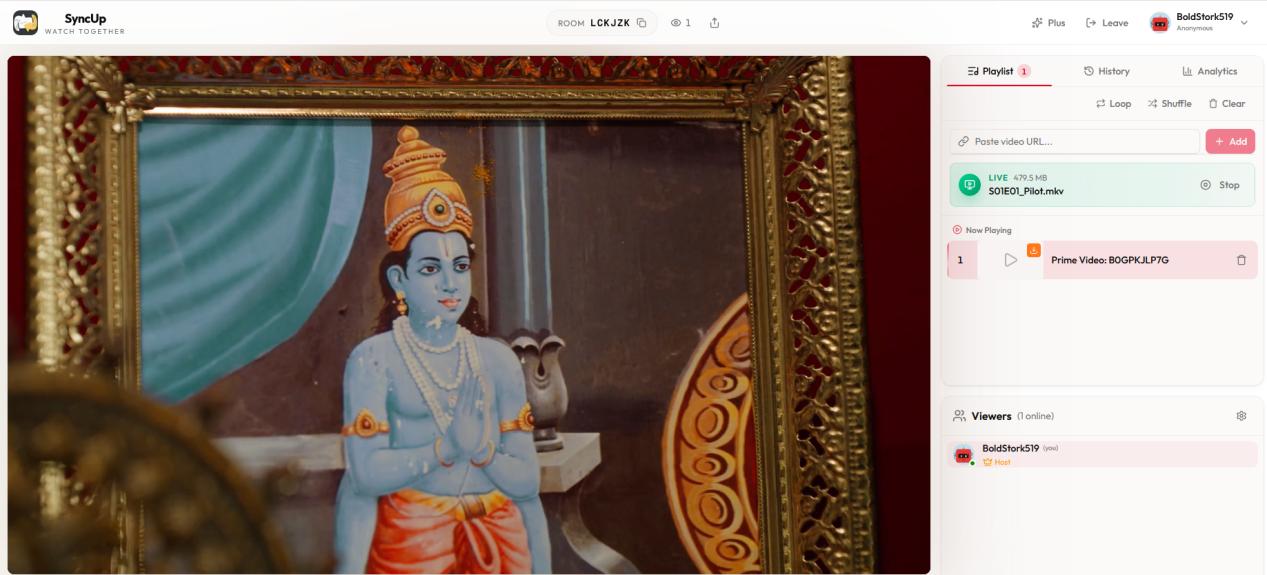
If your friends cannot access the same Prime Video title, SyncUp also supports watching local video files together. You can use VidiFab Prime Video Downloader to save supported Prime Video videos as MP4 or MKV files with up to 1080p quality, subtitles, and original audio tracks.
VidiFab Prime Video Downloader
Download Prime Video titles as ad-free MP4/MKV in 1080p on Mac and Windows for offline viewing.
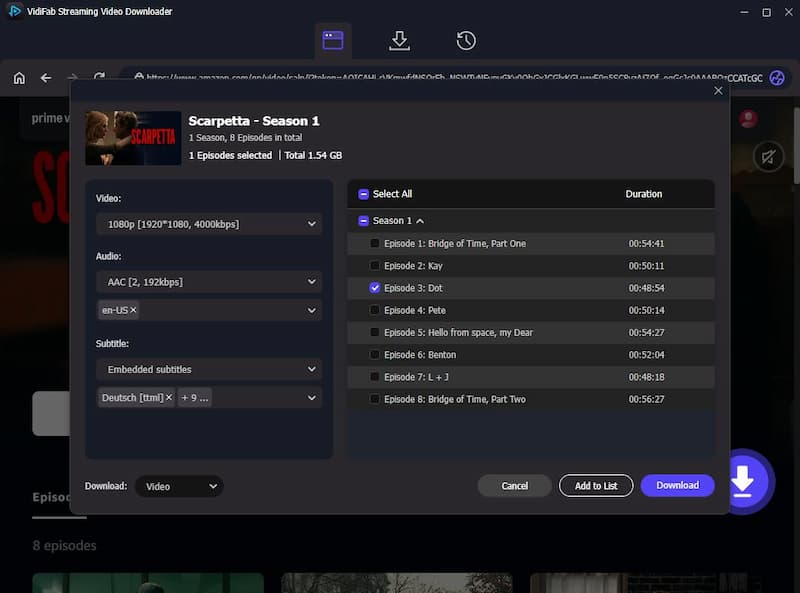
After the video is saved, simply upload or drag the file into SyncUp's local video area.
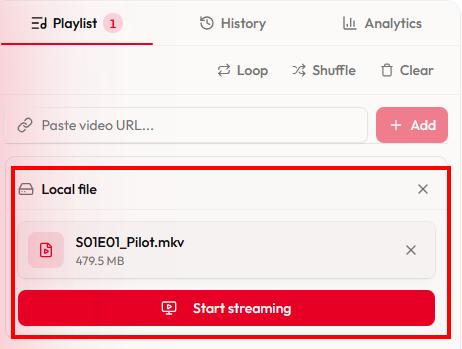
Everyone can then watch the same file together without playback restrictions or buffering issues.
Pros:
- Includes free built-in voice chat.
- Supports local video playback.
- No account required to start watching.
- Simple setup with private watch rooms.
- Great for small groups and one-on-one viewing.
Cons:
- Free tier allows only 5 participants per room.
- Voice chat is limited to 1 hour per day in the free version.
3. WatchMates: A Lightweight Alternative for Casual Watchers
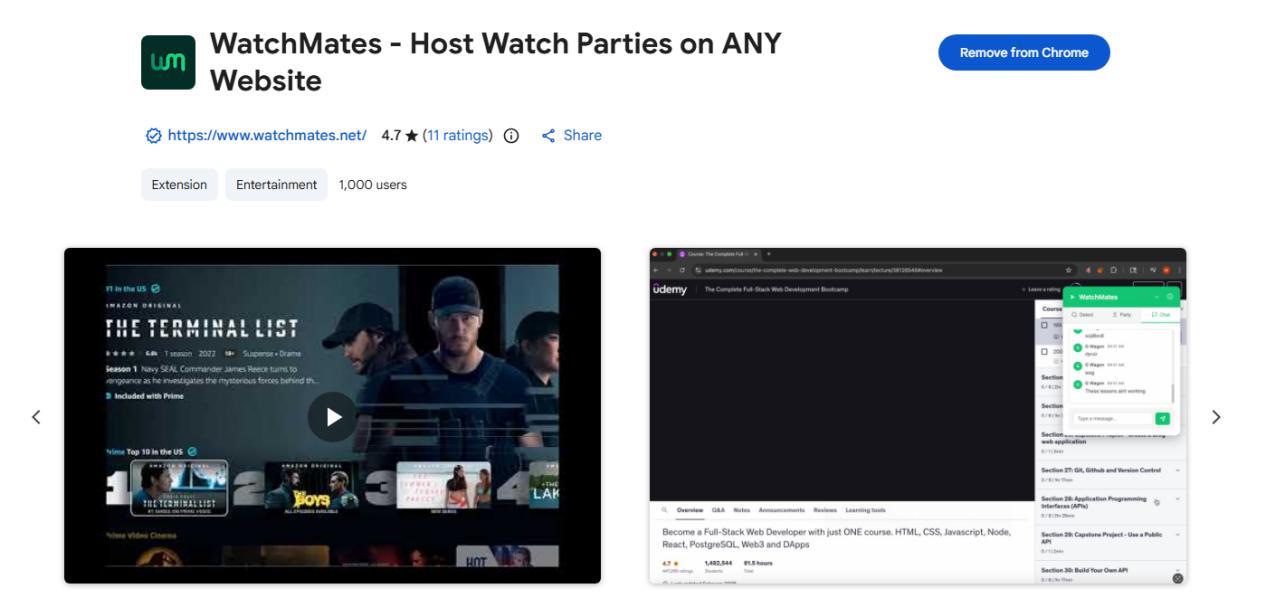
WatchMates is for users who value minimalist user interfaces and low CPU footprints. It provides basic text interaction overlaying the Prime Video screen, ensuring smooth video rendering on older computers during remote viewing sessions.
How to Use WatchMates for a Prime Video Watch Party
-
01
Download the WatchMates browser extension from the Chrome Web Store.
-
02
Go to your Prime Video dashboard, pick a title, and start streaming.
-
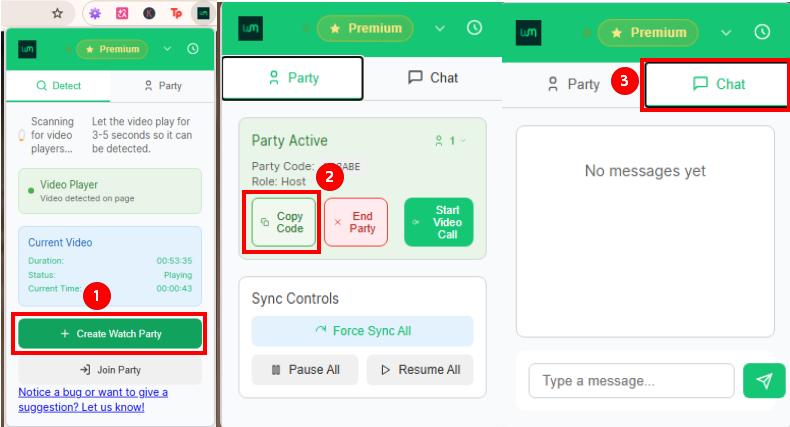
03
Click the WatchMates extension icon to scan the video player.
-
04
Click Create Watch Party. Copy the code and send it to your friends.
-
05
Once everyone joins, start playback. WatchMates syncs the video automatically.
-
06
Click the Chat tab in the extension window to send messages.
Pros:
- Lightweight extension with minimal configuration.
- Features a clean chat interface.
- Suitable for casual watch sessions.
Cons:
- Free users can only create or join 5 parties each month.
- Fewer advanced features than Teleparty and SyncUp.
- Free version allows a maximum of 10 members in a room.
- No voice chat feature.
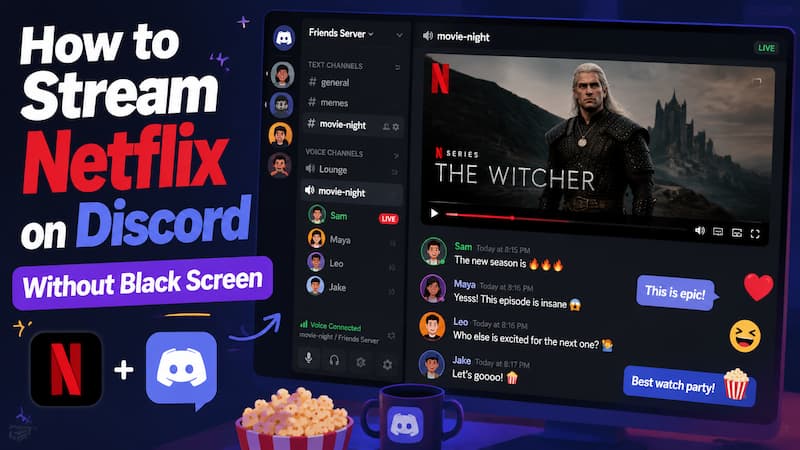
Part 3. How to Host a Prime Video Watch Party on Discord (No Black Screen)
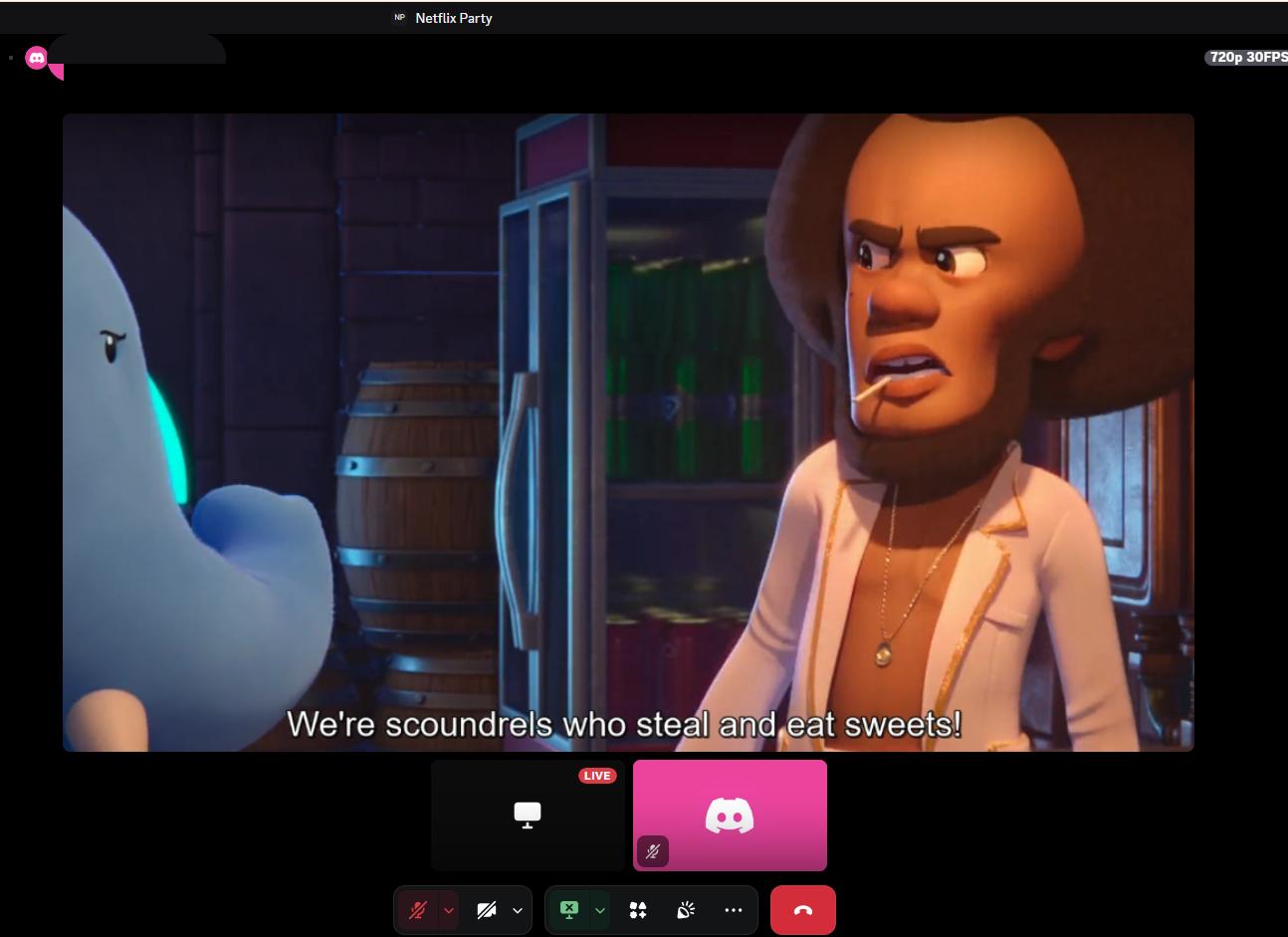
Streaming Prime Video on Discord is a good workaround when only one person in your group has a subscription. But if you share your screen the normal way, your friends will see a black screen. That happens because of digital copyright protection (DRM).
To fix the black screen, turn off hardware acceleration in your browser before you start the screen share. You can follow these steps to do a watch party for Prime Video:
How to Watch Prime Video Together on Discord Without a Black Screen
-
01
Open your web browser. Go to Settings, search for "hardware acceleration", and toggle off "Use graphics acceleration when available" (or "Use hardware acceleration when available"). Click Relaunch to restart the browser.
-
02
Go to the Amazon Prime Video website and start playing the movie or show you want to watch.
-
03
Open the Discord desktop app and join a voice channel with your friends.
-
04
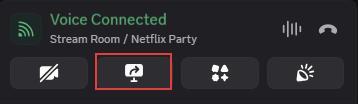
Click the Share Your Screen icon above your username. In the menu, select the specific browser window running Prime Video (not your whole desktop).
-
05
Set your stream resolution and frame rate. Free users are capped at 720p 30FPS. Then click Go Live to start your movie night.
Pros:
- Only one person needs an active Amazon Prime account.
- Supports voice chat and video chat.
- No extra watch party extension required.
- Works with friends who already use Discord.
Cons:
- May need troubleshooting because of DRM restrictions.
- Video quality depends on Discord streaming settings and internet speed.
- Not a true synced watch party; viewers may see small delays.
Part 4. Does Prime Video Support SharePlay?
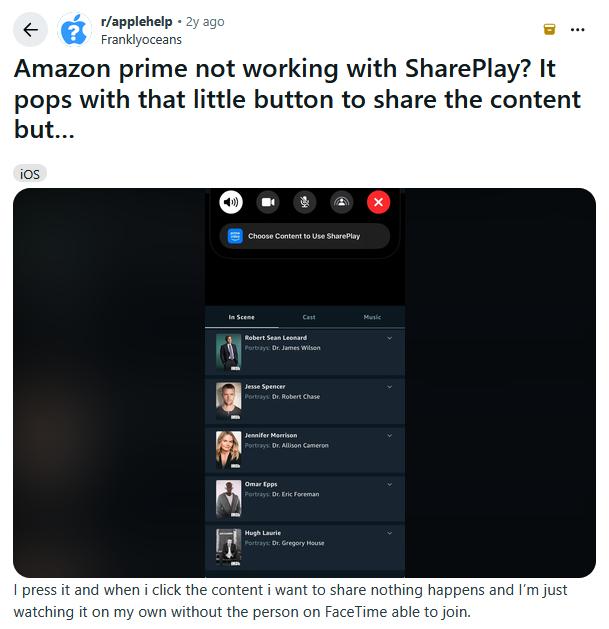
No, Prime Video does not support Apple SharePlay for synced viewing through FaceTime.
Prime Video appears as a SharePlay option during a FaceTime call, but users have found that it does not work. Sometimes picking a title does nothing, and the video only plays on the host's device. The other person cannot join the viewing.
Part 5. Prime Video Watch Party Alternatives Compared
The table below compares the four methods I used for a Prime Video watch party.
| Method | Best For | Group Size | Chat Options | Main Advantage | Main Limitation |
|---|---|---|---|---|---|
| Teleparty | Large groups | Up to 1,000 people | Text chat | Supports large watch parties and multiple streaming platforms | Desktop browser only |
| SyncUp | Couples and close friends | Up to 5 people (free) | Text + voice chat | Built-in voice chat without extra apps | Limited free group size |
| WatchMates | Casual watchers | Up to 10 people (free) | Text chat | Simple setup and lightweight experience | Fewer advanced features |
| Discord | Gaming groups and communities | Up to 50 people | Voice + video chat | No extension required | May require black screen fixes |
Part 6. Which Prime Video Watch Party Method Is Right for You?
The best Prime Video watch party method depends on your group size, chat needs, and devices. Here is a quick way to choose:
- Teleparty: Best for large groups and regular watch parties. It supports large rooms with synchronized playback but does not offer built-in voice chat.
- SyncUp: Best for couples or close friends. Its built-in voice chat makes it easy to talk while watching.
- WatchMates: Best for casual viewers who want a simple and lightweight watch party setup.
- Discord: Best for groups that already use Discord. It offers voice and video chat but may require black screen troubleshooting.
Part 7. Streaming Amazon Prime Video with Friends FAQs
Can You Watch Prime Video Together on Mobile Phones?
No, you cannot sync Prime Video playback on mobile phones anymore. Most Prime Video watch party extensions, including Teleparty, SyncUp, and WatchMates, are designed for desktop browsers. Even if you try to use the Discord mobile app to share your screen, Prime Video will only show a black screen.
Can I Host a Prime Video Watch Party If My Friend Lives in a Different Country?
No, you need a VPN. Amazon uses regional geo-blocking because of local licensing laws. If a movie is available in your country but not in your friend's, the watch party will show an error. Your friend must use a premium VPN set to your location and log into a compatible Amazon account to join.
Can Multiple People Watch Prime Video Together on One Account?
Yes, but there are limits. The standard plan allows up to 4 concurrent streams, while the Ultra plan supports up to 5 streams. However, only up to 3 devices can stream the same movie or TV show at the same time. This lets you share an account with family or friends for separate viewing, but it does not give you synchronized playback like a true watch party.
Can I Use Zoom to Host a Prime Video Watch Party?
You can use Zoom, but you need to follow the same workaround as for Discord. To stop your friends from seeing a black screen, turn off Hardware Acceleration in your browser settings, restart the browser, and then share that specific browser window during your Zoom call.
Part 8. Final Thoughts
Hosting an Amazon Prime watch party now needs third-party workarounds, since the native feature is gone. Use Teleparty for text-based crowds, or SyncUp for small voice calls. A simple option is to use VidiFab Prime Video Downloader to save the movie locally, then stream it smoothly over Discord or SyncUp to friends who do not have an Amazon account.
Free Download
Secure Download
Free Download
Secure Download



I'm a video tech specialist with over 10 years of experience in digital media and streaming. I focus on making complex workflows simple and practical. Through my guides, you'll learn how to convert media, keep high-quality playback across devices, and manage your streaming video library with ease.
 Leave Your Comment