Why Does Netflix Remove Shows and Movies?
 By Miles Kent
Netflix removes shows and movies primarily due to licensing agreements. The platform does not own all the titles in its library; many are available for a limited time through contracts with studios and distributors. When these agreements end or another platform offers the rights holder a better deal, the title is removed, regardless of its popularity. Some Netflix Originals are also impacted, with over 100 expected to leave in 2026.
In this guide, you will learn the real reasons behind removals, how to see what is leaving Netflix soon, and how to keep watching your favorites afterward. If you have ever gone to watch something from My List only to find it gone, this guide is for you.
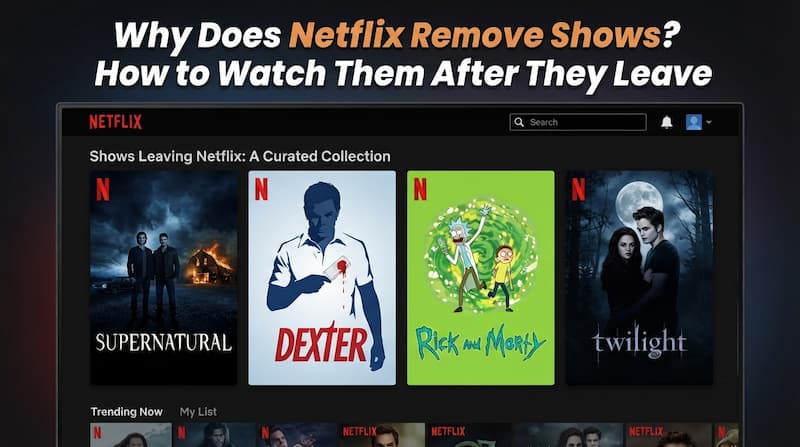
Part 1. Why Does Netflix Remove Shows and Movies?
Netflix isn't removing titles to frustrate viewers. In almost every case, it comes down to who owns the rights, how much they cost, and whether enough people are still watching. Here are the four main reasons.
Licensing Agreements Expire
Aside from its own original productions, most of what you watch on Netflix comes through licensing agreements with major studios like Sony or Paramount. That's how theatrical movies end up on the platform in the first place. But every one of these agreements has a fixed contract expiration date.
When a contract ends, Netflix has to decide whether to pay for a renewal or let the title go. If the renewal is too expensive, or if viewership has dropped, Netflix usually chooses to let it lapse.
Rights Holders Sell to Higher Bidders
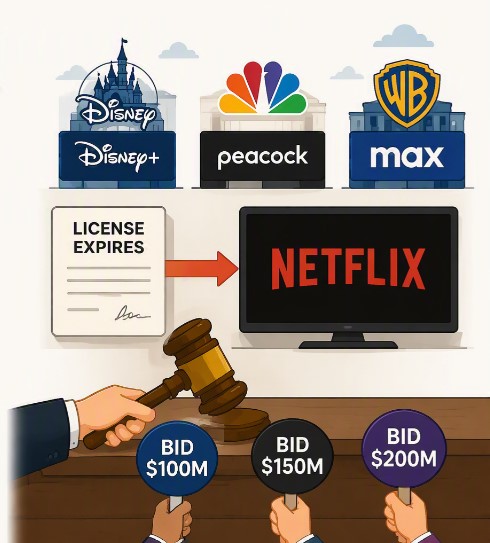
Studios used to be happy to license content to Netflix for extra revenue. Now most of them run their own streaming services. Disney launched Disney+. NBCUniversal launched Peacock. Warner Bros. launched Max. Suddenly, every studio wanted to keep their best titles exclusive to their own platform.
When a Netflix license expires, the parent studio often pulls the rights back to boost their own streaming service. That is why shows like Friends and The Office left Netflix and moved to their parent company platforms.
In other cases, another service may simply offer a better licensing deal. When Netflix's contract expires, the rights holder may decide to move the title elsewhere.
Viewership Doesn't Always Justify Renewal Costs
Why does Netflix remove good shows or popular titles? Netflix says it weighs a title's popularity in each region against the cost of licensing it, according to its Help Center. So a show's popularity doesn't decide everything: the question is whether the renewal cost matches how much it is actually watched.
If renewing a title costs more than the value Netflix believes it generates, the company may choose not to extend the agreement.
Some Netflix Originals Aren't Fully Owned by Netflix
Many viewers assume "Netflix Original" means the title is permanent. It doesn't. The label covers several different arrangements, and only some of them give Netflix full, lasting ownership. According to What's on Netflix, more than 100 Originals are set to leave the platform in 2026 alone.
- Fully owned by Netflix. Netflix develops, funds and owns these titles outright, so they rarely leave. Stranger Things is a typical example.
- Regional distribution deals. Netflix acts as the distributor only in certain regions. It does not hold worldwide rights, and the license period can be shorter, so these titles are more likely to leave.
- Co-productions with global distributors. Netflix partners with an outside studio or distributor, so ownership is shared. Wednesday is often given as an example. The outside partner's rights can affect how long the show stays.
- Acquired titles with global distribution. A film or series is first produced by an independent company or another studio, then Netflix buys the distribution rights for a fixed term. The Mitchells vs. The Machines is one example.
Because of these different arrangements, some Netflix Originals can eventually leave the service when distribution rights expire. To check any title before it goes, see Part 2: How to Find Out What Is Leaving Netflix.
Part 2. How to Find Out What Is Leaving Netflix
Netflix gives you several ways to check what is leaving before it disappears. Here are the four methods I use to stay ahead of the monthly removal list.
Method 1. Check the Title Detail Page on Netflix
If a title is scheduled to leave within the next 30 days, Netflix displays a "Last day to watch on Netflix" notice directly on the title's detail page. You will also see this alert at the top of the screen when you start playing the movie or show.
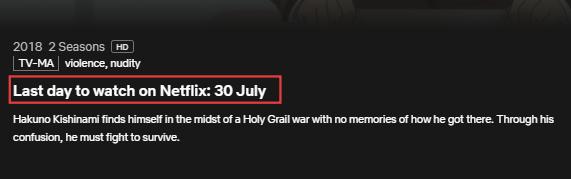
If you are planning to watch something specific, open its page first and check for the warning. If you do not see it, you still have time.
Method 2. Search for "Leaving Soon" on Netflix
Try searching for "Leaving Soon" directly in the Netflix search bar. The results will show titles with a red "Leaving soon" tag at the bottom of each thumbnail. This gives you a quick visual list of everything on its way out.
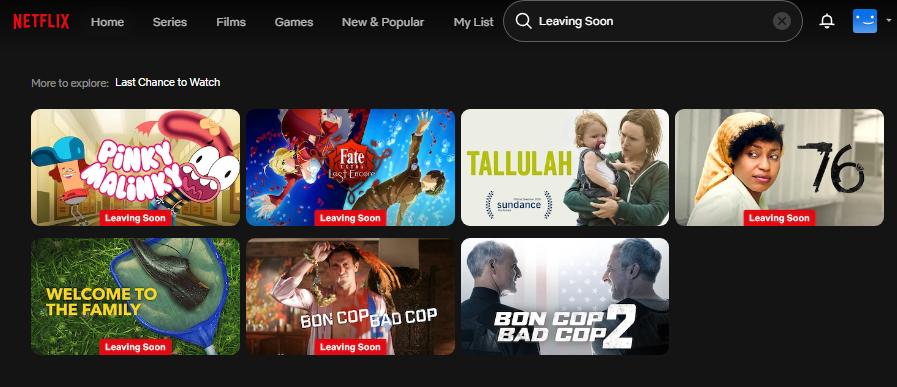
Netflix does not always tag every departing title with the "Leaving soon" label, so treat it as a starting point rather than a complete list.
Method 3. Use a Netflix Leaving Tracker Website
If you want the full picture, third-party tracking sites are your best bet. I recommend What's on Netflix Leaving Soon. The site maintains a regularly updated list of every movie and show scheduled to leave Netflix, organized by month.
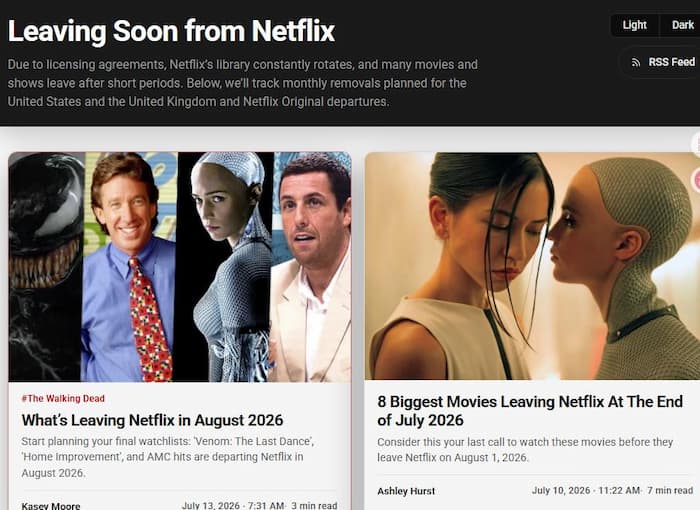

Note: Netflix licensing agreements are region-specific. A title leaving Netflix in the United States might still be available in the UK or Canada. Always confirm the removal date by checking your own Netflix account.
Method 4. Turn On Netflix Leaving Notifications
Netflix can push a notification to your phone when a title in your list is about to leave. To enable this, log into your Netflix account and go to your profile. Open Notification Settings, then Push Notifications. Make sure the "What you watch" toggle is turned on.
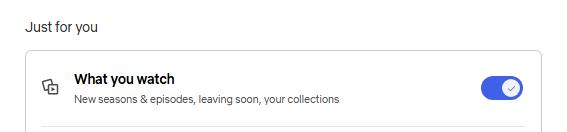
Once enabled, Netflix will send you a heads-up when something on your watchlist is scheduled to depart. This is the most passive method and my personal favorite. Set it once and forget about it.
Part 3. What's Leaving Netflix Soon? (Updated Monthly)
Every month, Netflix removes a batch of titles, and the biggest wave usually lands on the 1st. Below are some of the notable titles scheduled to leave the US catalog in October 2026. For the complete day-by-day list, check What's on Netflix's October 2026 leaving list.
| Title | Type | Leaving Date | Netflix Original? |
|---|---|---|---|
| Shameless (Seasons 1–11) | TV Series | Oct 11, 2026 | ❌ No |
| Nurse Jackie (Seasons 1–7) | TV Series | Oct 7, 2026 | ❌ No |
| Poldark (Seasons 1–5) | TV Series | Oct 8, 2026 | ❌ No |
| Gossip Girl (Seasons 1–6) | TV Series | Oct 28, 2026 | ❌ No |
| Deadwind (Seasons 1–3) | TV Series | Oct 29, 2026 | ✅ Yes |
These dates can change if Netflix renews a licensing agreement. For example, Seinfeld was originally expected to leave Netflix in 2026 but remained available after a new rights deal was reached. Always check the latest removal lists before planning a binge-watch.
Part 4. What Happens When a Show Leaves Netflix?
When a movie or show leaves Netflix, it does not just hide. It gets removed from the platform entirely. Here is exactly what happens:
- The title disappears from search results. You can no longer find it by searching on Netflix.
- Online streaming is blocked. You cannot play the title through the Netflix app or website anymore.
- My List entries become inaccessible. If you saved the title to your list, it will still appear there, but clicking it produces an error instead of playing.
- Downloads are automatically removed. If you downloaded the title before it left, the file is wiped from your device the moment the license expires.
To learn more about why Netflix removes your downloads, I have written a detailed guide on Netflix download limits that explains how the DRM system works and why your offline copies are never truly permanent.
Part 5. How to Watch Netflix Shows After They Leave
Knowing what happens when Netflix removes a show does not change the fact that your favorite titles can disappear at any time. The key is to act before the removal date. Here are four methods I have tested, ranked from most reliable to most convenient.
Method 1. Download Netflix Shows Before They Leave
VidiFab Netflix Video Downloader
Download Netflix videos as MP4 or MKV in 1080p with Dolby Atmos for offline viewing on any device, forever.
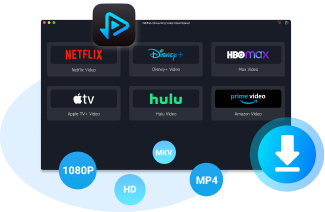
VidiFab Netflix Video Downloader allows you to save Netflix videos as MP4 or MKV files before they become unavailable. The downloaded videos can be stored on your computer and played later without relying on the Netflix app.
- Output formats: MP4 and MKV, both fully compatible with standard media players
- Video quality: Up to 1080p Full HD
- Audio: Original Dolby Atmos and 5.1 surround sound preserved
- Subtitles: Multiple audio tracks and multilingual subtitles
- Batch downloading: Up to 7 videos processed at once
Once the download finishes, you can keep Netflix downloads forever on your device. Even after the title is removed from the platform, your local MP4 or MKV file plays without any restrictions. No buffering, no internet required, no licensing checks.
How to Permanently Save Leaving Netflix Titles Using VidiFab
Step 1. Open Netflix Through VidiFab's Built-In Browser
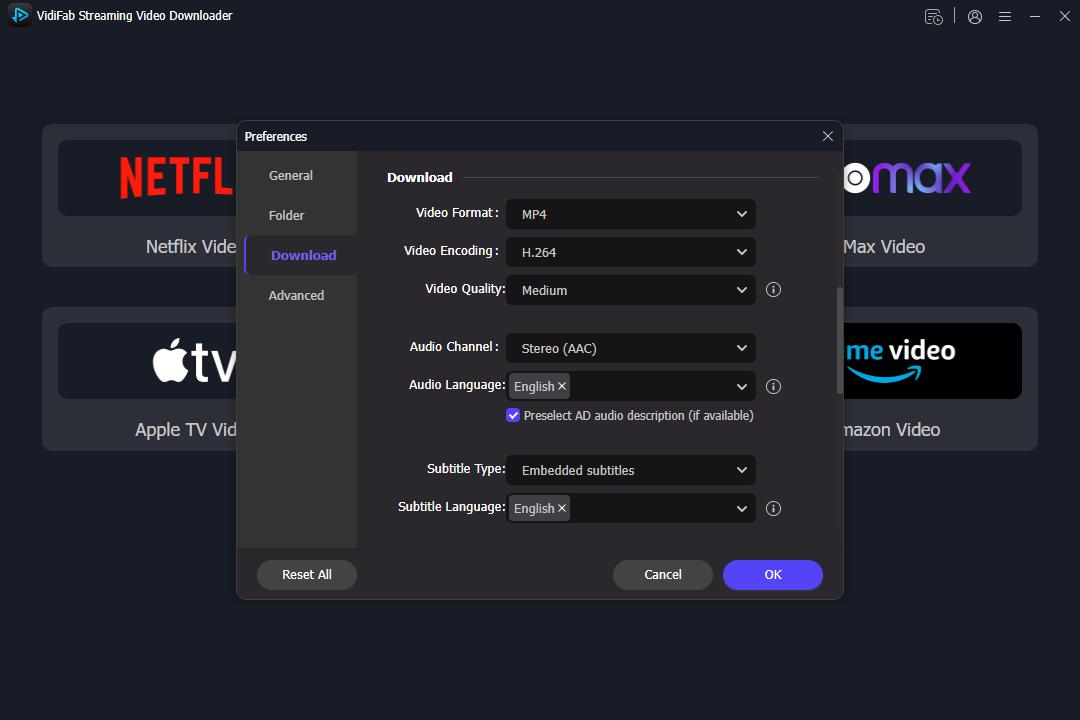
Install and launch VidiFab Netflix Video Downloader on your computer. Open Preferences and choose your preferred output format, such as MP4 or MKV. Then click the Netflix icon on the main interface to open the built-in browser. Sign in to your Netflix account through this secure browser to access your available Netflix library.
Step 2. Find the Netflix Title You Want to Save
Use the built-in browser to search for the movie or show you want to download. Open the title's details page, and VidiFab will automatically analyze the video. Once the analysis is complete, click the download button that appears.
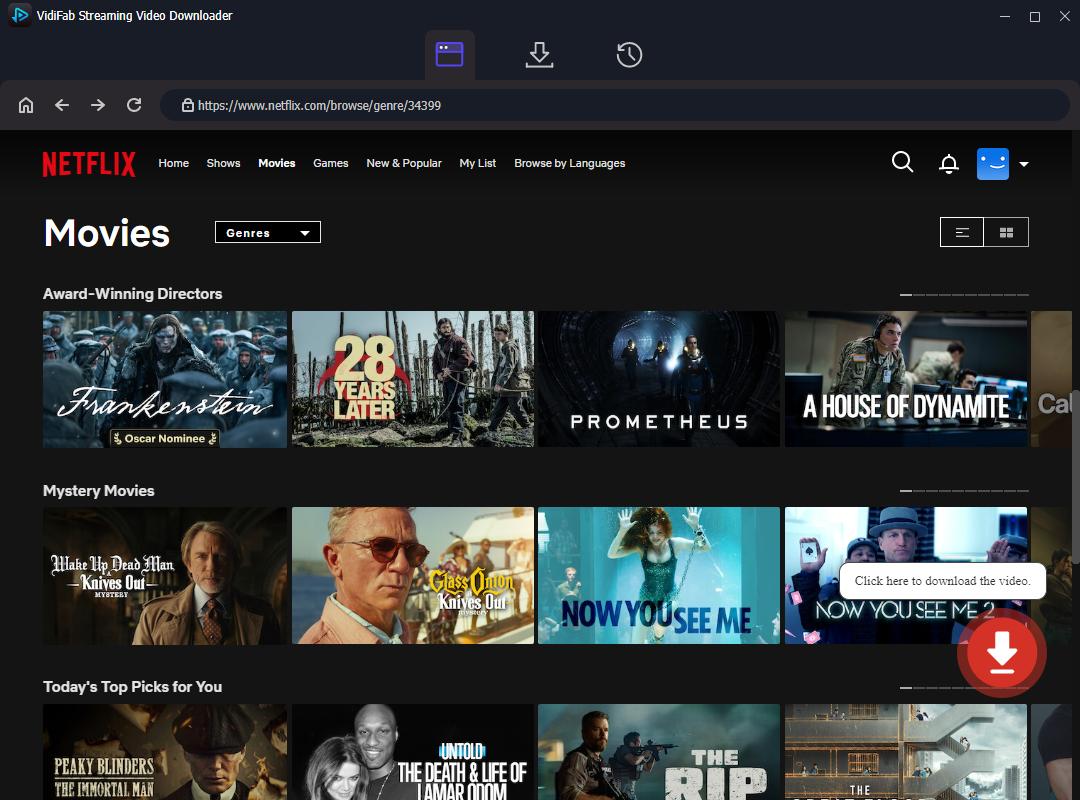
Step 3. Choose Video, Audio, and Subtitle Settings
Once VidiFab completes the stream analysis, a download settings panel will pop up automatically. Select 1080p Full HD for pristine picture quality. Check your preferred multi-language audio tracks (including 5.1 surround sound or Dolby Atmos if available), and set Subtitles to Embedded so you can easily toggle them on or off later on any media player.
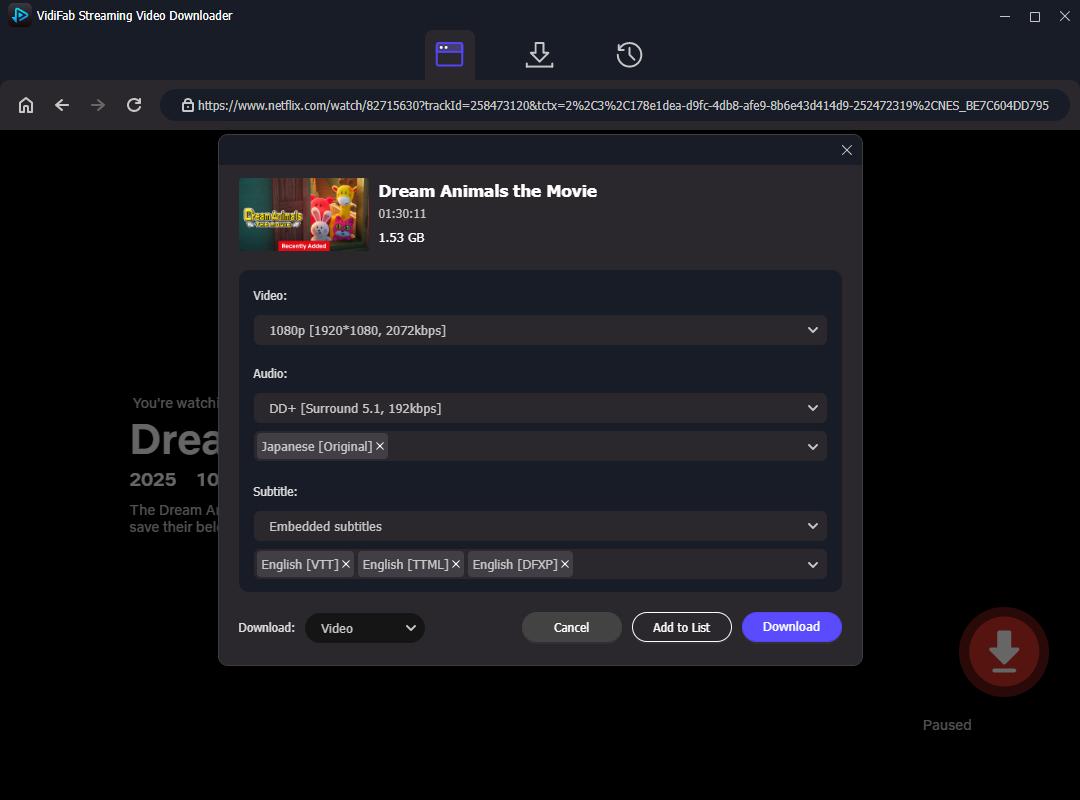
Step 4. Download and Watch Netflix Videos Anytime
Start the download and wait for the process to complete. After downloading, open the History tab to find your saved MP4 or MKV files. You can then play them with media players like VLC or transfer them to other devices for offline viewing.
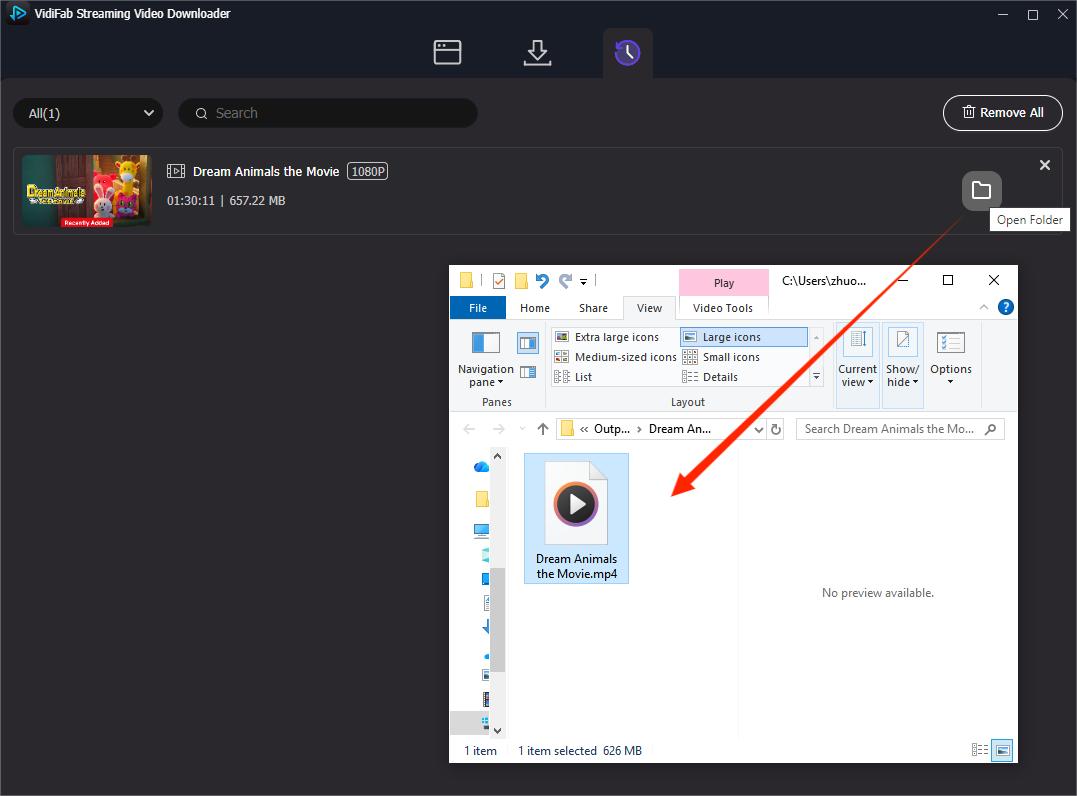
Note: Downloading Netflix videos should always comply with Netflix's Terms of Use and applicable laws. VidiFab is intended for personal video management and offline viewing where permitted.
Method 2. Check Other Streaming Platforms
When a license expires, the title usually moves to its parent studio's platform or becomes available through retail channels. You can use tools like JustWatch to track where a specific movie or show has migrated. In most cases, titles leaving Netflix land on Amazon Prime Video, Disney+, Max, or Peacock.
If you're looking for free, ad-supported content on Amazon's platform, some titles from the former Freevee catalog are now available through Prime Video. You can learn more about where to find and download Freevee shows in our guide to downloading Freevee content.
If you do not want to commit to another monthly subscription, you can purchase the digital version outright on Apple TV (iTunes), Amazon Store, or Vudu. A one-time purchase gives you permanent access. No streaming service can take it away from you.
Method 3. Use a VPN to Access Other Netflix Regions
Netflix has different licensing agreements in different regions. A show removed from the US library might still be available in Canada, the UK, or Japan.
To find out where a title is still streaming, go to watchany.stream and search for the show or movie. The site shows which countries currently have the title on Netflix, including which regions support it on the Standard with Ads plan.
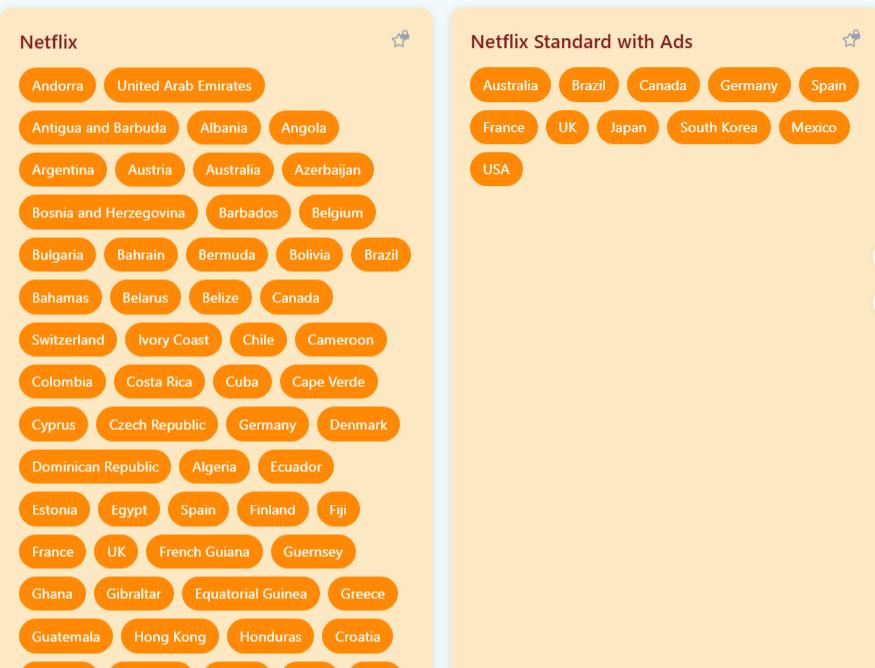
Once you know which country has the title, connect to a VPN server in that region, log into your Netflix account, and start watching. The title will appear in your search results as if it never left.

Tip: Not all VPNs work with Netflix. The platform actively blocks many VPN IP addresses. Stick with reputable VPN providers that specifically advertise Netflix unblocking, and test the connection before relying on it for a movie night.
Method 4. Find Free Streaming Alternatives
If you do not want to pay for another subscription, there are free streaming alternatives. Several community-maintained sites host large libraries of classic shows and movies that have disappeared from mainstream platforms. I have tested and reviewed the best ones that are still active, with decent video quality and minimal ad intrusion:
- Best free streaming sites like Soap2Day - a curated list of free streaming sites
- M4uFree alternatives - sites similar to M4uFree with better reliability
- Afdah alternatives - clean, ad-light options for movie streaming
- LookMovie2.to alternatives - high-quality streaming sites worth trying

Warning: Free streaming sites operate in a legal gray area. Always use a VPN and an ad blocker when visiting them. Never download executable files or browser extensions from these sites. Stick to streaming only.
Part 6. Does Netflix Ever Bring Back Removed Shows?
Sometimes. If a licensing agreement gets renewed, or if a title generates enough renewed interest, it can return to Netflix. But there is no pattern or guarantee. Let me explain the two scenarios where a comeback is more likely.
Netflix May Bring Back Shows After Licensing Changes
If the content owner and Netflix sign a new licensing deal, previously removed movies and shows can reappear on the platform. The timeline is unpredictable. A title might return in a few months, or it might never come back at all. I have seen shows return after a year, and I have seen others vanish permanently.
Popular Shows Are More Likely to Return
Netflix has never publicly stated that popular content will definitely return. But if large numbers of users search for, watch, or discuss a particular title, Netflix takes notice. High demand can push the company to negotiate a new license. That said, even a very popular show is not guaranteed to come back. The decision still depends on whether the studio is willing to license it and whether the price makes sense for Netflix.
Note: Do not rely on a show returning to Netflix. If there is a movie or series you love and it is scheduled to leave, the safest move is to save it before the removal date. Waiting for a comeback is a gamble, not a strategy.
Part 7. FAQs About Why Does Netflix Remove Shows
Are Netflix Original shows removed from Netflix?
Rarely, but yes. While Netflix owns its self-produced content permanently, some Netflix Originals are actually licensed from outside studios like Disney or Sony for a fixed period. Once that co-production or distribution contract expires, the show must leave the platform. This is uncommon, but it has happened.
Why does Netflix remove shows that are still popular?
Licensing costs. As a show maintains or gains popularity, the parent studio often demands a significantly higher licensing fee to renew the contract, or they pull the streaming rights entirely to force viewers onto their own competing streaming platform.
Can I request Netflix to bring back a removed show?
You can submit a title request through Netflix's Title Request page . After signing in, enter the name of the movie or TV show you want Netflix to bring back and submit your request. However, Netflix does not guarantee that a removed title will return. The decision depends on licensing rights, costs, and agreements with content owners.
How long do Netflix shows stay available after the removal notice?
Exactly 30 days. The 'Last day to watch on Netflix' alert or screen notice only begins displaying on a title's detail page precisely 30 days before its contract permanently expires and the file is pulled.
How often does Netflix remove movies and shows?
Every single month. Content contract expiration dates are heavily tied to the first or last day of the calendar month, resulting in routine batches of dozens of titles leaving the platform on a rolling monthly schedule.
Can Netflix remove a show without warning?
Yes. While standard contract endings give a 30-day notice, sudden licensing disputes, music copyright breaches, regional legal injunctions, or unexpected changes in your IP address/geo-location can cause a show to vanish instantly without any warning.
Final Thoughts
Netflix removes shows and movies mainly because of licensing changes, regional availability, and content strategy updates. While some titles may return, there is no guarantee they will be available again.
Keeping track of the netflix leaving soon list gives you a 30-day head start to plan your viewing. For ultimate control, using a dedicated video downloader before the removal deadline is the best way to bypass streaming limitations, protect your favorite media from corporate licensing wars, and ensure your movie nights never get disrupted.
 Free Download
 Secure Download
 Free Download
Secure Download
Free Download
Secure Download



I'm a video tech specialist with over 10 years of experience in digital media and streaming. I focus on making complex workflows simple and practical. Through my guides, you'll learn how to convert media, keep high-quality playback across devices, and manage your streaming video library with ease.
 Leave Your Comment