How to Get Netflix on Switch: The Complete Step-by-Step Tutorial
 By Miles Kent
If you are tired of squinting at a small smartphone screen, the Nintendo Switch or Switch OLED is the perfect portable size for watching movies. Unfortunately, there is no official Netflix app on the Nintendo eShop.
But do not worry. This guide updates the latest status of Netflix and Nintendo Switch, explores whether Netflix will be on Switch, and most importantly, provides you with several workarounds to help you get Netflix videos on Nintendo Switch with or without jailbreak.
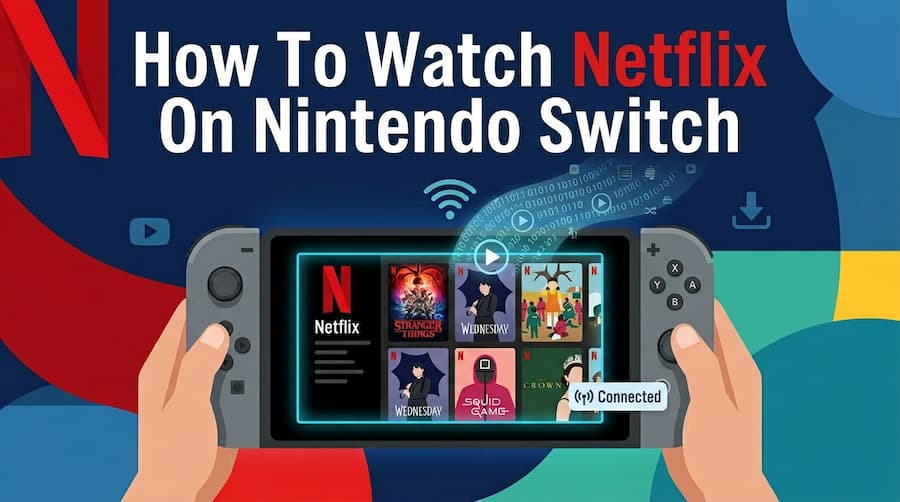
Part 1. Can You Watch Netflix on Nintendo Switch?
No. Whether it’s the original Switch, the portable Switch Lite, the Switch OLED, or the newly released Switch 2, there is currently no official Netflix app available on the Nintendo eShop.
Although Netflix was once available on Nintendo’s previous-generation consoles, such as the Wii, Wii U, and 3DS, the two companies have yet to reach an official partnership for the Switch generation.
Why Netflix Is Not Available on Nintendo Switch?
- The brand focuses on gaming, not streaming: A former president said that the Switch's main goal is gaming, not multimedia. To keep this image, Nintendo is unlikely to add third-party streaming apps.
- Netflix targets TVs and mobile devices: Users can easily watch Netflix on their TVs for a bigger screen, and the mobile version is already well-established for portability. Therefore, using Netflix on the Switch seems out of place.
- The closed operating system complicates Netflix porting: The Switch's operating system is lightweight and closed to prioritize gaming performance. It doesn't have a standard app framework like Android or iOS, making it costly for developers to port apps.
Will Nintendo Switch Ever Get Netflix?
Probably not anytime soon, especially for the Switch 2. Nintendo has further tightened its streaming policies on the latest Switch 2; many video apps that worked on the first-generation Switch, like Crunchyroll and Hulu, are now blocked or incompatible with the Switch 2.
Although YouTube is collaborating with Nintendo to create a version for the Switch 2, but Netflix announced in 2021 that it currently has “no plans” for this, and there have been no updates since then.
What Streaming Apps Are Actually Available on Nintendo Switch?
Streaming app availability on Nintendo Switch depends on the model and region.
| App | Nintendo Switch (Lite / OLED / Original) | Nintendo Switch 2 |
|---|---|---|
| Netflix | Not available | Not available |
| YouTube | Available (up to 1080p) | In development / limited |
| Hulu | Available (US / Japan only) | Not available |
| Crunchyroll | Available | Not supported |
| Disney+ | Not available | Not available |
Part 2. Can You Get Netflix on Switch via the DNS Method?
Many online tutorials suggest using a "DNS trick" to watch Netflix, but I do not recommend this method. In my testing, it can load the Netflix homepage, but logging in is usually not possible. Even if you manage to log in, videos often won't play. Many users have reported similar issues.
The main reason this fails is that the Switch's hidden browser does not support Widevine DRM and advanced HTML5 video rendering. Additionally, using an unverified third-party DNS can pose security risks, so it's best to avoid this method.
If you still want to see the hidden browser, follow these steps on Switch, Lite, OLED, or Switch 2:
-
01
Go to System Settings > Internet > Internet Settings.
-
02
Select your Wi-Fi network and choose Change Settings.
-
03
Set DNS Settings to Manual.
-
04
Enter 045.055.142.122 or 045.055.142.121 as the Primary DNS.
-
05
Click Save and select Connect to This Network.
-
06
The Switch will fail the internet connection test and show "Registration is required to use this network." Click Next.
-
07
The custom SwitchBru DNS page will load. Click on Go to Google to open a live Google Search page.
-
08
Type Netflix in the search bar and select the first link to access the Netflix web player.
-
09
Sign in with your Netflix account and password as you would on a browser.
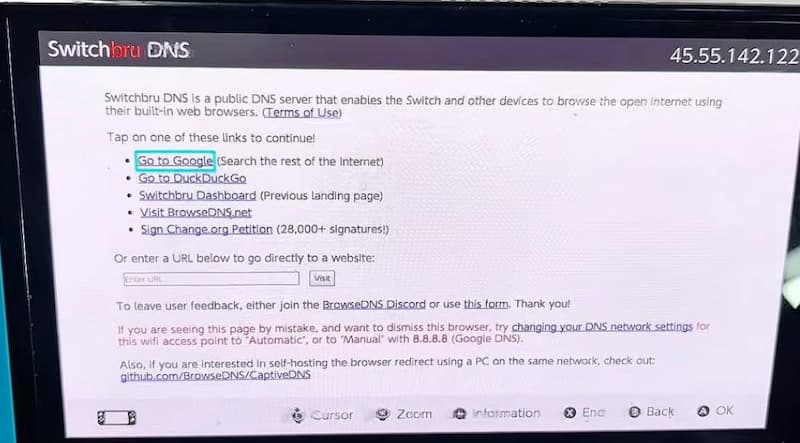
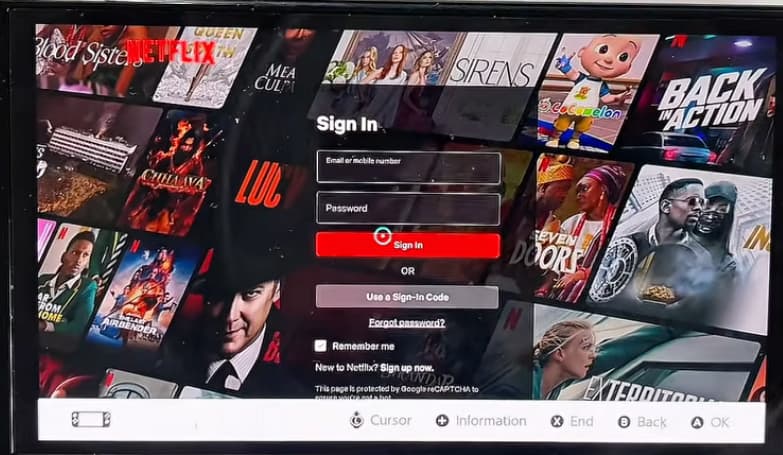
You might be able to access the Netflix library, but in most cases, your Switch won't connect to Netflix servers or play any videos. It's advisable to explore other alternatives.
Part 3. How to Watch Netflix on Nintendo Switch Using YouTube Uploads
If you have an unmodded Nintendo Switch, you have a workaround to play Netflix videos on your device. Since there is no file manager or media player, the only way to watch videos is to upload downloaded Netflix content to the YouTube app, which is available on Switch Lite, Switch OLED, and the original Nintendo Switch.
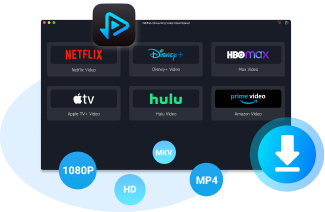
First, download Netflix videos as MP4 files using a tool like VidiFab Netflix Video Downloader. VidiFab allows you to download shows, movies, anime, and documentaries from Netflix in 1080p MP4 or MKV format, with Dolby 5.1 surround sound and multiple audio tracks and subtitles. After downloading, upload the videos to your YouTube account to watch them on the YouTube app on your Switch.
VidiFab Netflix Video Downloader
Download Netflix videos as MP4/MKV in 1080p with Dolby Atmos for offline viewing on your Switch, iPhone, Android, desktop, and more devices.
How to Download Videos from Netflix to MP4 and Play on the YouTube App on Switch
Step 1. Launch VidiFab and Set Output Preferences
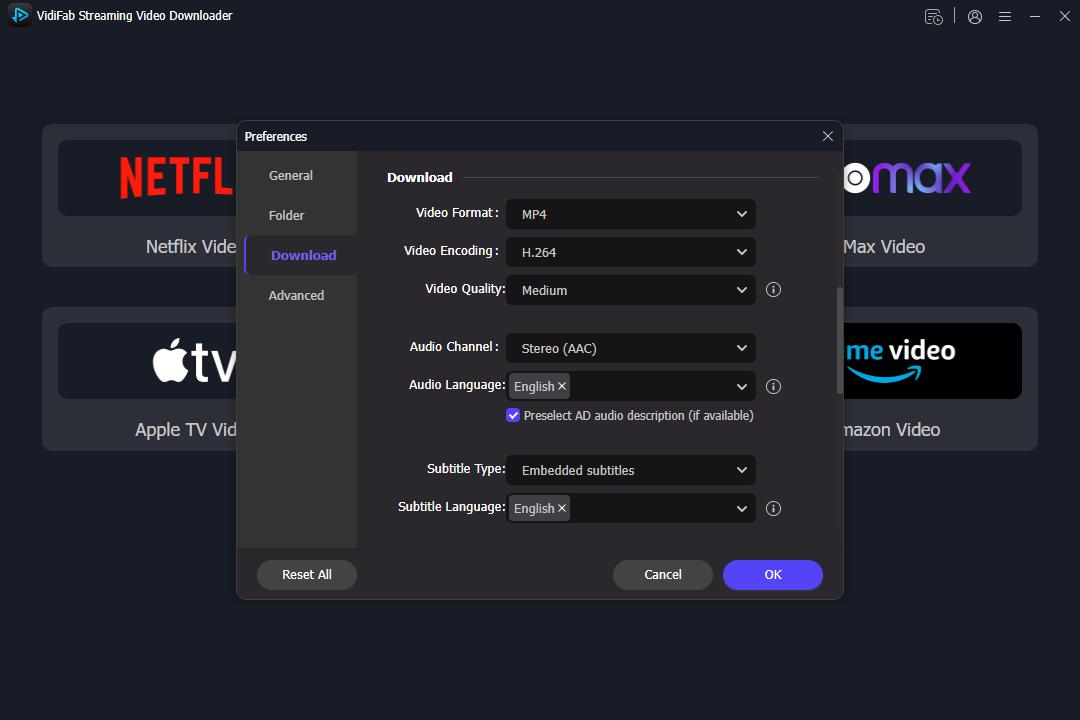
Install and open the VidiFab Netflix Video Downloader on your computer. Click the menu icon in the top right corner and select Preferences. In the pop-up, choose H.264 MP4 as your Download Video Format, which works well for YouTube uploads. Click OK to save your settings. Then, click the Netflix icon on the main screen and log into your account using the built-in browser for secure access to your streaming library.
Step 2. Search for the Netflix Content You Want to Watch
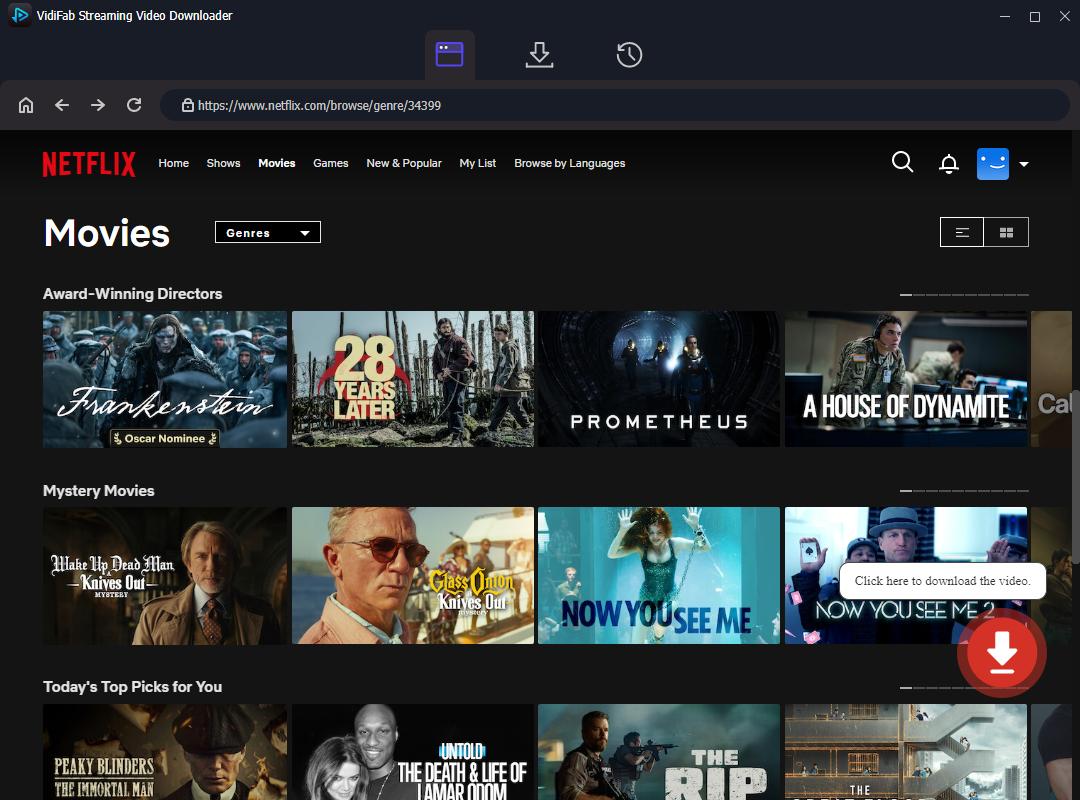
Browse the Netflix catalog using the built-in browser, or paste the direct URL of the movie or TV show episode you want into the search bar. Once you open the video's detail page, VidiFab will analyze the video stream automatically. Click the red Download button in the bottom right corner to access your customization options.
Step 3. Optimize Resolution and Audio for the Switch Screen
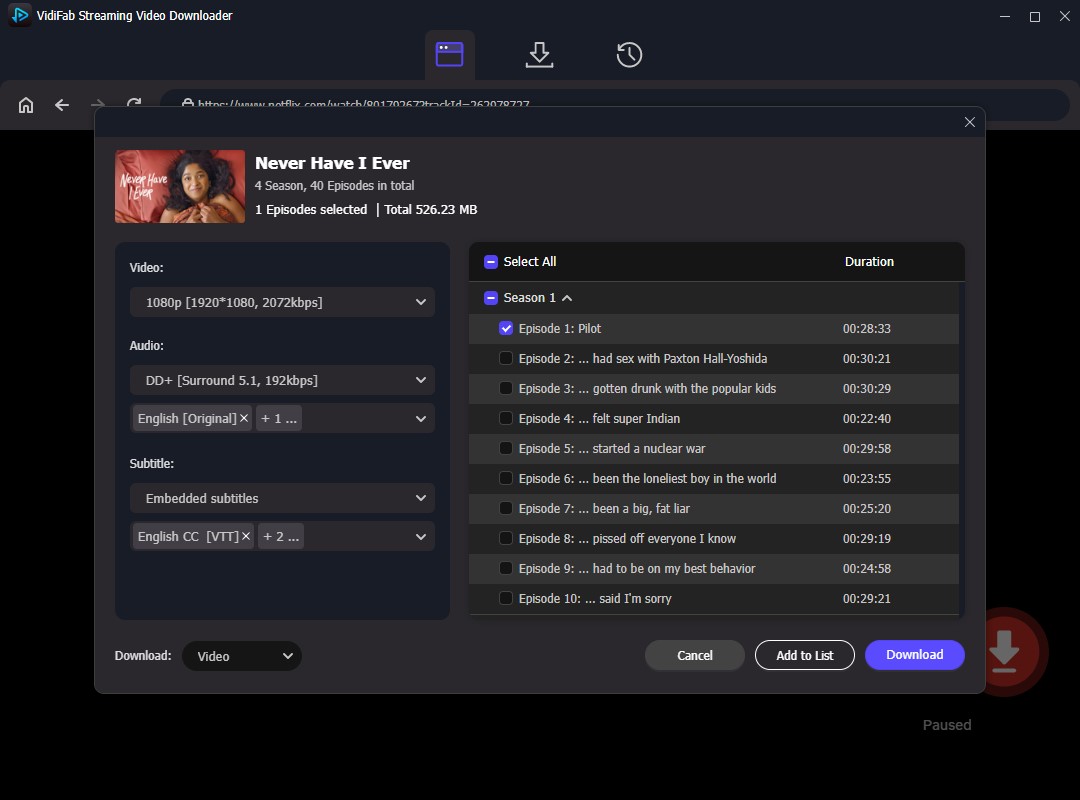
In the customization window, select 1080p. For better playback compatibility, choose standard AAC stereo audio. Set the subtitles to your preferred language, selecting embedded subtitles to ensure subtitles display correctly without needing extra plugins.
Step 4. Save Netflix as Universal, Playable Media Files
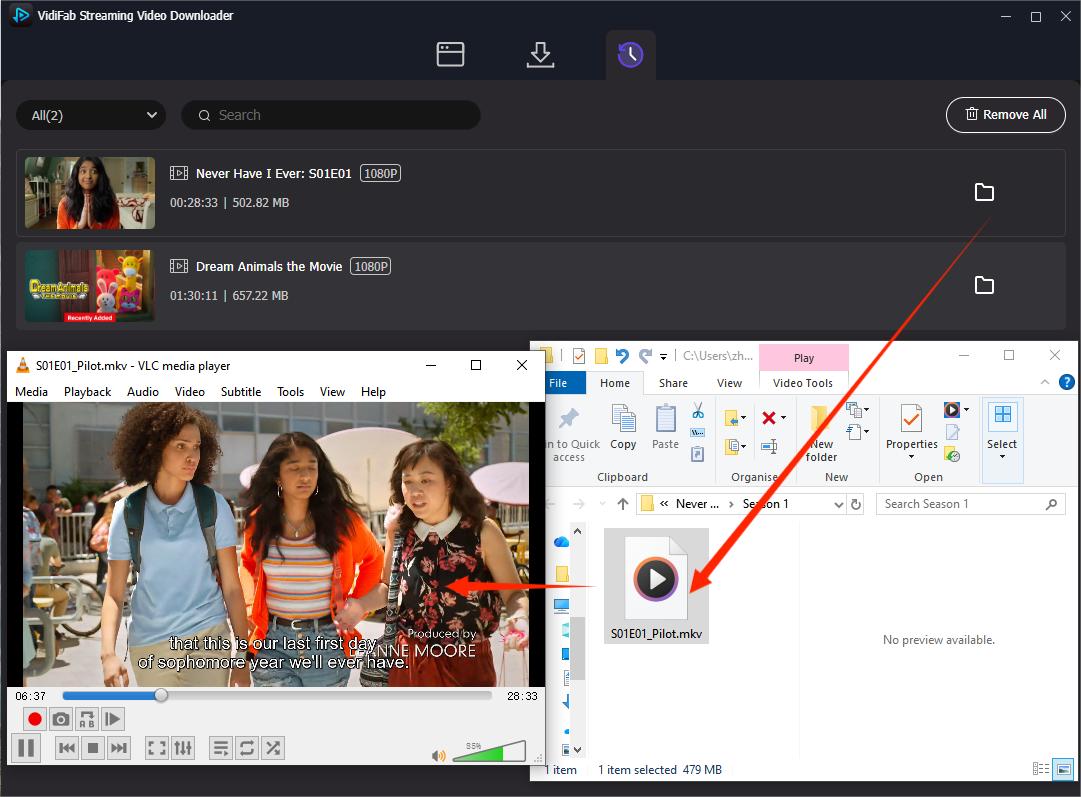
Click the Download button to start the extraction process. VidiFab will save a clean, DRM-free video file directly to your computer. Once the download is complete, go to the History tab and click the folder icon to easily find your finished, compatible MP4 video files.
Step 5. Upload to YouTube and Watch Your Netflix Videos on Switch
Log into your YouTube account on your computer. Click the Create button and select Upload video. Select the MP4 files you downloaded via VidiFab.
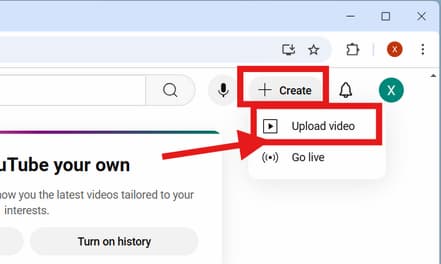

Crucial: During the "Visibility" step, you must set the video to "Private." This ensures your content is only visible to you, avoiding copyright strikes or public distribution issues.
Once the video is completely uploaded, go to the Nintendo eShop on your Switch and download the free YouTube app. Open the app and sign in with the same Google account used for the upload. Navigate to your Library or Your Videos tab. Your private Netflix uploads will appear there. Now, you can stream the uploaded Netflix videos on your Switch.
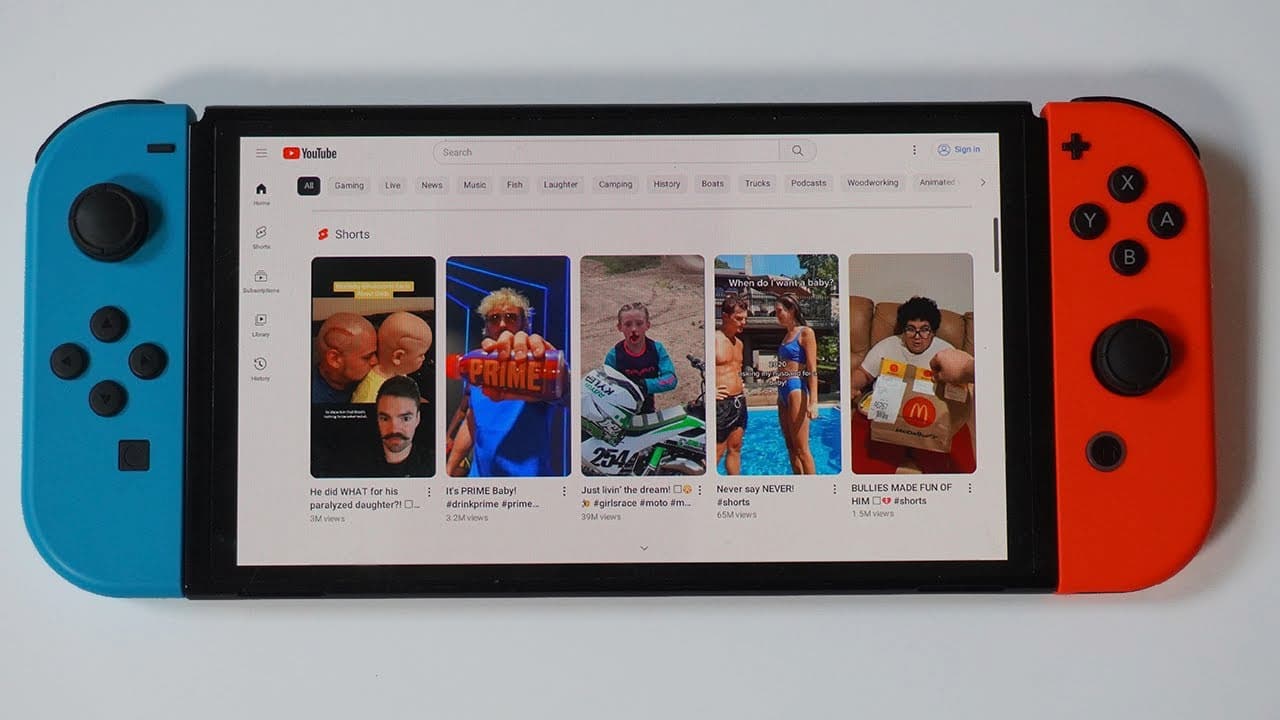
- The original YouTube app is not available on the eShop for the new Nintendo Switch 2. To play your downloaded Netflix MP4 files without jailbreaking, you can try the DNS method from Part 2 before the YouTube app is released.
- YouTube has fewer hardware playback restrictions than Netflix. It supports DRM protection but uses a standard HTML5 system for user-uploaded videos, unlike Netflix, which needs strict hardware security certification. So, you can stream the Netflix videos uploaded to YouTube via the hidden browser without any issues.
Part 4. How to Download Netflix on Modded Nintendo Switch
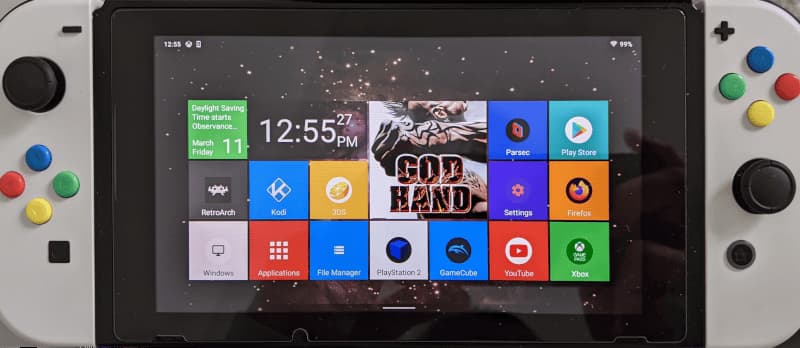
If you want a native Netflix app experience on your Switch, jailbreaking is the only way to get there. There are two options: installing Android on your Switch, which limits video quality to 480p, or using Moonlight to stream from your PC over local Wi-Fi, allowing up to 1080p but requires you to stay on the same network.
Option 1. Install Android (Switchroot LineageOS)
This method works by partitioning your microSD card and installing LineageOS, a version of Android built for Switch hardware. Once running, the Switch behaves like an Android tablet, so you can install Netflix from Google Play.
Compatible models: Switch V1, Switch V2, Switch Lite, Switch OLED
-
01
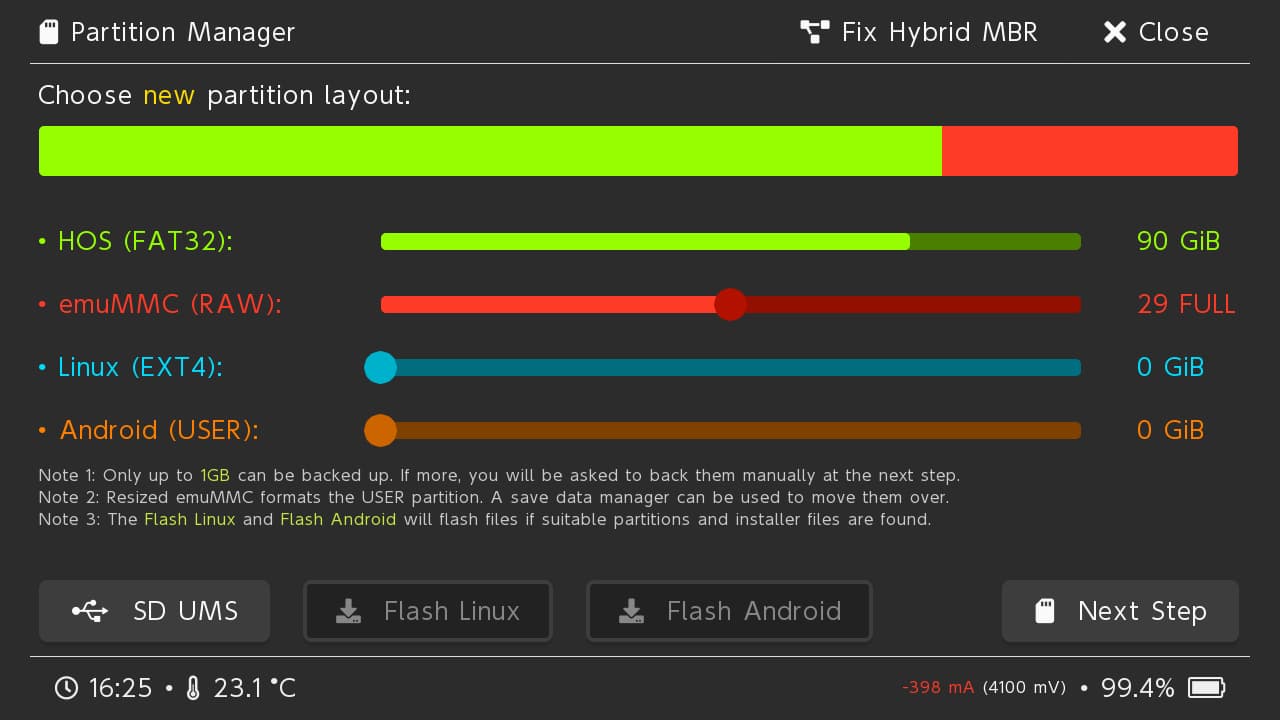
Prepare a dual-boot SD card: Use Hekate on your PC to repartition a fast microSD card, allocating at least 16GB for the Android partition.
-
02
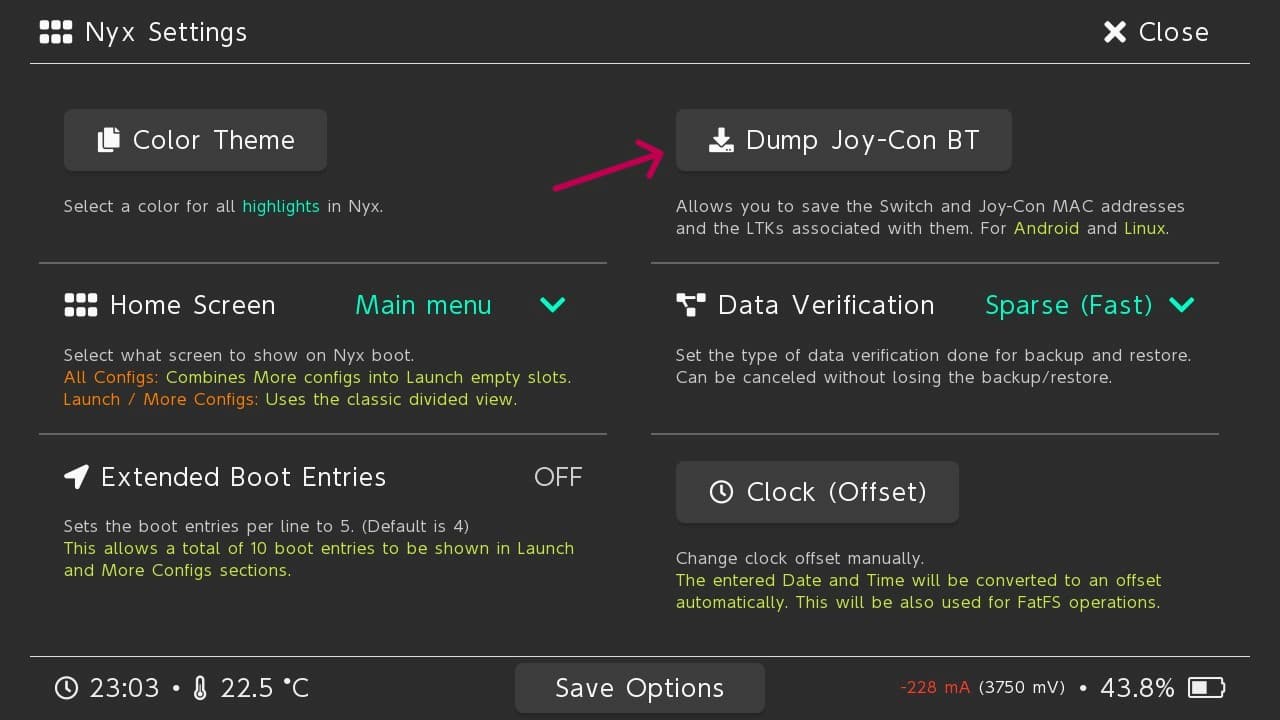
Sync your Joy-Con controllers: Before booting into Android, run "Dump Joy-Con BT" from the Hekate menu to transfer your controller's Bluetooth data to Android; otherwise, your Joy-Cons won't connect.
-
03
Flash the system: Copy the Android image and the Google Play package (MindTheGapps) to your SD card, then install them via Recovery mode on the Switch.
-
04
Install Netflix: Once in Android, download Netflix from Google Play or a trusted APK source.
Option 2. Moonlight LAN Streaming
If 1080p quality matters to you, Moonlight is the better choice. Instead of running Netflix on the Switch itself, your PC plays the video and streams the display to your Switch in real time over your home network.
Compatible models: Switch V1, Switch V2, Switch Lite, Switch OLED
-
01
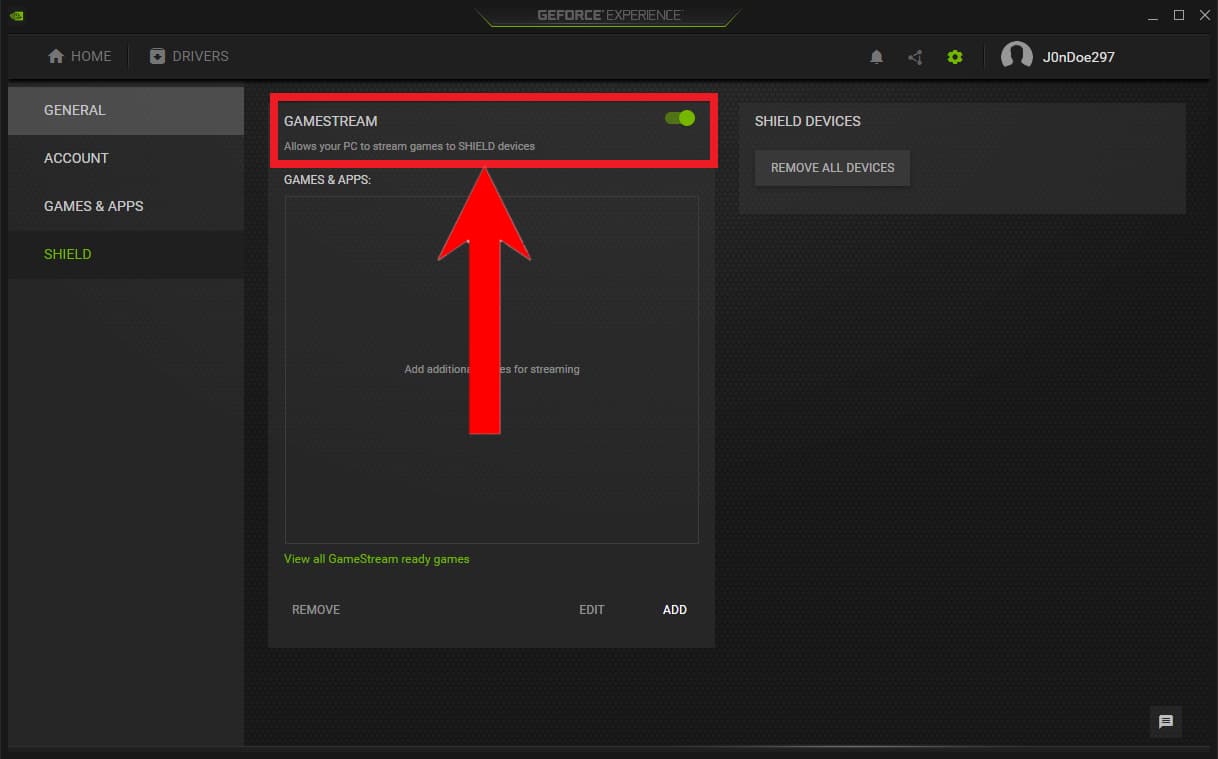
Set up your PC: For a Windows PC with an NVIDIA or AMD GPU, turn on GameStream in GeForce Experience or install the Sunshine streaming app.
-
02
Install the Switch client: Download the Moonlight-Switch from Github and put the .nro file in the /switch/ folder on your SD card.
-
03
Pair your devices: Open Moonlight using the Atmosphere custom firmware on your Switch, find your PC on the network, and enter the pairing code displayed on the screen.
-
04
Watch Netflix: In Moonlight, access your PC desktop or browser and go to Netflix. Your PC will handle the decryption, giving you a clear 1080p/60fps display on your Switch screen.
- Bricking risk: Modding a Switch has a real learning curve. Without prior experience, it is easy to damage your console beyond repair.
- Account bans: Nintendo actively detects unofficial firmware. If your console is flagged, it will be permanently blocked from online features and the Nintendo eShop.
- Honest advice: If you just want to watch Netflix, using VidiFab to convert Netflix to MP4 and upload it to YouTube is a safer and more reliable option, providing 1080p and official support.
Part 5. FAQs
Can I cast Netflix from my phone to the Switch screen using Bluetooth or Wi-Fi?
Can Switch play videos saved to the MicroSD card?
Why did older Nintendo consoles have Netflix but the Switch doesn't?
Can I watch my uploaded Netflix videos if I travel to another country?
Final Thought
An official Netflix app for the Nintendo Switch is not available, but you can use VidiFab Netflix Video Downloader to watch Netflix on the Switch without jailbreaking. You can also try the DNS trick on your Switch to stream in the browser. For modded Nintendo Switches, you can download Netflix for 480p playback or connect to your PC to stream 1080p on your Switch screen.
 Free Download
 Secure Download
 Free Download
Secure Download
Free Download
Secure Download


I'm a video tech specialist with over 10 years of experience in digital media and streaming. I focus on making complex workflows simple and practical. Through my guides, you'll learn how to convert media, keep high-quality playback across devices, and manage your streaming video library with ease.
 Leave Your Comment