Crunchyroll Switch App Discontinued: What Are Your Options?
 By Miles Kent
Crunchyroll is discontinuing its Nintendo Switch app, but the anime service itself is not shutting down. You can continue watching on supported devices, explore free anime content on YouTube, or consider other streaming and offline viewing options. This guide explains what still works, which workarounds have limitations, and how to keep watching after the shutdown.
Crunchyroll Nintendo Switch Shutdown: Key Dates and Details
| Detail | Status & Impact |
|---|---|
| Shutdown Date | October 30, 2026, at 9:00 AM PT |
| Nintendo eShop | The app has been removed; new users can no longer download it. |
| Existing Installations | The app remains usable until the final shutdown on October 30, 2026. |
| Nintendo Switch 2 | Not supported. Transferring data from the original Switch will not make the app work. |
| Offline Downloads | Download syncing pauses if the app is closed or suspended. Existing downloads may not remain accessible after service ends. |
Part 1. Is Crunchyroll Discontinued on Nintendo Switch?
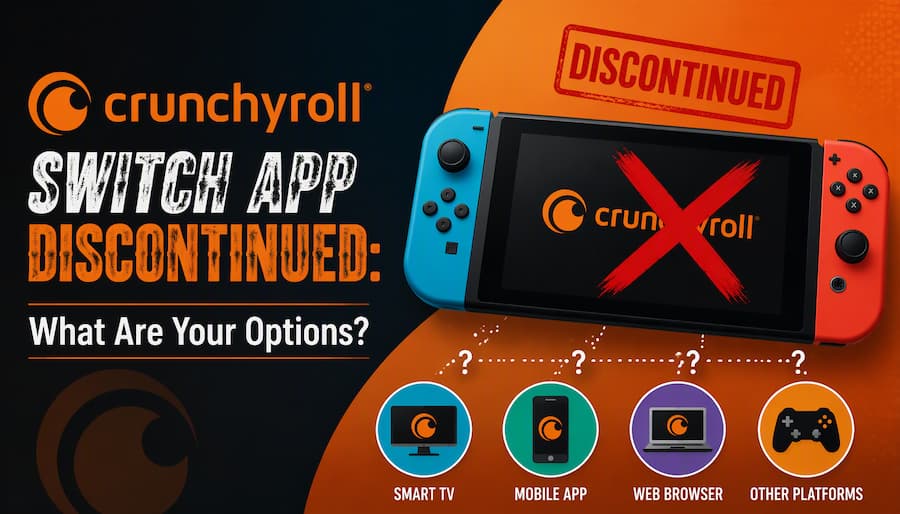
Yes. Nintendo's official support page confirms that Crunchyroll service on Nintendo Switch will be discontinued on October 30, 2026, at 9:00 AM PT, and Crunchyroll has not announced a Switch 2 replacement.
After this deadline, the app will no longer connect to Crunchyroll servers. Attempting to open the application after October 30 will result in network errors or "service unavailable" messages, bringing an end to official anime streaming on Nintendo's hybrid console.
Can You Still Download Crunchyroll on Nintendo Switch?
No, you can no longer download the app.
- New Users: Cannot search for or download the Crunchyroll application.
- Previous Downloaders: Even if you previously owned or downloaded the app, re-downloading it from your eShop purchase history is no longer supported.
- Active Installations Only: Only users who currently have the app installed on their Switch system memory or microSD card can continue streaming until the final October 30 deadline.
Is Crunchyroll Available on Nintendo Switch 2?
No, Crunchyroll is not available or supported on the Nintendo Switch 2. The app may still appear on a Switch 2 after a data transfer, but it won't launch. Crunchyroll also has no announcement about a future Switch 2 version.
Part 2. What Streaming Apps Are Available on Nintendo Switch?
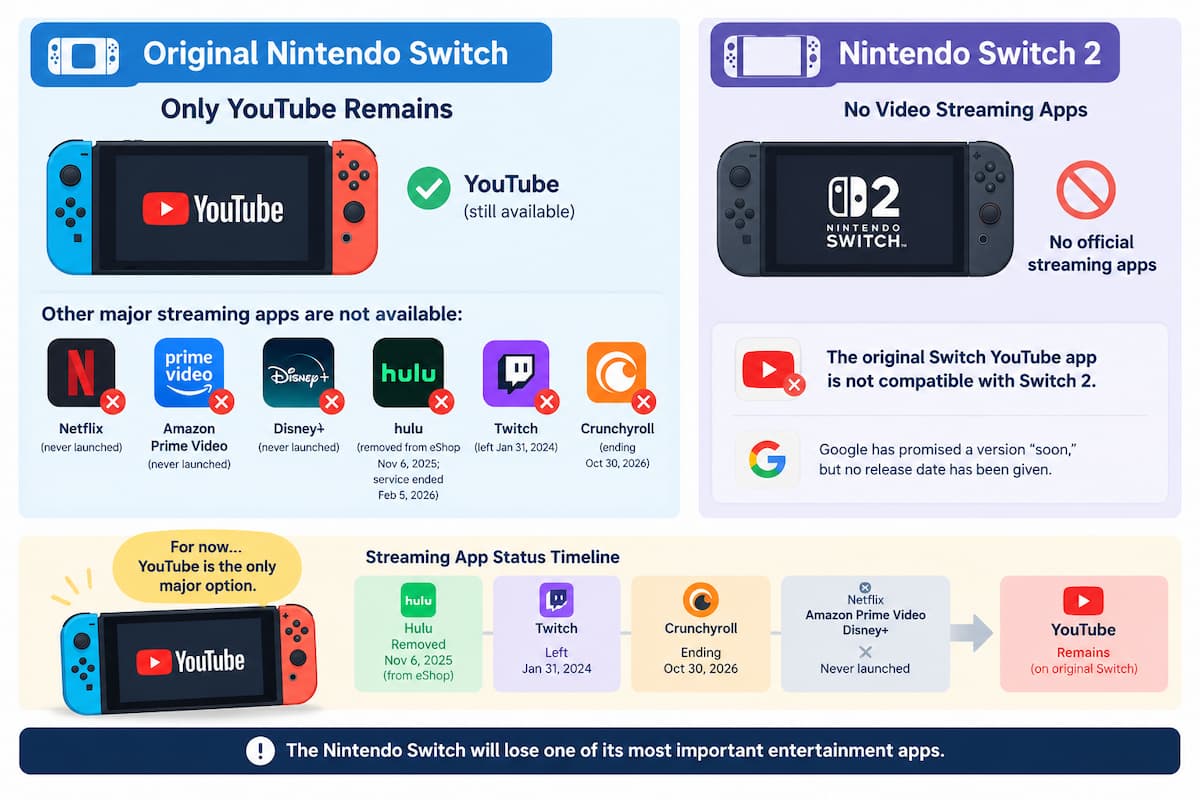
On the original Nintendo Switch, YouTube is now the only major video streaming app left. Netflix, Amazon Prime Video, and Disney+ never launched on the Switch. Hulu was removed from the eShop on November 6, 2025, and its service was discontinued on February 5, 2026. Twitch left the console on January 31, 2024. With Crunchyroll ending on October 30, YouTube is what remains.
The Nintendo Switch 2 has no official video streaming apps at all. The original Switch YouTube app is also incompatible with the Switch 2, and although Google has promised a version "soon," no release date has been given.
How to Watch Crunchyroll on the Original Switch via the YouTube App
If you still want to watch anime on your original Nintendo Switch, Crunchyroll's official YouTube channel offers free anime-related videos.
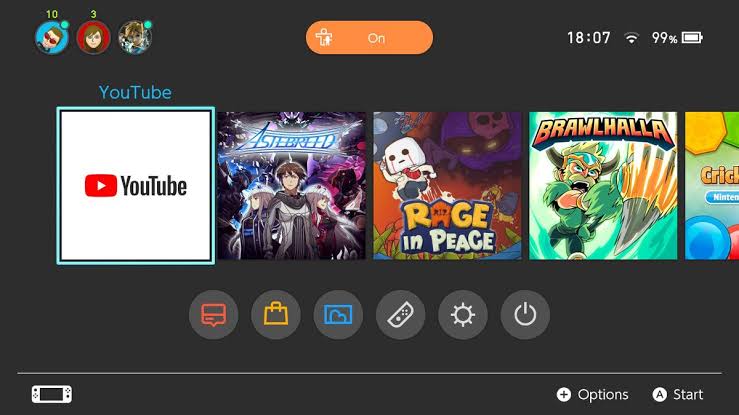
To get started, download the YouTube app from the Nintendo eShop if you haven't already, then log in with your YouTube account. Search for "Crunchyroll" and open the official channel.
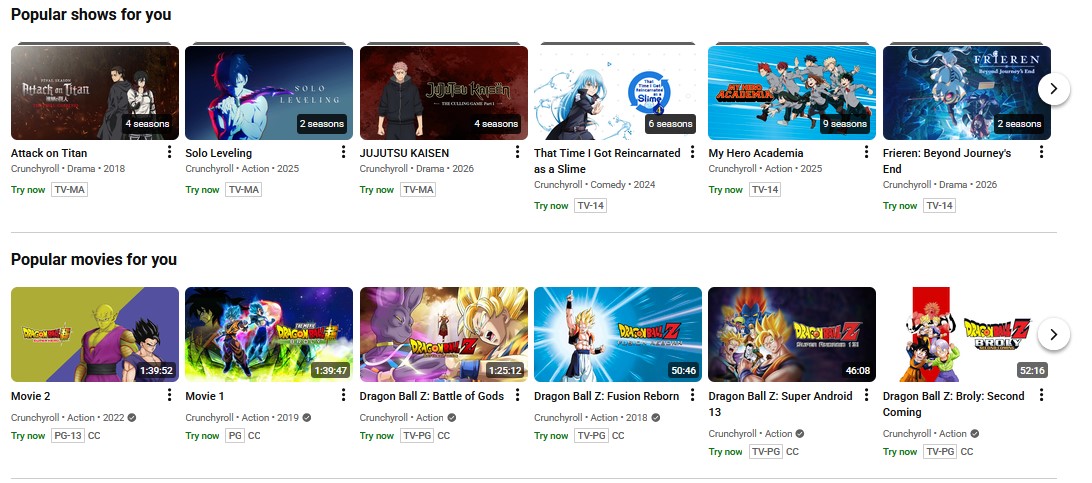
It doesn't replace the full Crunchyroll library, but you can find free content there, including trailers, clips, and selected videos.
If you want more than the free content, you can subscribe to Crunchyroll through YouTube Primetime Channels, which offers its anime catalog inside YouTube. This is a separate Crunchyroll membership purchased through YouTube, not your existing Crunchyroll subscription, and it can't be linked to your Crunchyroll account.
Part 3. How to Watch Crunchyroll After the Nintendo Switch Shutdown
If you don't want to pay for a separate Crunchyroll membership on YouTube, you can't keep watching on your Switch. These are your options:
| Method | Device | Works? | Offline? | Notes |
|---|---|---|---|---|
| 1. Hidden browser | Original Switch / Switch 2 | ❌ | ❌ | Basic browser with no video playback; the Switch 2 trick has been patched |
| 2. Crunchyroll app | Phone, tablet, computer, smart TV | ✅ | ✅ | Requires switching away from Nintendo hardware; offline requires mobile app Premium plan. |
| 3. Vidifab Downloader | Any device supporting MP4/MKV | ✅ | ✅ | Save episodes as MP4/MKV for offline playback |
Workaround 1. Use Hidden Web Browsers on Switch 1 & Switch 2 (Doesn't Work)
Many users attempt to bypass app removals by using hidden built-in web browsers on Nintendo systems. While accessing these browsers is technically possible, they cannot play Crunchyroll video streams due to missing HTML5 video codecs and DRM authorization support.
- Original Switch 1 (Manual DNS Hack): Go to System Settings > Internet > Internet Settings, select your Wi-Fi network, set DNS Settings to Manual, and enter custom primary DNS addresses (e.g.,
45.55.142.122for US East). Reconnecting triggers a "Registration Required" prompt that opens the BrowseDNS web page. - Nintendo Switch 2 (Super Animal Royale Bypass): Launching Super Animal Royale, navigating to in-game menus, and clicking the external link to Wikipedia allows searching for "YouTube" and jumping to Google/YouTube web interfaces.
Both browser workarounds fail for streaming Crunchyroll. The original Switch's hidden browser is very basic and doesn't support video playback, and the Switch 2 trick only ever opened YouTube at low quality before it was patched. If you want to keep watching anime, use Workaround 2 or Workaround 3 below.
Workaround 2. Watch on Devices That Support the Crunchyroll App
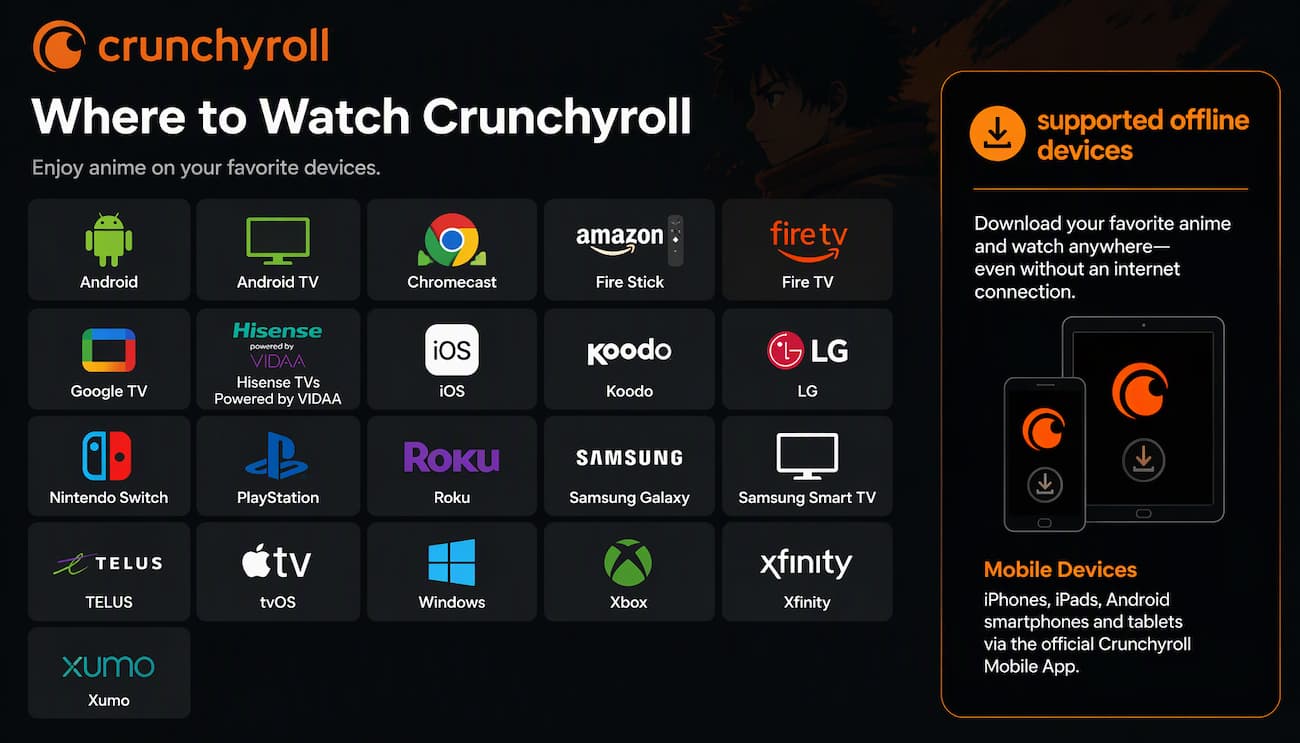
Log in with the same Crunchyroll account on any supported device, such as your phone, tablet, computer, smart TV, or streaming device. Your subscription and watchlist come with you. You can stream online anywhere you have a stable connection. If you're a Fan, Mega Fan or Ultimate Fan member, you can also download episodes in the mobile app and watch them offline, much like you did on the Switch.
Workaround 3. Use VidiFab to Watch on Any Device That Does Not Support the Crunchyroll App (via MP4/MKV)
If you want to watch anime on hardware that doesn't support the Crunchyroll app, such as an older non-smart TV, a projector, or a media player, Vidifab Streaming Video Downloader can help. It saves Crunchyroll episodes as MP4 or MKV files on your computer, and you can play them offline on any device that supports those formats. Here's how:
-
01
Download and install Vidifab Streaming Video Downloader on your Windows PC or Mac. I scanned the installer with VirusTotal and it came back clean, so you can install it with confidence.
-
02
Open Vidifab, set the output format to MP4 or MKV, and choose a folder for your downloads.
-
03
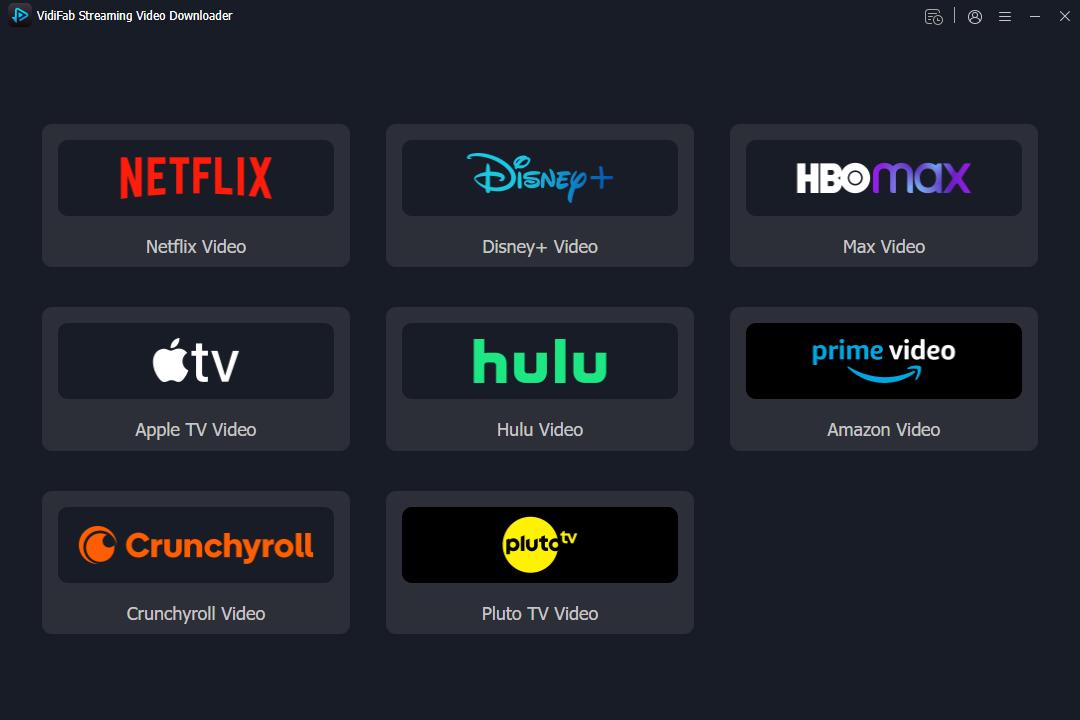
Click the Crunchyroll tab on the home screen and log in with your Crunchyroll account. Vidifab doesn't see or save your login details, so you'll need to log in again each time you open Crunchyroll in the tool. This keeps your account safe.
-
04
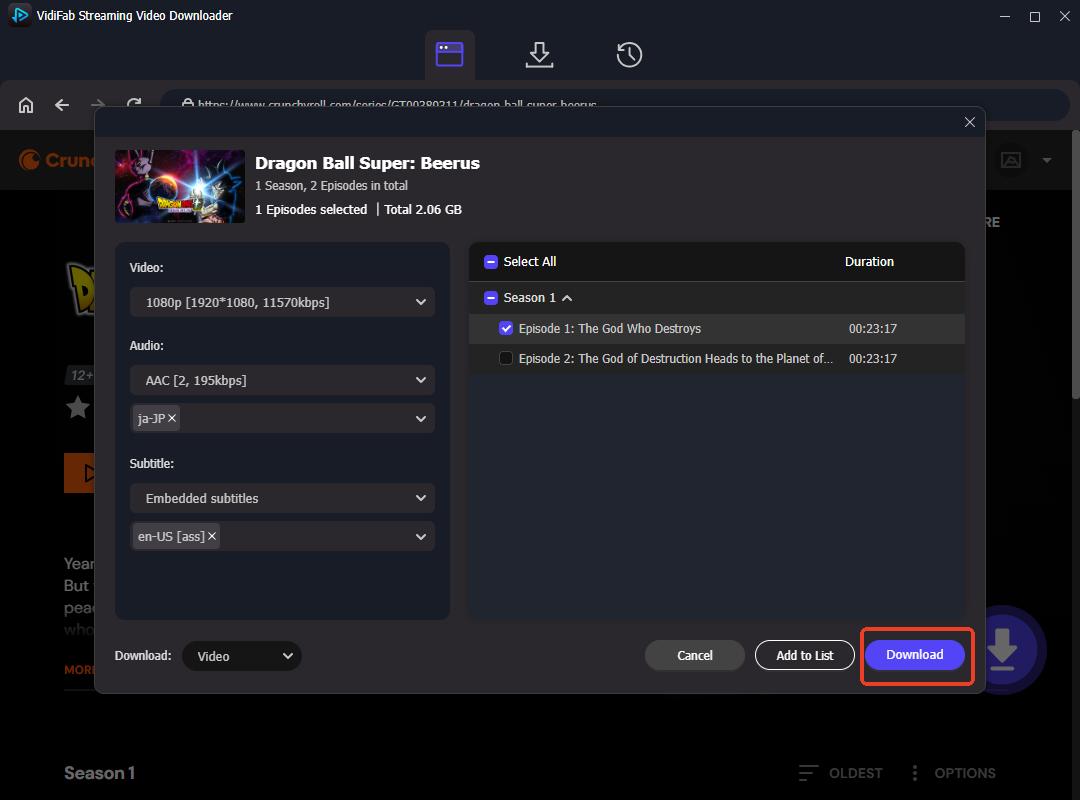
Find the anime you want, click the download button, and choose the video, audio, and subtitle settings in the pop-up window.
-
05
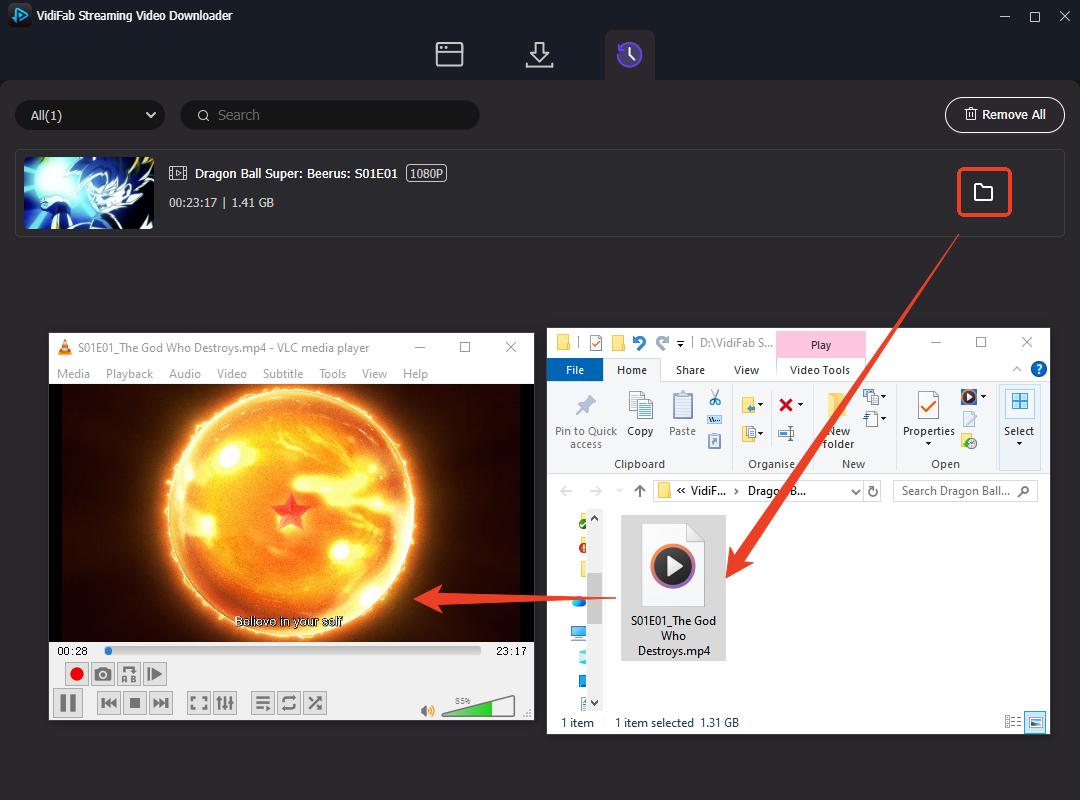
Click Download. When it finishes, you'll find the MP4 or MKV file in the folder you chose.
-
06
Play the file in any media player, or copy it to another device.
 Free Download
 Secure Download
 Free Download
Secure Download
Free Download
Secure Download
Part 4. FAQs About Crunchyroll on Nintendo Switch
Can I still use the Crunchyroll app on my Switch after October 30?
Can you cast Crunchyroll from your phone to Switch?
Can you use HDMI or USB-C to play videos from a PC on Switch?
Can you transfer MP4 or MKV files to Switch?
Why does Crunchyroll show "Oops, something went wrong" on my Switch?
Will my offline downloads on Switch still work?
Conclusion
The Crunchyroll app on Nintendo Switch stops working on October 30, 2026, and Switch 2 never supported it. You can still watch anime through YouTube on the original Switch, or log in to Crunchyroll on a phone, computer, or smart TV. For devices without the app, Vidifab Streaming Video Downloader saves episodes as MP4 or MKV for offline viewing.
Free Download
Secure Download
Free Download
Secure Download
I write about streaming services, video playback, and digital media management. My articles cover practical ways to convert video files, troubleshoot playback issues, and manage digital content across devices. I aim to make technical topics easier to understand and help readers find practical solutions to common challenges.
 Leave Your Comment