MovPilot Netflix Video Downloader Review: My Hands-On Test and Honest Opinion
 By Arlo Bennett
Streaming download tools are becoming popular among users who want to watch Netflix movies offline. MovPilot Netflix Video Downloader is one of those tools. It claims to download videos from Netflix, Amazon Prime Video, Disney+, Hulu, and a few other platforms.
In this review, I tested MovPilot Netflix Downloader on a real desktop, on my own Netflix account, and on my own home internet. I checked the installer's safety, the download process, the video and audio quality, the speed, and the overall user experience. I also cross-referenced my findings with recent user reports from Trustpilot so the conclusion is not just my opinion.
Part 1. What Is MovPilot Netflix Video Downloader?
MovPilot is a desktop application for downloading videos from streaming services. It supports Netflix, Amazon Prime Video, Disney+, Max (HBO), Hulu, Paramount+, Apple TV+, and YouTube.
You do not have to buy the whole package. If you only need Netflix, you can buy a license for just that one service. If you use multiple platforms, MovPilot also sells an All-in-One bundle that covers all of them in a single app.
The software works by opening a built-in browser where you log into your streaming account. From there, you can search for a movie or show, pick the episodes you want, and save them as local video files like MP4 or MKV videos. You can then watch them offline on any device without the streaming app.
MovPilot Netflix Video Downloader: Quick Specs
| Output formats | MP4, MKV |
|---|---|
| Video codecs | H.264, H.265 |
| Max resolution | 1080p |
| Audio | Original audio tracks, DD+ 5.1 surround |
| Subtitles | Soft subtitles, hardcoded subtitles, external SRT |
| Batch download | Yes (full seasons) |
| Free trial | First 6 minutes of a video only |
| License | 1 PC per purchase |
| System requirements | Windows 7/8/8.1/10/11 (32-bit & 64-bit), macOS 10.15 (Catalina) and above |
| Pricing | Netflix Downloader: $99.95; All-in-One Video Downloader (all platforms): $149.95 |

Tip: If you want a more flexible payment option, I cover an alternative in Part 5 that offers monthly and yearly plans with a longer refund window. That way, you can try the tool risk-free before committing.
Part 2. How I Tested MovPilot Netflix Downloader
My Test Environment
| Software | MovPilot Netflix Video Downloader (latest version) |
|---|---|
| OS | Windows 10 |
| Test title | The Trauma Code: Heroes on Call — S1E1 "Enter Doctor Maniac" |
| Source quality | 1920 × 1080, H.264, DD+ 5.1 audio, English soft subtitles |
| Netflix plan | Premium (UHD) |
| Test date | July 2026 |
Step 1. Installing MovPilot and Checking for Malware
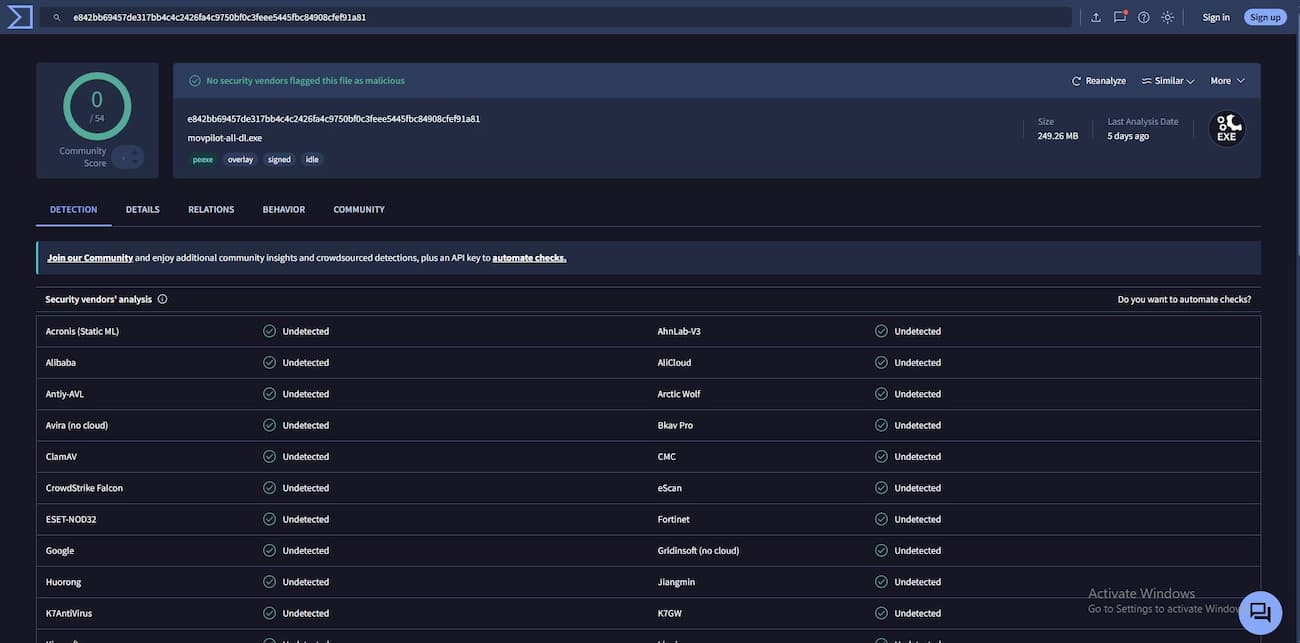
I downloaded the installer from the official MovPilot website and installed it on my Windows 10 desktop. Before doing anything else, I uploaded the executable file to VirusTotal to check for any hidden threats.
Result: 0 out of 54 security vendors flagged the file. No Trojans, ransomware, cryptominers, or adware were detected.
Step 2. Logging In and Setting Output Preferences
After launching MovPilot, I opened the built-in browser and logged in with my Netflix Premium account, the same one I use for daily streaming. The login page looked exactly like the regular Netflix website, so there was nothing suspicious about how it handled my credentials.
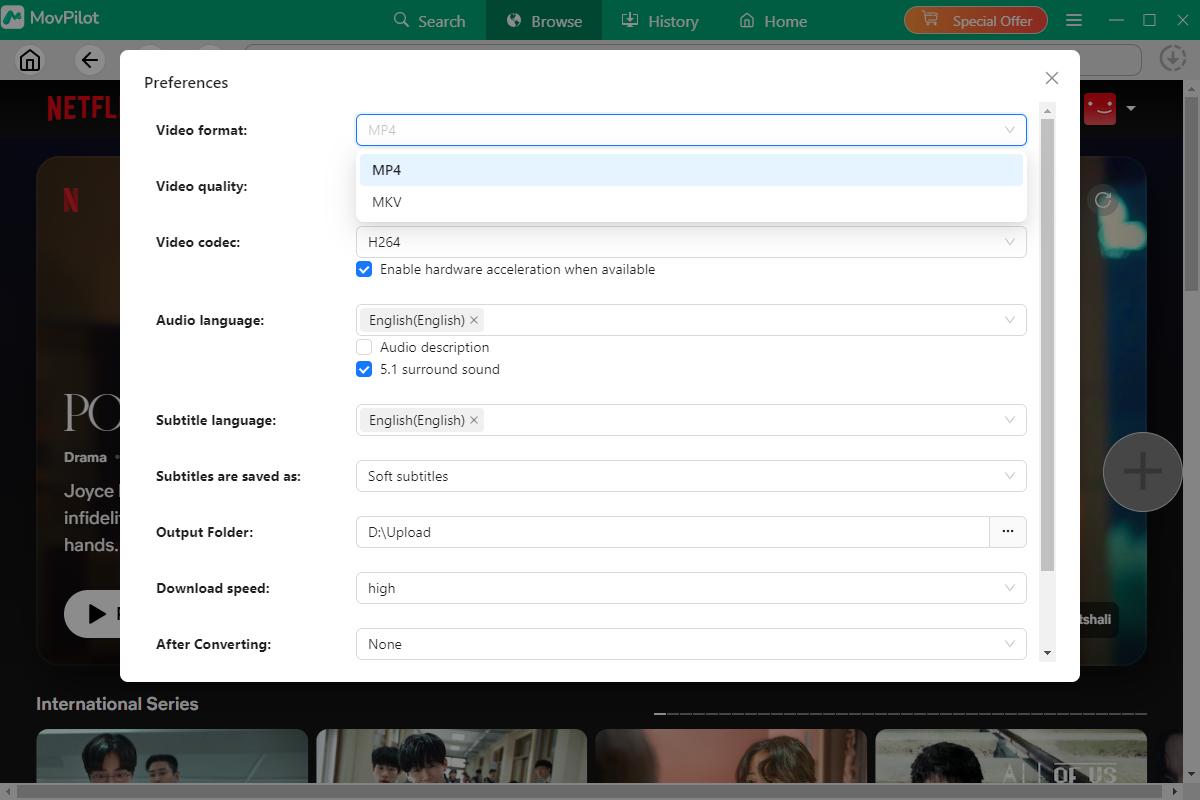
Before searching for my test title, I clicked the Preferences button in the top-right corner and set these defaults:
- Format: MP4
- Video codec: H.264
- Audio: English, DD+ 5.1 surround
- Subtitles: English soft subtitles
Step 3. Searching for the Test Episode
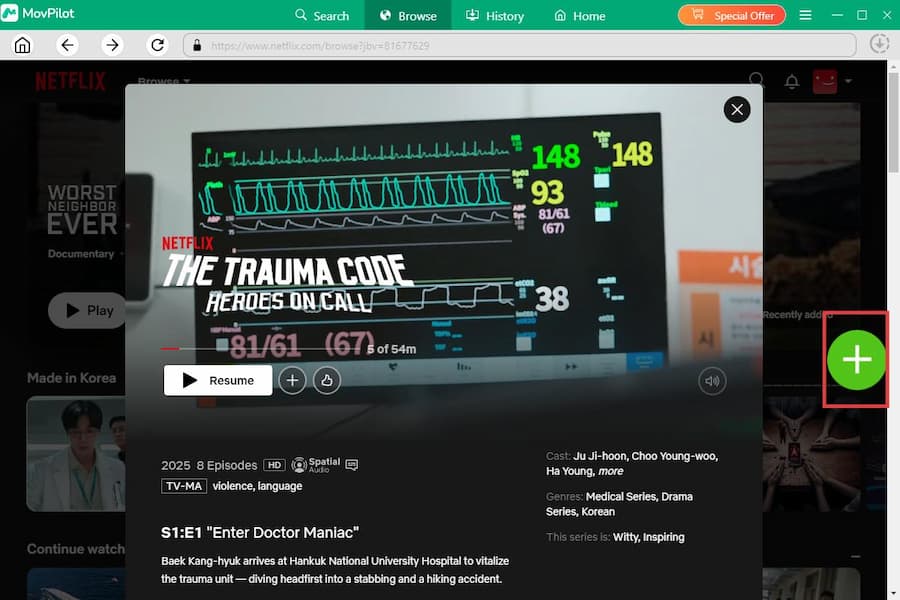
I used the search bar to look up The Trauma Code: Heroes on Call. The built-in browser showed the same Netflix page I see in Chrome. I selected Season 1, Episode 1, "Enter Doctor Maniac." Clicking the green + button added the episode to my download queue.
Step 4. Configuring Download Settings
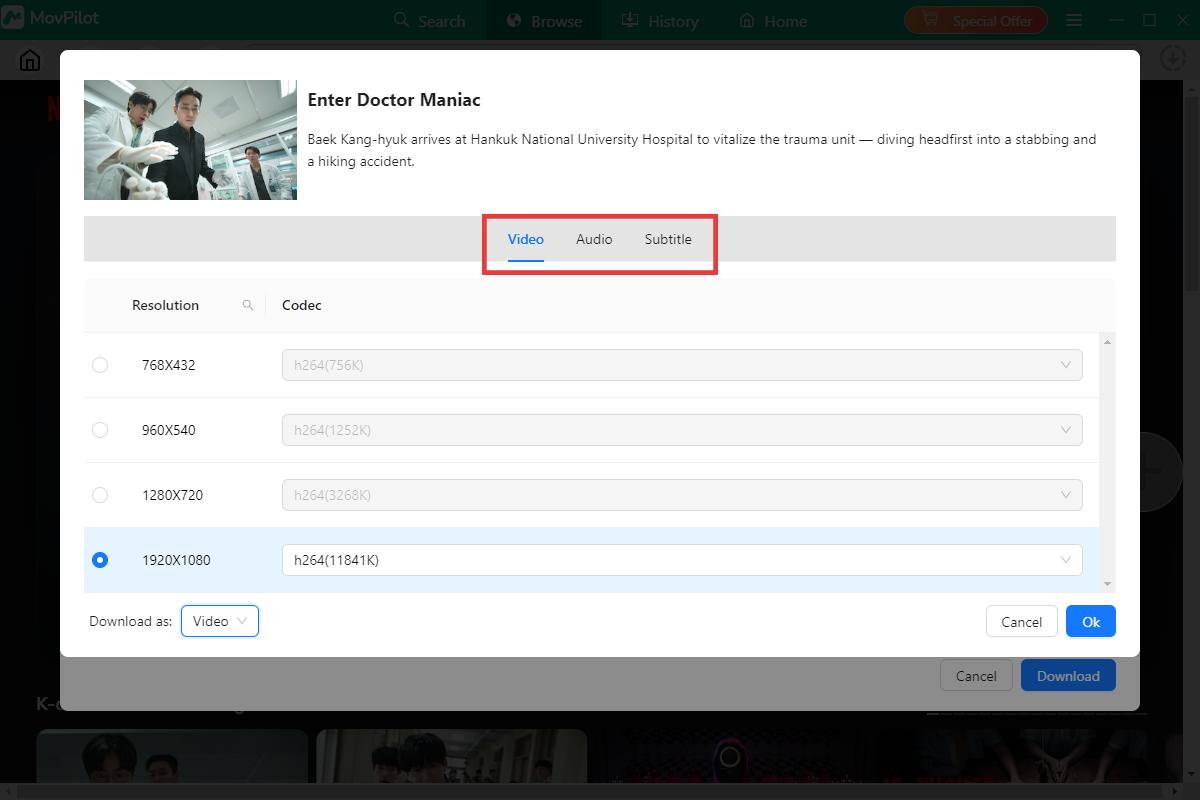
Before the download started, I clicked the settings icon next to the episode to check my configuration. I set the video resolution to 1920×1080 (1080p) with the H.264 codec. For audio, I picked the original English track with Dolby Digital Plus 5.1 surround sound. For subtitles, I chose soft English subtitles, which means they are embedded in the file but can be turned on or off during playback. The output was set to MP4, matching my earlier preference.
Step 5. Downloading the Episode and Measuring Speed
I started the download and timed the full free-trial window. MovPilot's trial only lets you download the first 6 minutes of any video. For that 6-minute segment, the total download time was between 10 and 15 minutes, which works out to roughly 300 KB/s on average.
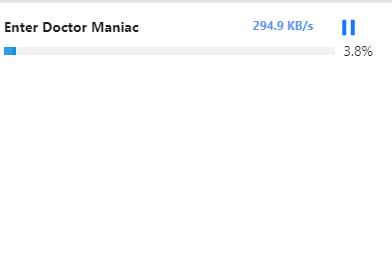
Note: If you plan to download a lot of content, your internet speed matters less than the tool's encoding speed. Even on a fast connection, MovPilot's download pipeline, not your bandwidth, will be the bottleneck.
Step 6. Checking the Output File
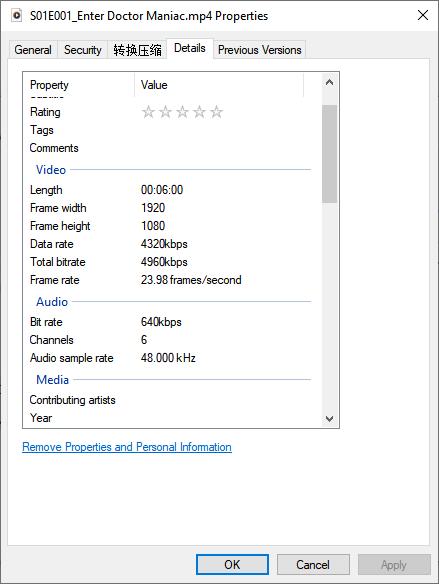
The downloaded file was saved in MP4 format. I opened the file properties and checked the media information to verify the output details. Based on the results, I was satisfied with the video quality delivered by MovPilot.
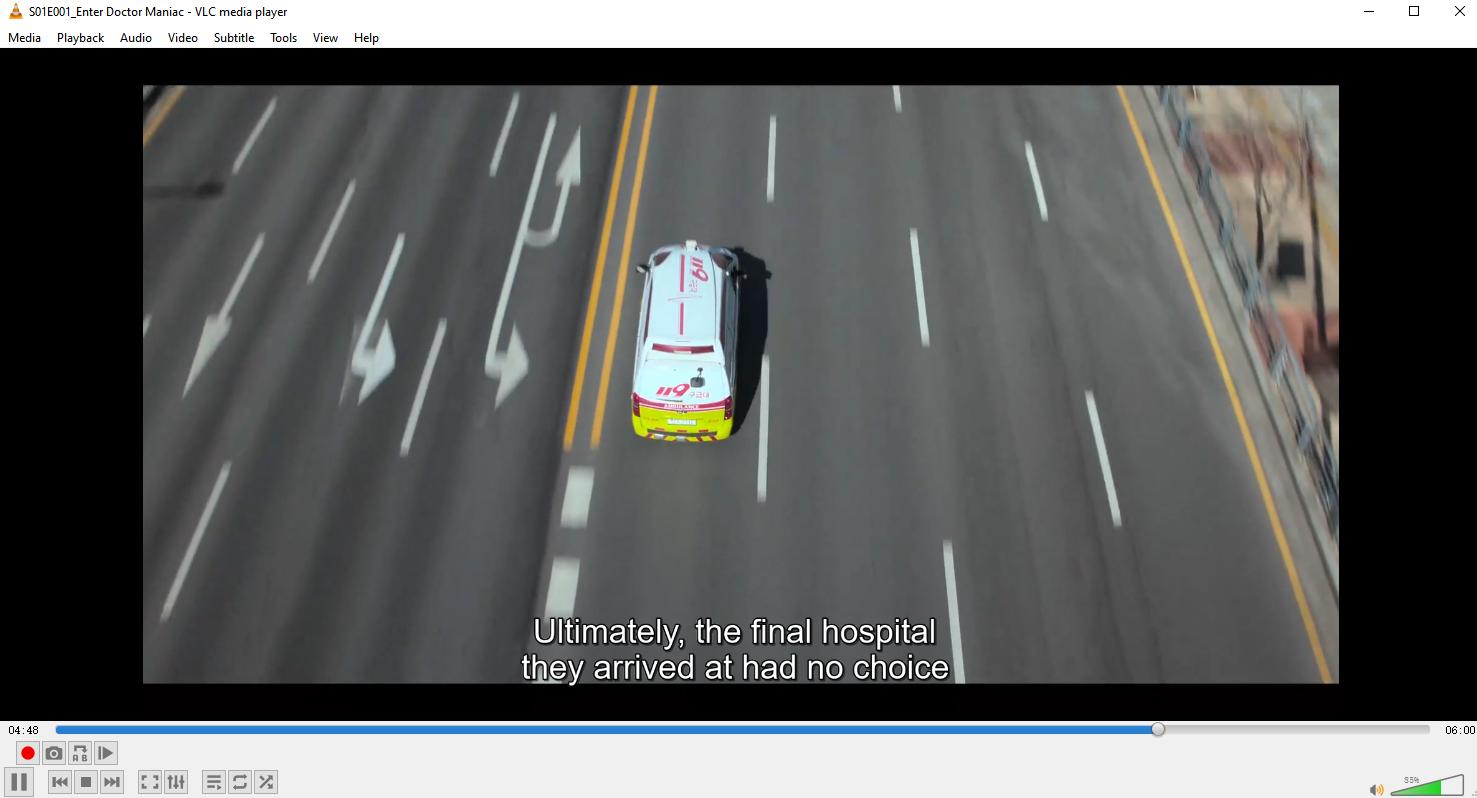
I also played the downloaded video in VLC Media Player on my Windows 10 computer, and the playback experience was smooth, with clear video quality, English audio, and available subtitles.
Part 3. My Experience With MovPilot Netflix Downloader
What I Like About MovPilot
- The installer is safe. VirusTotal returned zero detections across 54 engines. The login process also stays within Netflix's own domain, so the official build does not appear to harvest your credentials.
- The interface is easy to use. If you have used Netflix in a browser before, you already know how to navigate MovPilot.
- The output is well-formatted. The MP4 file played cleanly on every player I tested. The 1080p resolution, 5.1 audio, and soft subtitles were all preserved exactly as I configured them.
- The subtitle and audio options are flexible. You can choose between soft subtitles (embedded, toggle on/off), hardcoded subtitles (burned into the video), or external SRT files. You can also keep the original audio or switch to a different language track. This is genuinely useful if you share your downloads with family members who speak different languages or if you are learning a new language yourself.
What I Don't Like About MovPilot
- The download speed is slow. In my test, a 6-minute clip took 10 to 15 minutes to download in the free-trial version.
- The free trial is too short. Six minutes of a TV episode is not enough to judge stability. You can check that the software opens and the download button works. You cannot test how it handles a 2-hour movie or an entire season. For $99.95, you deserve more time to kick the tires.
- There is no monthly payment option. MovPilot only sells perpetual licenses. The Netflix downloader costs $99.95 upfront, with no monthly plan and no yearly plan. If you have never used a tool like this before, that is a lot of money to commit without really knowing if it works for your needs. And if it does not work out, the refund window is only 5 days.
Part 4. What Other Users Say About MovPilot
To avoid making this a one-person review, I spent time reading through user feedback on MovPilot's Trustpilot page. The picture is mixed.
MovPilot Reviews on Trustpilot (as of July 2026)
MovPilot currently holds a rating of 3.9 out of 5 on Trustpilot, based on 232 reviews. Most users land somewhere in the middle: they like the tool when it works, but many have run into problems.
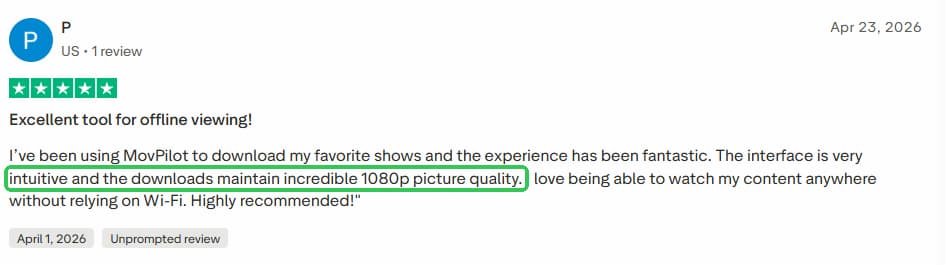
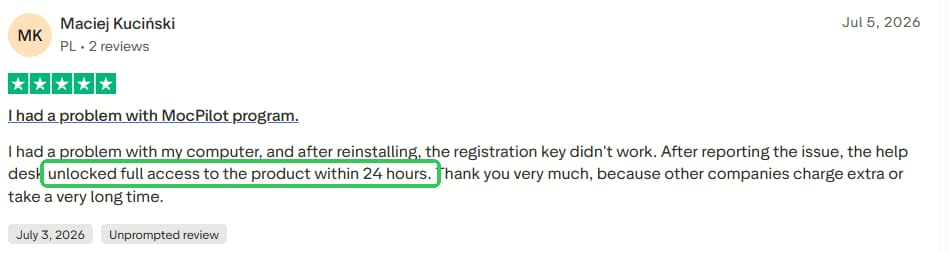
What users praise:
- The clean, simple interface
- Good video quality when downloads complete
- Helpful customer support (when it responds quickly)
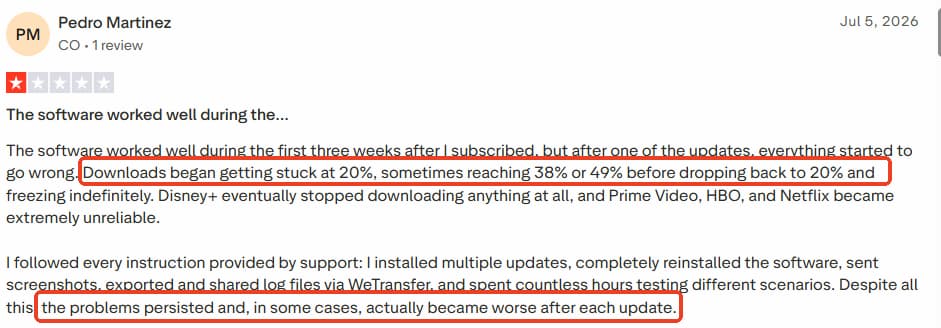
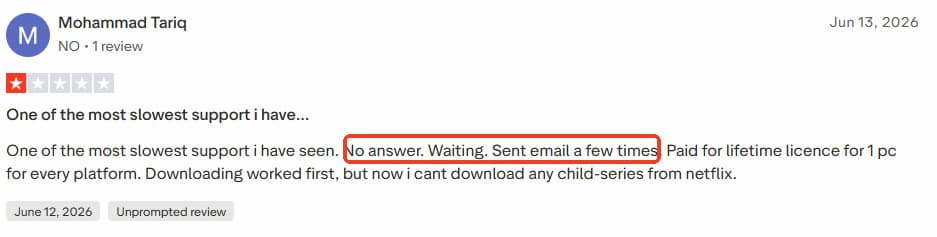
What users complain about:
- Downloads freezing at 10–20%
- Slow or unhelpful support responses in some cases
- Refund difficulties
- No easy way to transfer the license to a new computer
The consensus is clear: MovPilot is easy to use and capable of producing good results, but stability and support can be hit or miss.
Part 5. A Faster Alternative: VidiFab Netflix Video Downloader
After finishing the MovPilot test, I wanted to see how a different tool would handle the exact same job. So I ran the same episode through VidiFab Netflix Video Downloader on the same Windows 10 machine, with the same Netflix Premium account, on the same internet connection.
VidiFab Netflix Video Downloader
Download videos from Netflix as MP4/MKV in 1080p with Dolby Atmos for offline viewing all devices.
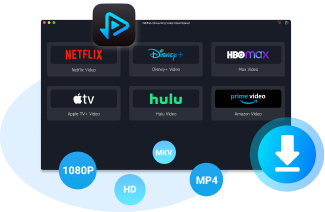
VidiFab is another Netflix downloader that also supports multiple streaming platforms. Unlike MovPilot, it offers monthly, yearly, and lifetime plans, so you do not have to commit $99.95 upfront. It also has a 14–30 day money-back guarantee, which gives you more breathing room than MovPilot's 5-day window.
VidiFab vs. MovPilot: Same Episode, Same Settings
I set both tools to download The Trauma Code: Heroes on Call Season 1, Episode 1 at 1080p with DD+ 5.1 audio and English subtitles. Here is how they compared:
| Metric | MovPilot | VidiFab |
|---|---|---|
| Test title | The Trauma Code, S1E1 | The Trauma Code, S1E1 |
| Resolution | 1920 × 1080 | 1920 × 1080 |
| Audio | DD+ 5.1 | DD+ 5.1, 640 kbps |
| Subtitles | English soft | English embedded |
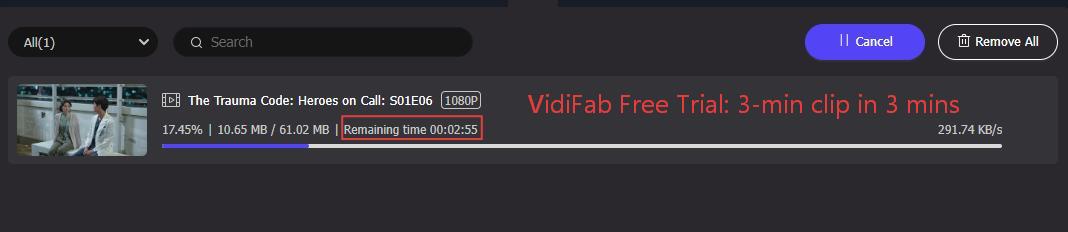
| Free-trial download time | 10–15 min for 6 min of video | ~3 min for 3 min of video |
Even though the trial clip lengths are different (6 minutes vs. 3 minutes), the time gap is telling. MovPilot took roughly 2× to 3× longer to process a shorter segment. A full 45-minute episode on VidiFab, in the paid version, took about 5 minutes to complete.

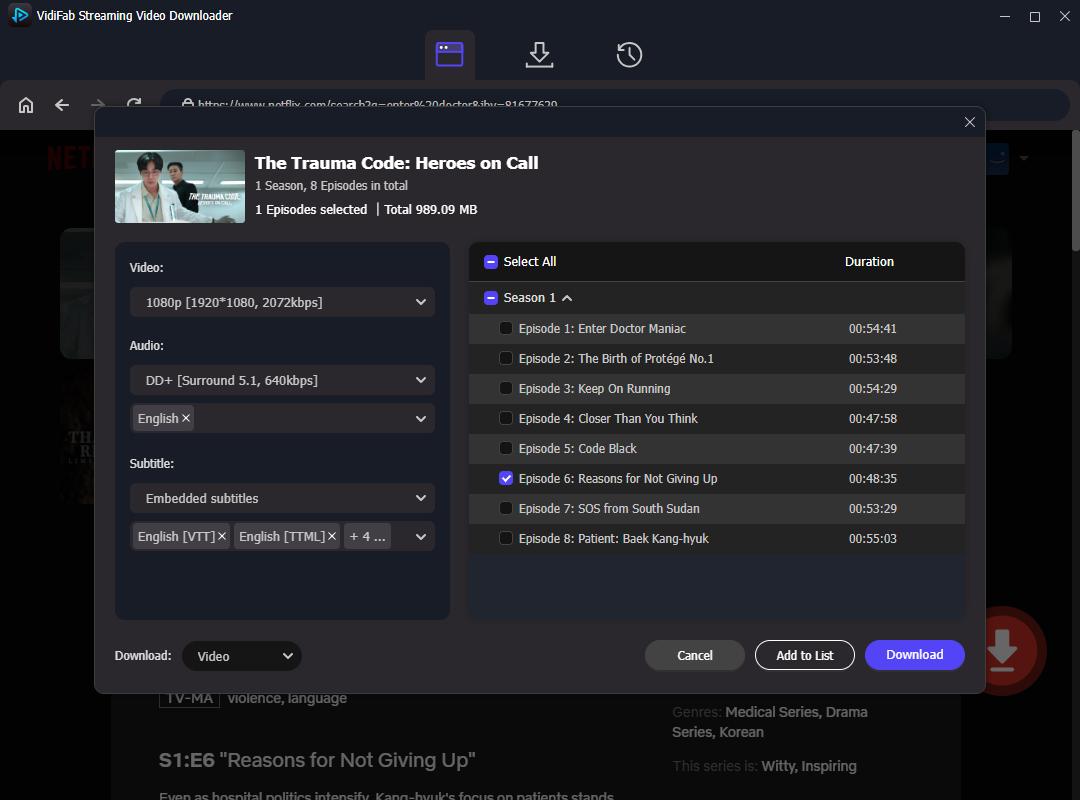
VidiFab's workflow also felt smoother. Instead of clicking through separate settings panels, I could set the video quality, audio language, and subtitle format all in one window.
Which One Should You Choose?
Go with MovPilot if:
- You only download occasionally, so speed does not matter much
- You want a simple, no-subscription tool and are happy paying once for a lifetime license
- You have tested the free trial on your setup and it works reliably for you
Go with VidiFab if:
- You want to try the tool risk-free with a monthly or yearly plan and a 14–30 day refund window
- You download regularly and need faster speeds
- You prefer a cleaner workflow where all settings are in one panel
For most users, VidiFab is the safer bet. You can start with a monthly plan, test it thoroughly on your own machine and connection, and then decide whether to upgrade. That flexibility alone makes it a better choice for first-time downloader users.
Part 6. Is MovPilot Safe and Legit?
Is MovPilot Safe to Install?
Yes, the official version is. The Movpilot software has no virus. Also, the login process also stays within Netflix's own domain, so your credentials are not being sent to some third-party server.

Warning: Do not download "cracked" or "free registration code" versions from random websites. A quick search turns up plenty of sites offering "MovPilot all-in-one video downloader crack" or "MovPilot Netflix downloader free code." These are almost always traps. Cracked software is a common way to spread malware, and even a clean cracked version cannot update when Netflix changes its DRM, so it will stop working anyway.
Is It Legal to Download Netflix Videos?
I am not a lawyer, so this is not legal advice. In many countries, downloading content for personal offline viewing is considered fair use, as long as you do not share or sell the files. However, bypassing DRM (which is what these tools do) may violate the streaming service's terms of service in some regions. Check your local laws before using any downloader.
Is MovPilot a Scam?
No. MovPilot is a real company with a real product, real customer support, and a published refund policy. It is not a "take your money and disappear" operation. But being legitimate does not automatically make it a good fit for everyone. Whether MovPilot is worth it depends on your specific needs: how often you download, how much you care about speed, and whether you have $99.95 ready to spend upfront.
Final Verdict
MovPilot Netflix Video Downloader does what it says on the box. It downloads Netflix videos in 1080p with 5.1 audio and flexible subtitle options. It is ideal for users willing to invest in a perpetual license for backing up Netflix downloads to their computer and who don’t need to save videos quickly. If you download regularly, care about speed, or want flexible payment options with a longer test-drive window, VidiFab Netflix Video Downloader is the better choice.
Either way, test the free version on your own machine and your own connection first. A tool that works perfectly on my desktop might behave differently on yours. The only review that really matters is the one you run yourself.
 Free Download
 Secure Download
 Free Download
Secure Download
Free Download
Secure Download


I write about must-watch movies and TV shows, plus detailed reviews of video downloaders and media tools. I help you discover what to watch next and pick the right tools to save and manage your favorite content. My goal is to give you clear, honest insights so you can enjoy streaming and offline viewing without the hassle.
 Leave Your Comment