How to Watch 3D Movies on Netflix in 2026: Quest 3 & VR Guide
 By Arlo Bennett
If you've looked for 3D movies on Netflix, you've probably run into a major issue: the app only streams in 2D. Even though your headset is designed for immersive VR movies, Netflix has shifted its focus to standard 4K HDR instead of 3D streaming.
The bright side? You can still enjoy a genuine 3D experience. Just download Netflix videos in high quality and use VR apps like Skybox VR or 4XVR to dive into a 3D film environment with amazing audio and depth.
- Netflix 3D is not a native feature on Quest 3.
- Netflix on Meta Quest currently runs through the Meta Quest Browser, not a native stereoscopic 3D app.
- If you want a 3D-style VR movie experience, the common workaround is:
- Step 1. Save a compatible local copy for offline viewing where permitted.
- Step 2. Transfer it to your headset.
- Step 3. Open it in Skybox VR or 4XVR and set the correct 3D format.
Part 1. Does Netflix Have 3D Movies?
No, Netflix doesn't offer native 3D streaming. While they briefly tested 3D content back in 2013 for 3D TVs, they've since completely phased it out. Today, if you search for 3D films on Netflix, you'll only find standard 2D versions of theatrical 3D releases.
Why You Can't Find Native 3D Content on Netflix?
It's pretty normal that you can't get native 3D movies on most streaming platforms. Besides Apple TV+ and Disney+, almost every service has dropped 3D because of bandwidth costs and hardware fragmentation.
- The Death of 3D TVs: Netflix experimented with 3D streaming in the early 2010s, but when TV makers stopped making 3D-capable sets, Netflix phased out the special 3D streams (MVC format) and focused on 4K, HDR, and Dolby Vision instead.
- Bandwidth & Costs: Streaming true 3D is heavy. The server has to send two separate views at once (side-by-side or over-under), which takes a lot of data. For Netflix, spending extra bandwidth for a small group of VR or 3D users just wasn't worth it.
- Apple & Disney Monopoly: Hollywood still makes plenty of 3D animation and live-action films, but the rights are tightly controlled. They prefer to sell 3D movies through premium, device-locked platforms like Apple TV+ and Disney+, which use advanced 3D formats (like MV-HEVC) that work mainly on Apple Vision Pro or other high-end devices.
Part 2. How to Watch Netflix 3D Movies in VR (The Workaround)
Since Netflix doesn't offer a native 3D app, the "Pro Way" to get that immersive depth is a simple three-step workaround: Download high-bitrate source files → Transfer to your headset → Play via a 3D-enabled VR player.
This method works flawlessly for Meta Quest 3, Quest 2, Pico 4, and even high-end AR glasses.
Why We Recommend This Method?
| Feature/Parameter | Official Netflix App / Browser on VR | Download + Skybox VR |
|---|---|---|
| Max Resolution | Capped at 480p / 720p (Due to DRM) | True 1080p / 4K UHD |
| Video Bitrate | Low / Variable (1.5 - 3 Mbps) | High / Lossless (Up to 15-25 Mbps) |
| 3D Capabilities | Flat 2D Video only | Real-time AI 2D-to-3D Depth Mapping |
| Spatial Audio | Standard Stereo (2.0) | Dolby Atmos / 5.1 Surround Sound |
| Subtitle Control | Static (Causes severe 3D ghosting/eyestrain) | Custom Subtitle Depth Adjustment |
| Cinema Environments | Void background / Basic room | Fully dynamic IMAX, Space, and Void theaters |
| Offline Capability | ❌ Requires constant, fast Wi-Fi connection | 100% Offline Playback |
Step 1: Download High-Bitrate Netflix Videos with VidiFab
For AI Depth Mapping to function properly, the VR player requires a high-quality base image. If the image source is blurry, the resulting 3D effect will appear disorganized and unclear.
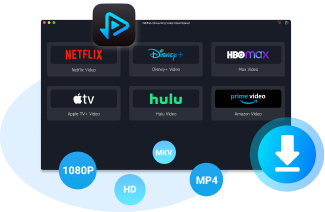
This is where the VidiFab Streaming Video Downloader comes in. It is a Windows/Mac desktop software that lets you download videos from platforms like Netflix in MP4 or MKV format. While it's perfect for grabbing Netflix films, you can also use it to pull dedicated 3D movies from platforms like Disney+ or Apple TV+. If a 3D version isn't available, just download the 1080p 2D version with 5.1 Surround Sound.
Pro Tip on Subtitles: When downloading, choose "Embedded Subtitles." Unlike burned-in text, embedded SRT files allow you to adjust the Subtitle Depth in players like Skybox. This is a game-changer as it stops that annoying "double vision" effect and prevents eye strain during long Anime marathons.
VidiFab Streaming Video Downloader
Download videos from streaming platfroms as MP4/MKV in 1080p with Dolby Atmos for offline viewing all devices.
How to Download Netflix Videos for VR 3D Playback
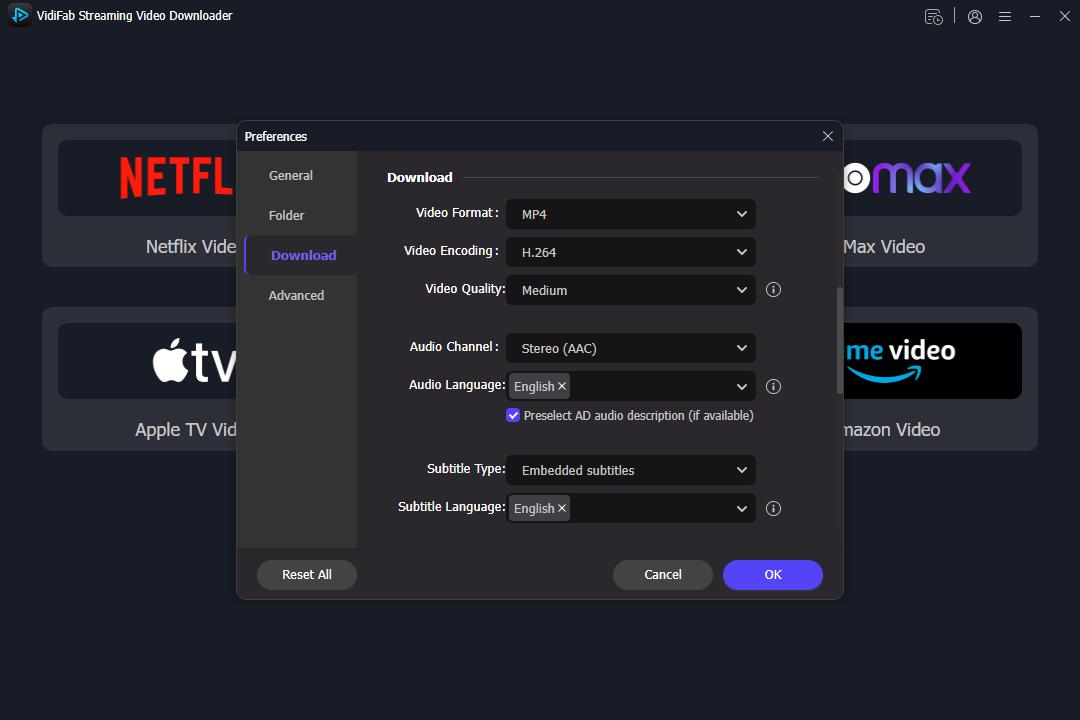
Step 1. Configure for High-Bitrate VR Playback
Launch the VidiFab Streaming Video Downloader and open the Preferences menu from the top-right icon. Set the download format to MP4 or MKV. To ensure the AI Depth Mapping in your VR player works accurately, choose the H.264 or AV1 codec at the highest available bitrate. Click OK to save, then select the Netflix icon and log in via the secure built-in browser.
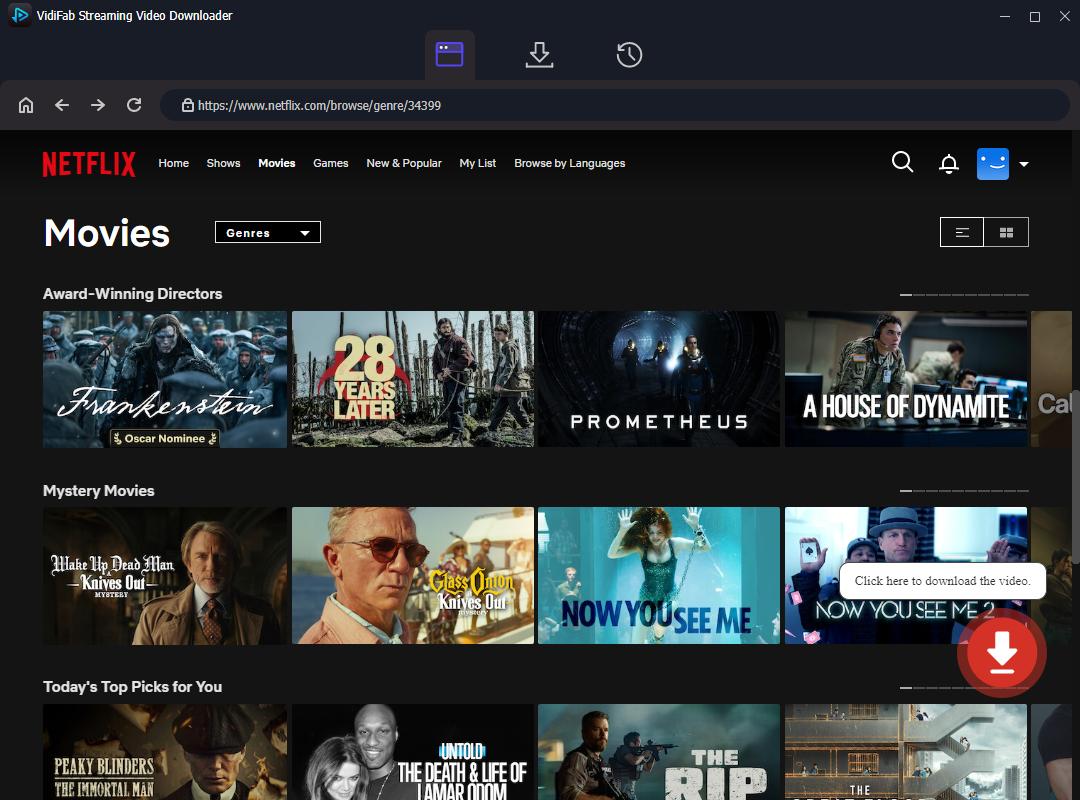
Step 2. Locate Your Favorite Animation or Blockbuster
Browse the library or paste the URL of the movie you want to "3D-ify." Whether it's a vibrant 3D animated movie or an action-packed Anime, open the video's detail page. The tool will automatically analyze the stream and prepare it for a high-quality extraction. Click the download button in the bottom right corner.
Step 3. Optimize Audio and Subtitle Depth
In the download settings, select 1080p for the sharpest base image. Crucially, set the Audio to 5.1 Surround Sound to match the immersive scale of a virtual theater. Choose Embedded Subtitles. This allows your VR player to adjust the Subtitle Depth, preventing the "double vision" effect that often ruins 3D viewing.
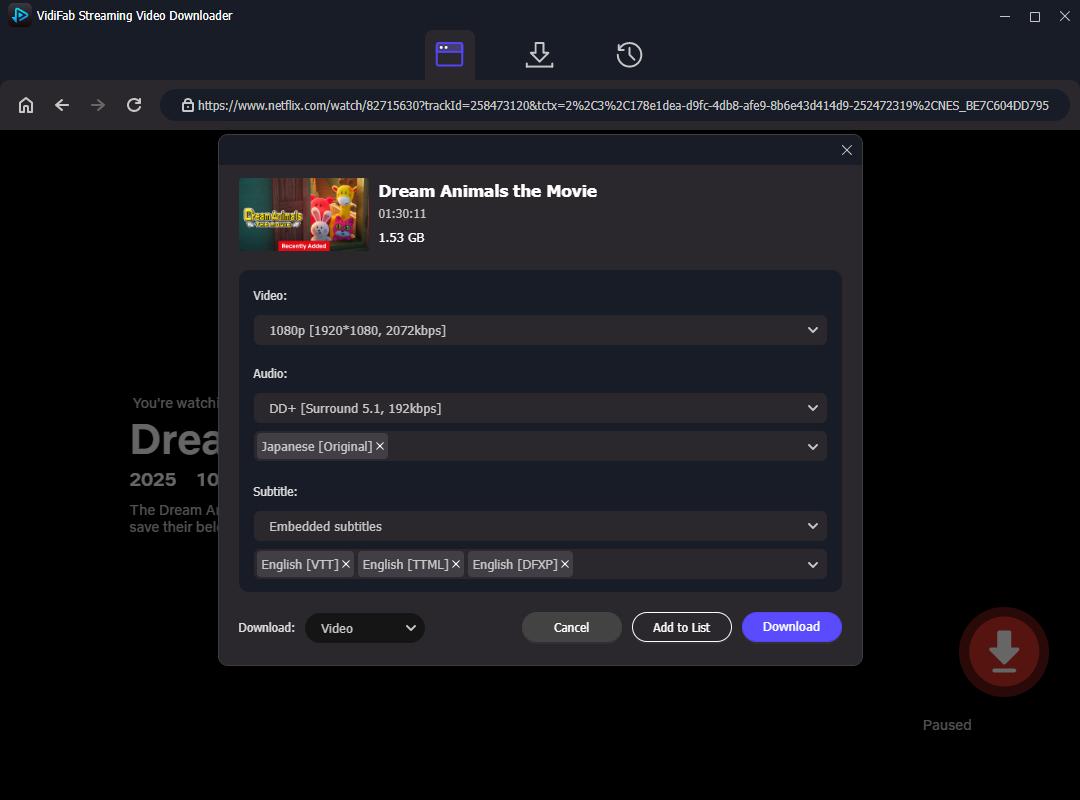
Step 4. Export for Your VR Headset
Click Download to start the process. Unlike the official app's encrypted cache, this saves a clean, DRM-free file directly to your PC. Once finished, you can transfer these files to your Quest 3, Pico 4, or Apple Vision Pro.
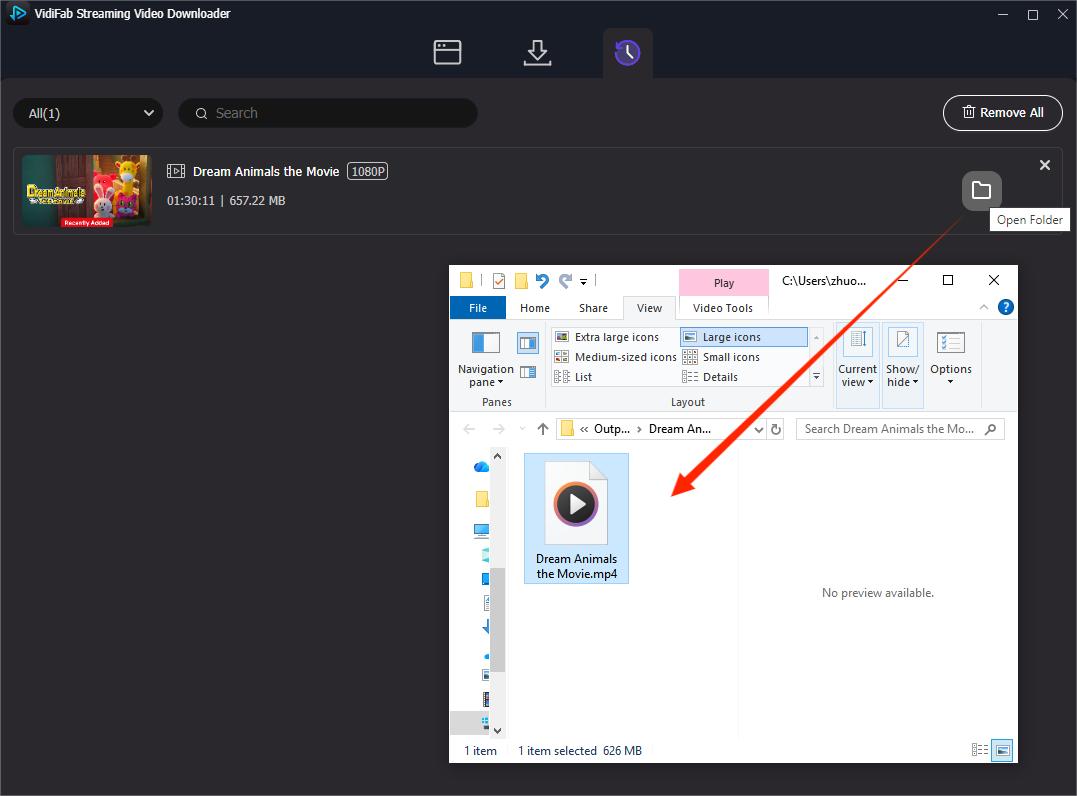
Step 2: Transfer Files to Your Headset (Quest 3 or Pico 4)
You have two main ways to get your files ready for the "Big Screen":
- The Wired Way: Connect your Quest 3 to your PC/Mac via USB-C and drag the files directly into the Movies folder.
- The Wireless Way: If you don't want to clog up your internal storage, set up a Local Network Share (SMB/DLNA) on your computer. If your PC and headset are on the same Wi-Fi 6 router, you can stream massive 4K files instantly without using a single GB of headset space.
Step 3: Play via 3D-Enabled VR Player (Skybox VR)
Here's how to turn that flat file into a 3D movie in Skybox VR:
-
01
Locate Your Source: Open Skybox VR. Go to the "Local" tab (if you moved the file) or the "Network" tab (if you're streaming via SMB). Open your high-bitrate video.
-
02
Enable AI 2D-to-3D: While the video is playing, bring up the control panel. Go to Advanced Settings → 3D Mode → and toggle on "2D to 3D."
Skybox VR will use your headset's GPU to map depth in real-time, detecting foreground and background to create an immersive 3D effect.
Part 3. Best 3D Animated Movies on Netflix for VR Users (2026 List)
Just to clarify, the titles listed below aren't native Netflix 3D streams. They're animated movies you can currently find on Netflix's animated or title pages. These films work especially well in a VR big-screen or 3D-style setup thanks to their vibrant colors, depth cues, motion, and overall visual design.
Note: The selections below are entirely family-friendly and highly suitable for kids.
1. Spider-Man: Into the Spider-Verse (2018)
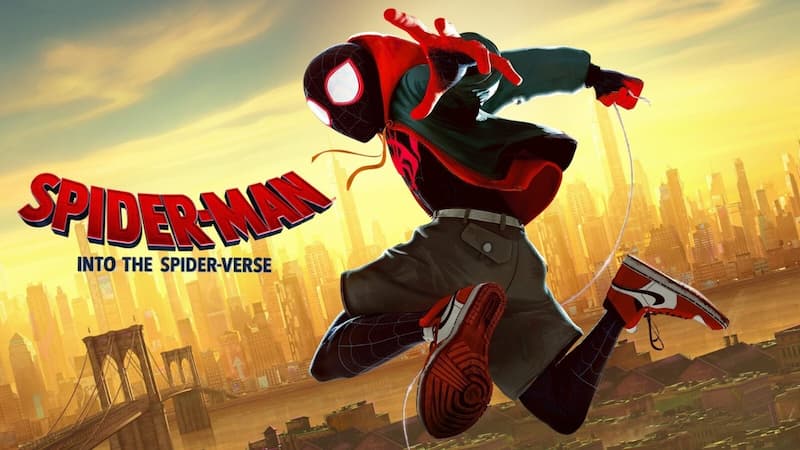
- Genre: Action, Sci-Fi, 3D Animation
- IMDb Score: 8.4/10
- Synopsis: Teen Miles Morales becomes the Spider-Man of his universe and must join with five spider-powered individuals from other dimensions to stop a threat for all realities.
This film's comic-book aesthetic (half-tone dots and chromatic aberration) creates a unique "diorama" effect in VR. In a headset, the dialogue bubbles and on-screen sound effects (like "KAPOW!") actually feel like they are floating at different depths.
"They use a really cool effect where they pull the different layers apart of the comic style giving the picture a diorama like effect... a joy to watch in 3D." — Link_AJ
2. How to Train Your Dragon (2010)
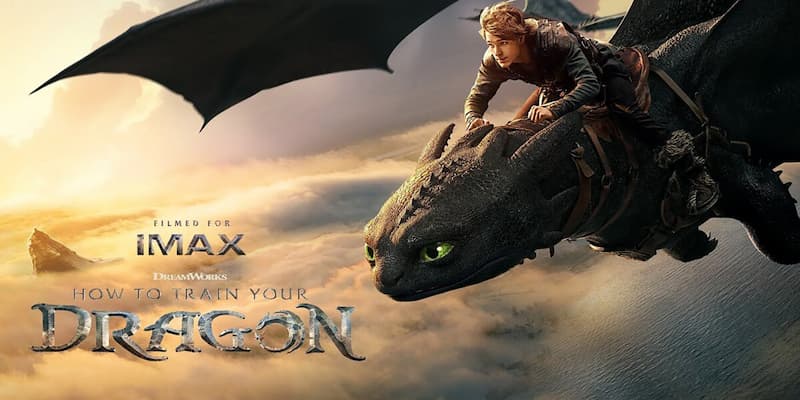
- Genre: Animation, Action, Adventure, Family, Fantasy
- IMDb Score: 8.1/10
- Synopsis: A hapless young Viking misfit aspires to hunt dragons but unexpectedly befriends a young Night Fury dragon, discovering that there may be far more to the creatures than his village believes.
It's all about feeling the scale. When Hiccup and Toothless jump off cliffs, the VR experience really makes you feel that rush of vertigo. The huge ocean views are a perfect backdrop for players to explore and dive deeper into the environment.
"Best 3D experiences in Skybox so far have been: ~ How To Train Your Dragon ~ Into The Spider-Verse... IMAX environment, please!!" — lennyukdeeejay
3. Madagascar (2005)
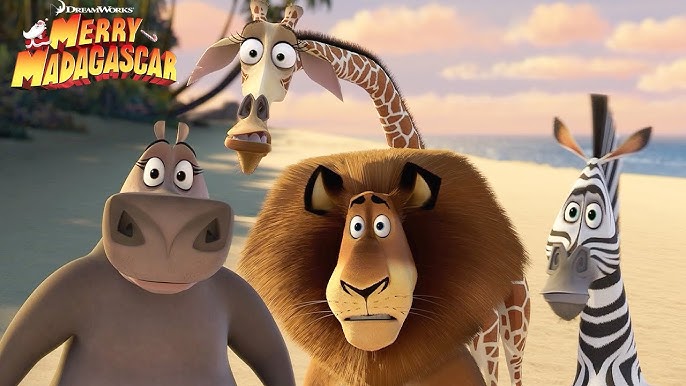
- Genre: Animation, Comedy, Adventure
- IMDb Score: 6.9/10
- Synopsis: Four zoo animals escape to the wild island of Madagascar. Colorful characters, lively action, and broad landscapes make it fun and engaging for VR 3D.
These are "Color Explosions." The vibrant jungle greens and carnival colors pop against the high-contrast lenses of modern headsets. They are perfect for kids because the character movements are broad and easy for AI algorithms to track.
4. Ice Age (2002)
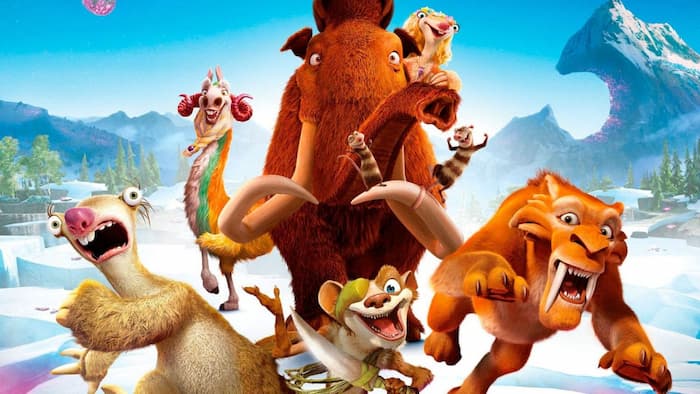
- Genre: Animation, Comedy, Adventure
- IMDb Score: 7.5/10
- Synopsis: Set during the Ice Age, a sabertooth tiger, a sloth, and a wooly mammoth find a lost human infant and they try to return him to his tribe.
The wide-open, white glacial landscapes allow for a massive virtual screen experience. It's a great way to test the 5.1 Audio during the ice-slide and stampede scenes.
5. Rio (2011)
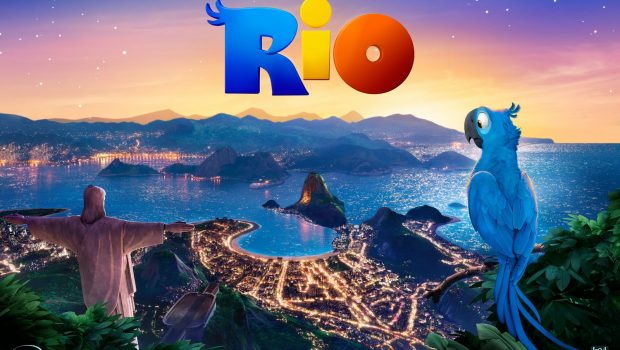
- Genre: Animation, Adventure, Comedy
- IMDb Score: 6.9/10
- Synopsis: When Blu, a domesticated macaw from small-town Minnesota, meets the fiercely independent Jewel, he takes off on an adventure to Rio de Janeiro.
Flying over Rio's landscapes and Carnival scenes gives strong parallax and depth perception. Users report that motion feels thrilling without being dizzying in high-bitrate VR playback.
6. The Boss Baby (2017)
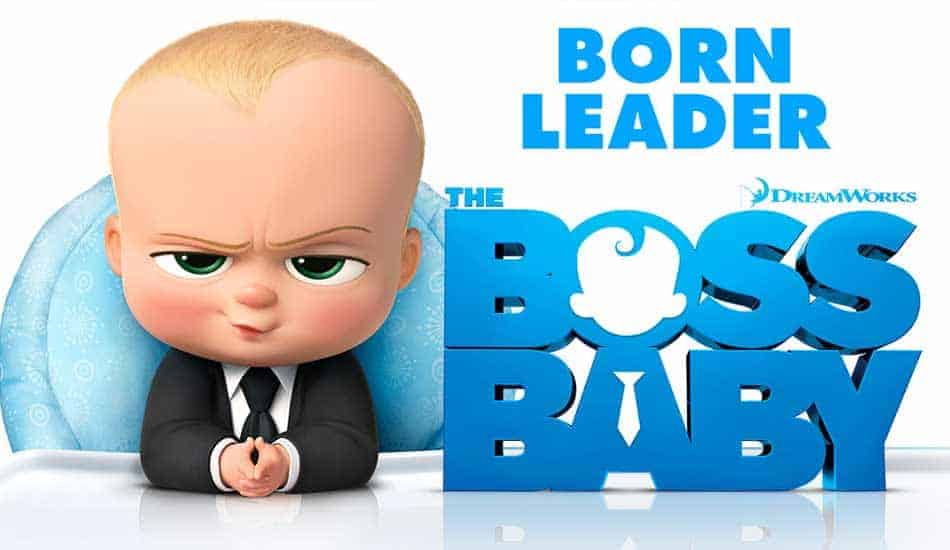
- Genre: Animation, Comedy, Family
- IMDb Score: 6.3/10
- Synopsis: A suit-wearing, briefcase-carrying baby pairs up with his seven-year-old brother to stop the dastardly plot of the CEO of Puppy Co.
Flying over Rio's landscapes and Carnival scenes gives strong parallax and depth perception. Users report that motion feels thrilling without being dizzying in high-bitrate VR playback.
7. A Christmas Carol (2009)

- Genre: Animation, Family, Fantasy
- IMDb Score: 6.8/10
- Synopsis: An animated retelling of Charles Dickens' classic novel about a Victorian-era miser who is taken on a journey of self-redemption.
Natively shot in 3D, the dark, candlelit scenes and Victorian rooftops offer exceptional contrast and depth, making the environment feel vast.
8. The Mitchells vs. the Machines (2021)
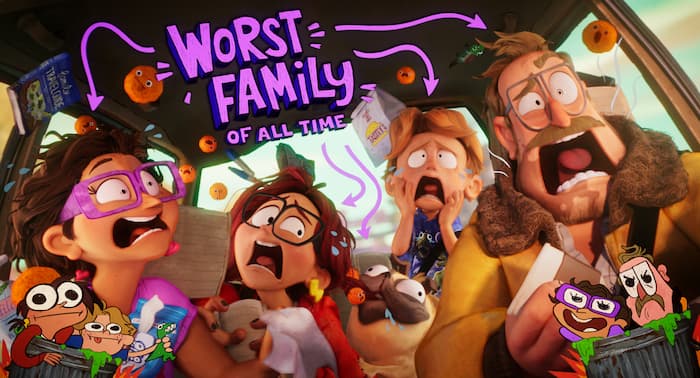
- Genre: Animation, Action, Comedy
- IMDb Score: 7.6/10
- Synopsis: A quirky, dysfunctional family's road trip is upended when they find themselves in the middle of the robot apocalypse and suddenly become humanity's unlikeliest last hope.
This movie is "busy" with 2D stickers and pop-up graphics. In VR, these graphics pop out from the 3D background, creating a fun, multi-layered visual feast that never feels cluttered.
9. Coraline (2009)
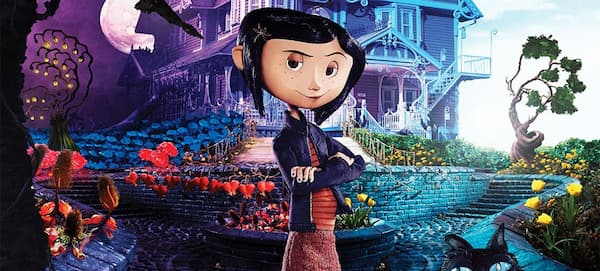
- Genre: Animation, Fantasy, Family
- IMDb Score: 7.8/10
- Synopsis: An adventurous 11-year-old girl finds another world that is a strangely idealized version of her frustrating home, but it has sinister secrets.
The tactile, stop-motion style works perfectly for creating layered, miniature-like depth, especially during the immersive, winding tunnel sequences.
"I still think about how jaw dropping that first shot of the tunnel in the door extending off into the distance was... hit just as hard." — oladmanleal
10. Kubo and the Two Strings (2016)
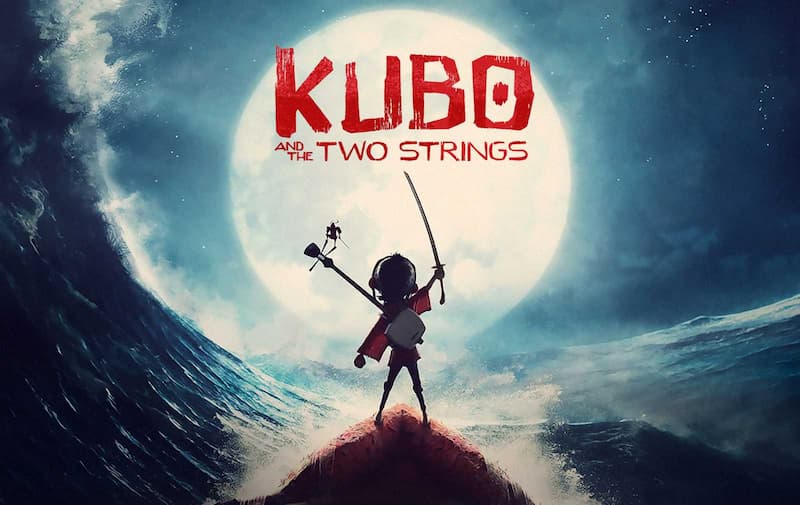
- Genre: Animation, Adventure, Fantasy
- IMDb Score: 7.7/10
- Synopsis: A young boy named Kubo must locate a magical suit of armor worn by his late father in order to defeat a vengeful spirit from the past.
This stop-motion gem has amazing details in its environments and dramatic, sweeping visuals inspired by origami, giving you one of the best 3D experiences out there. It really highlights scale and texture.
"Although I don't like 3D in general, I have to make a strong exception for Kubo. This is one of the best movies to use 3D and it's jawdropping. Definitely see it in 3D if you can." — IronEad
Part 4. FAQs About Netflix 3D Support & VR Viewing
Can I watch Netflix 3D movies on the Quest 3 App?
Is downloading Netflix movies for 3D viewing better than streaming?
Is 1080p enough for a good 3D experience in VR?
How do I make 2D Netflix movies look 3D in VR?
Is it legal to download Netflix movies for my own VR use?
Final Thoughts
While Netflix doesn't support native 3D, your Quest 3 or Vision Pro shouldn't go to waste. By using VidiFab Streaming Video Downloader to grab high-bitrate files, you bypass app limitations and unlock the true potential of your headset. Pairing these downloads with Skybox VR or 4XVR transforms flat animation into an immersive, private IMAX experience. Now, take control of your library, adjust your 3D depth, and finally enjoy the cinematic world of Netflix 3D exactly the way it was meant to be seen.
 Free Download
 Secure Download
 Free Download
Secure Download
Free Download
Secure Download




I write about must-watch movies and TV shows, plus detailed reviews of video downloaders and media tools. I help you discover what to watch next and pick the right tools to save and manage your favorite content. My goal is to give you clear, honest insights so you can enjoy streaming and offline viewing without the hassle.
 Leave Your Comment