How to Download HBO Max Movies on Laptop
 By Miles Kent
Streaming your favorite HBO originals like House of the Dragon or the latest Warner Bros. Discovery blockbusters is great until you are on a flight or somewhere with spotty Wi-Fi. While HBO Max lets you download movies on mobile devices, laptops don't have a download button, making offline viewing a bit tricky.
No worries. This guide shows how to download HBO Max movies on a laptop, whether you're using Windows, a MacBook, or a Chromebook. We've even included solutions for ad-supported HBO Max accounts, so everyone can save movies for offline viewing. Let's dive in!
- HBO Max movies can't be downloaded directly through a browser on Windows, Mac, or Chromebook.
- There's no native HBO Max app for Windows or Intel Macs that supports downloads.
- VidiFab HBO Max Downloader lets Windows and Mac users download unlimited movies in MP4 or MKV, for both ad-supported and ad-free accounts.
- Apple Silicon (M1–M4) Macs can use the iPadOS HBO Max app from the App Store to download movies.
- Chromebook users can get the HBO Max Android app from Google Play to access downloads.
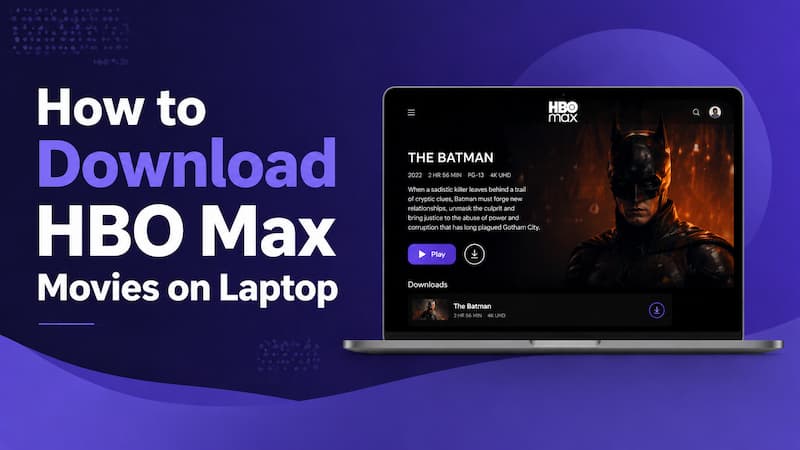
Part 1. Can You Download HBO Max Movies on a Laptop?
No, HBO Max does not support downloads on laptops. Unlike the mobile app, the official Max website does not provide a "Download" button for users on Windows, macOS, or ChromeOS. If you log in via Chrome, Safari, or Edge, you are limited to online streaming only.
Why can't you download HBO Max movies on your laptop? DRM (Digital Rights Management) is the reason behind this. Desktop browsers can't securely "lock" downloaded files like a dedicated app can, so offline viewing is turned off. If you want to download movies or shows from HBO Max, you can only do it on these devices:
- Apple iPhone, iPad, and iPod Touch
- Android phone and tablet
- Amazon Fire tablet
For workarounds and methods to download HBO Max movies on Windows, Mac, and Chromebook, continue to Part 2.
Part 2. How to Download HBO Max Movies on Laptop
HBO Max doesn't allow browser downloads, but you can still save your favorite movies using the right method for your device. Here's a quick overview of three main ways to download from HBO Max and watch offline on your laptop.
| Feature | VidiFab HBO Max Downloader | Apple Silicon (iPadOS App) | Chromebook (Android App) |
|---|---|---|---|
| Supported Systems | Windows 10+ / macOS 11+ | Mac M1, M2, M3, M4 only | Modern ChromeOS |
| Account Support | All Plans (Ads, Standard, Premium) | Standard & Premium only | Standard & Premium only |
| Download Limit | Unlimited | Standard: 30 downloads / Premium: 100 downloads | Standard: 30 downloads / Premium: 100 downloads |
| File Format | Permanent MP4 / MKV | Encrypted (App only) | Encrypted (App only) |
| Expiration | Never Expires | Unwatched: 30 days / Watched: 48 hours | Unwatched: 30 days / Watched: 48 hours |
| Transferability | Yes (to any device/USB) | No (locked to Mac) | No (locked to Chromebook) |
The comparison table shows that official apps are available for some chips, but a professional downloader provides the best flexibility across all systems.
2.1 On Windows & Mac
The VidiFab HBO Max Downloader is a professional tool designed to download HBO Max movies and shows directly to your Windows PC or Mac. It supports unlimited and ad-free downloads for all account types, including Basic with Ads, Standard, and Premium, allowing you to save your favorite movies in MP4 or MKV formats at 720P or higher.
This downloader retains subtitles either embedded in the video or as separate SRT files. It also keeps multiple audio tracks and languages, so you can enjoy content just like you would on the HBO Max app.
With VidiFab, you can download multiple titles at once using batch downloads at speeds up to 16x. This feature lets you download a 2-3 hour movie ready in just a few minutes!
VidiFab HBO Max Downloader
Download HBO Max videos in MP4 or MKV format at up to 720p for offline viewing on your laptop.
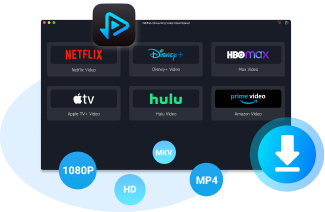
Note: While VidiFab isn't free, it does offer a trial version. After purchasing a license for $59.95 a month, $89.95 a year, or $149.95 for a lifetime, you get an amazing bonus: access to downloaders for six major streaming services, including HBO Max, Netflix, Amazon Prime Video, Disney+, Hulu, and Apple TV+.
Yes, VidiFab is safe to use on your computer and does not contain malware or ads. Legally, it is intended for personal offline viewing only, so you should not distribute or share downloaded content.
How to Download a Movie from HBO Max on Laptop via VidiFab
Step 1. Launch VidiFab and Access the HBO Max Library
Download and install VidiFab HBO Max Downloader. Click the menu icon in the top right corner and choose Preferences. In the pop-up, set the Download Video Format to MP4 or MKV, then click OK. Next, select the HBO Max icon from the list of supported services and log in using the secure built-in browser. This gives you access to the library available in your region.
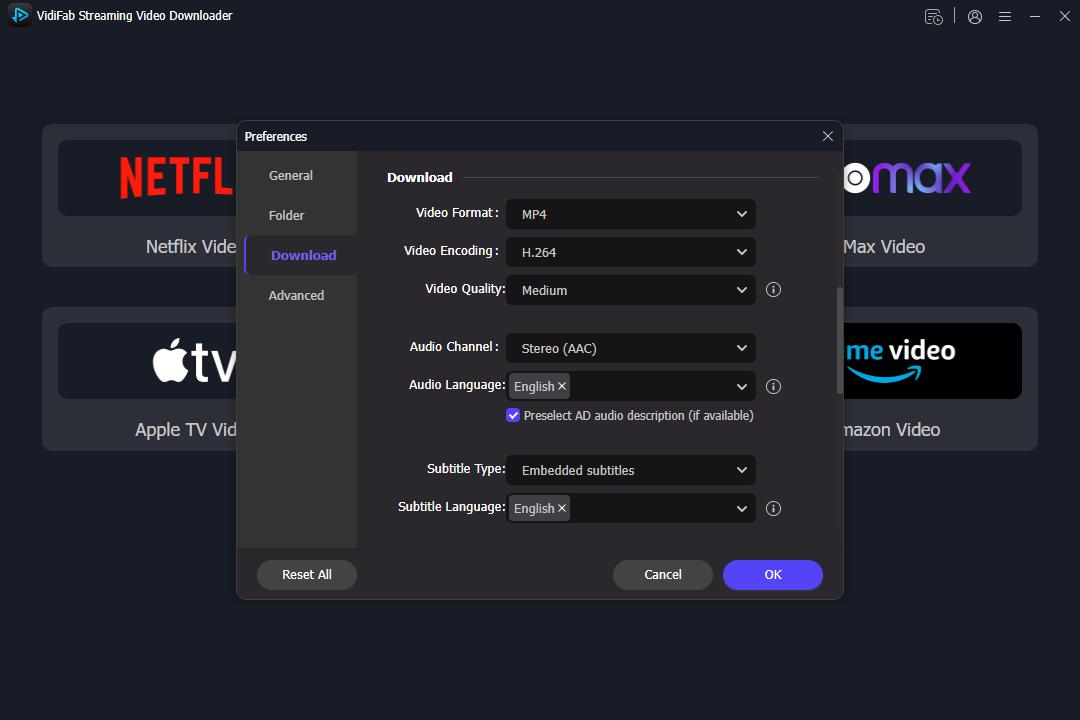
Step 2. Find Movies or Series to Download
You can browse the HBO Max library directly in the interface or paste the URL of a specific movie or TV show into the search bar. When you open the video's detail page, VidiFab will automatically analyze the stream. After the analysis, a Download button will show up in the bottom right corner.
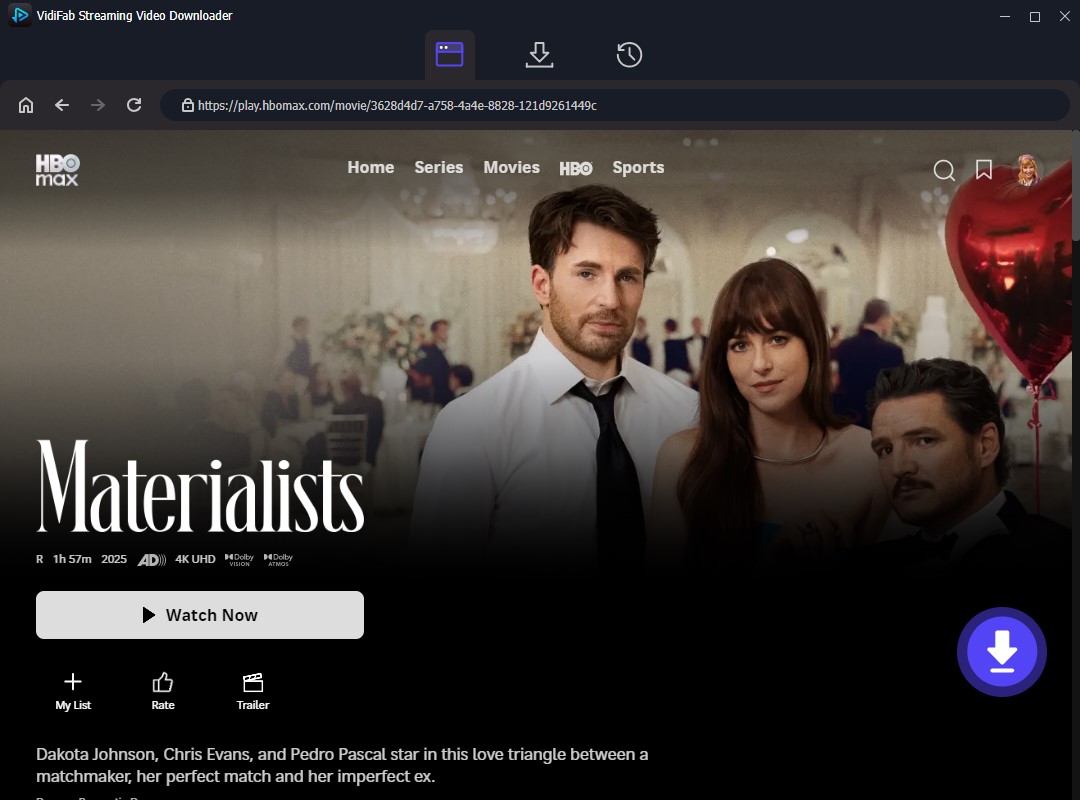
Step 3. Select Quality, Audio, and Subtitles
A settings window will appear where you can customize your file. Choose 720p for the best balance of file size and picture quality. Be sure to select your preferred audio tracks and languages. For the best experience, set the subtitles to Embedded or save them as external SRT files to ensure your offline viewing is exactly how you want it.
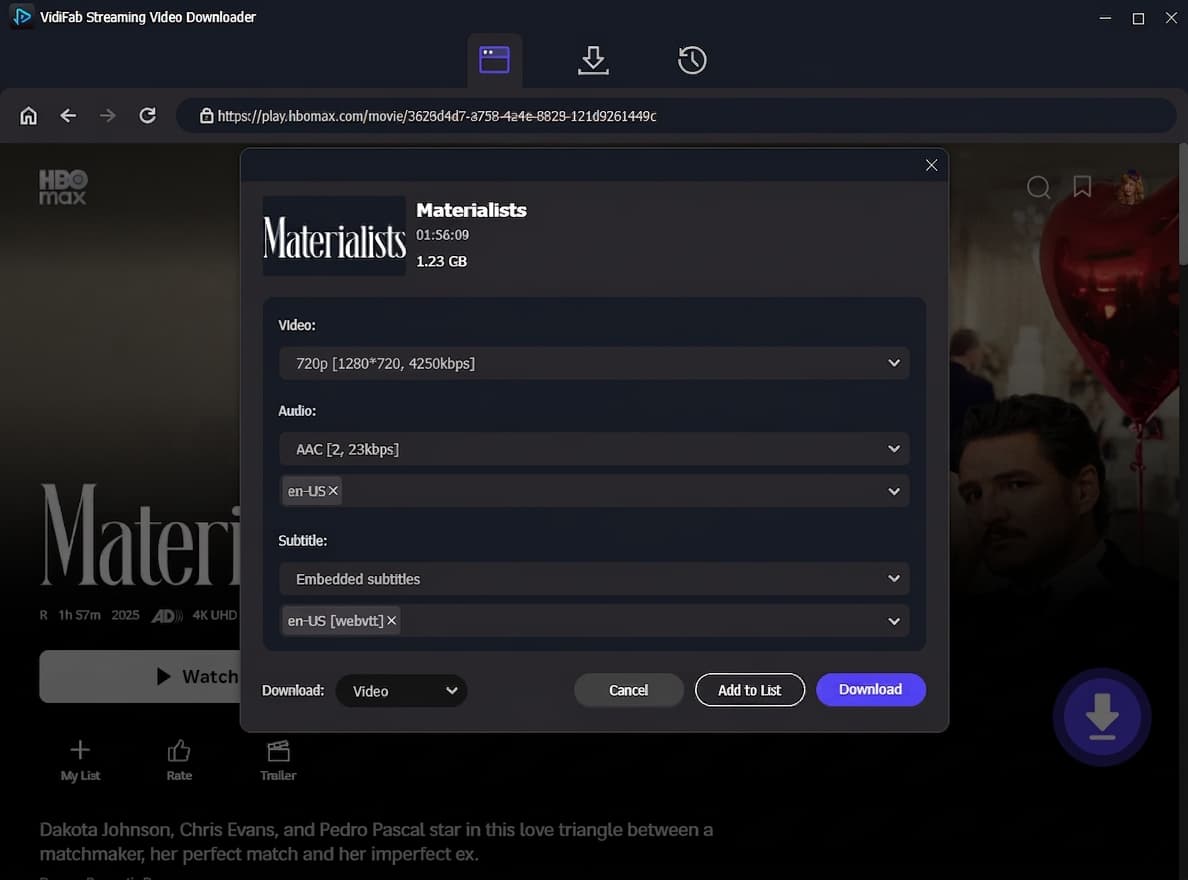
Step 4. Save HBO Max Movies to Your Laptop
Click Download to start the fast 16x extraction. VidiFab saves a DRM-free MP4 or MKV file directly to your laptop's hard drive. Once done, go to the History tab and click the folder icon to locate your file. Now you can transfer these movies to any device, like your phone, tablet, or Smart TV, for unlimited offline viewing without the HBO Max app.
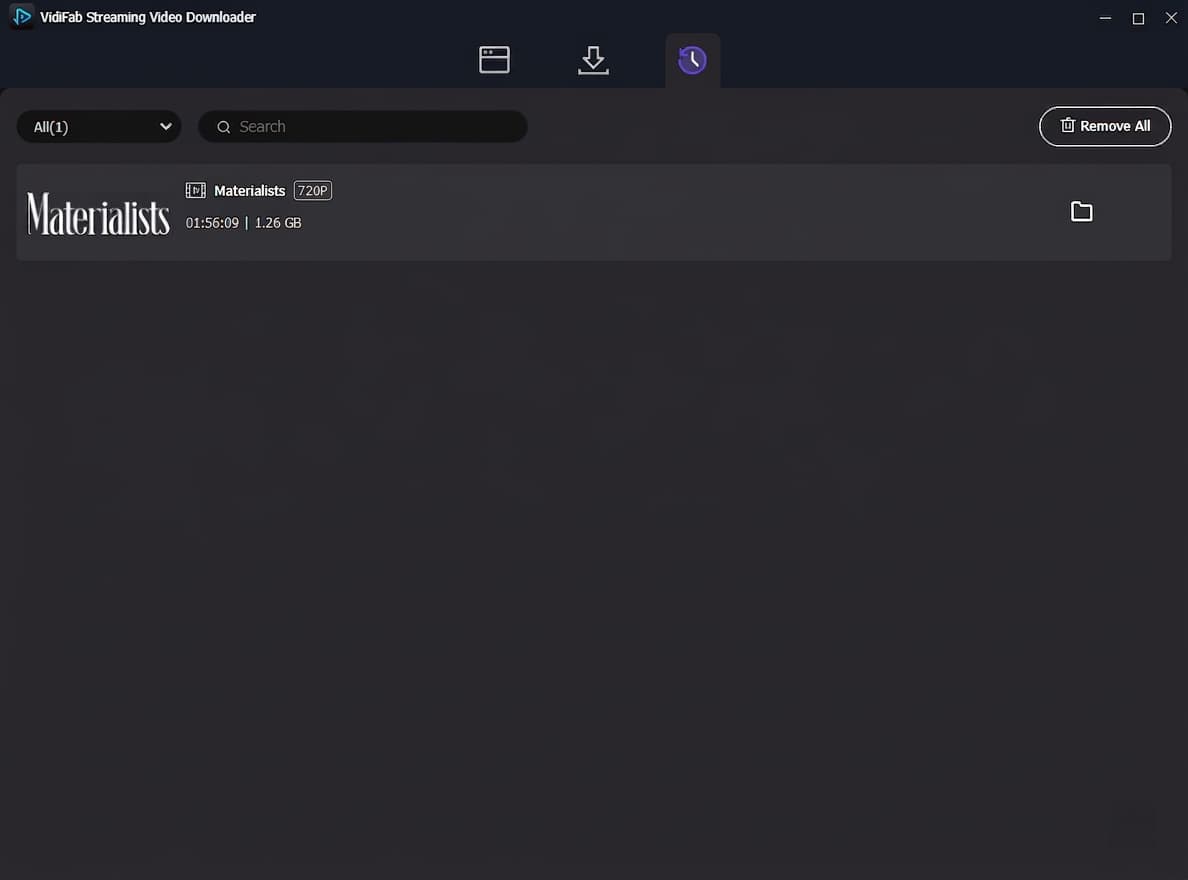
2.2 On Apple Silicon Macs (M1/M2/M3/M4)
Apple Support says that Apple Silicon Macs can run iPhone and iPad apps straight from the Mac App Store. This means you can download the HBO Max app and use the offline download feature.
How to Install HBO Max App on Mac and Download Movies
Step 1. Open the Mac App Store and sign in with your Apple ID.
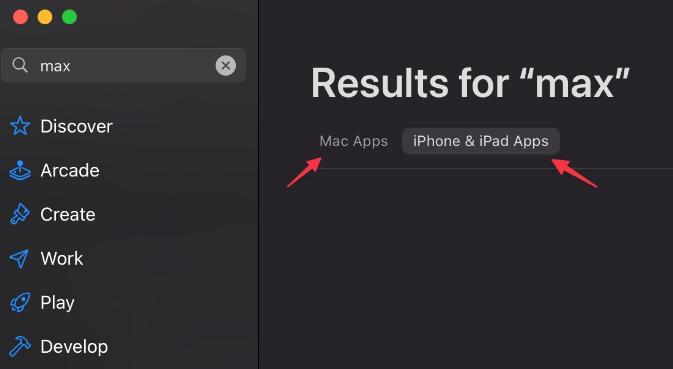
Step 2. Search for "Max" or "HBO Max."
Step 3. At the top of the results, click the tab labeled "iPhone & iPad Apps."
Step 4. Click the Get or cloud icon to install the app.
Step 5. Launch the app, log in, and use the Download icon on any movie or show.
Some users report that they still cannot find the HBO Max app in the Mac App Store, or they encounter errors preventing the download even if the app is listed. This often occurs due to regional restrictions or developer updates. If you run into these problems, try using VidiFab HBO Max Downloader. It works with all modern macOS versions and avoids App Store limitations.
If your main goal is to watch HBO Max movies on your Mac's bigger screen, download the movie on your iPhone or iPad and use AirPlay to cast it to your Mac. While you'll need both devices, this method lets you enjoy a larger display on the go. For more on using AirPlay for offline content, check out the Max Help Center.
2.3 On Chromebook
Since ChromeOS has deep integration with the Google Play Store, you can install the mobile version of the Max app directly onto your laptop and use the offline download feature.
How to Download HBO Max Movies on Chromebook
Step 1. Open your Chromebook Settings, navigate to the Apps tab, and ensure the Google Play Store is turned "On."
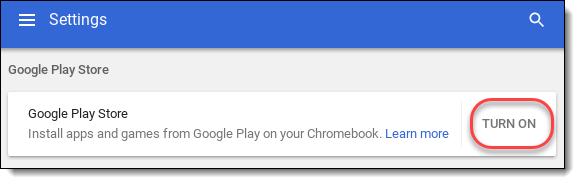
Step 2. Open the Google Play Store on your Chromebook.
Step 3. Search for the HBO Max app and click Install.
Step 4. Launch the Max app from your App Drawer and log in with your your HBO Max account.
Step 5. Browse the library or search for a specific movie or show.
Step 6. Tap the Download button on the video to save it offline.
After the download is complete, go to the Downloads section in the app to watch your movies or shows without an internet connection.

This free method works well, but users notice that the Android app on ChromeOS usually limits video quality to 480p, as shown in the feedback above. Plus, it doesn't let you save to external SD cards. If you want to enjoy Full HD or keep your movies on a USB drive, using a dedicated tool like VidiFab is a smarter choice.
Part 3. Alternative Ways to Download Movies from HBO Max on Laptop
While the methods mentioned above are the most streamlined, there are a few other technical workarounds that you can try out for downloading from HBO Max. These alternatives vary in complexity and reliability but can serve as a backup if you need to get HBO Max movies on your laptop for offline use.
Alternative 1: Use an HBO Max Downloader from GitHub
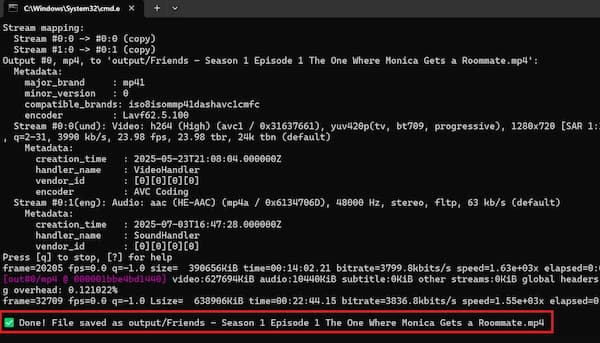
For tech-savvy users, there are open-source scripts available on GitHub, such as muhammetaliaydin/hbo-max-downloader.
This Python command-line tool lets you download HBO Max videos, but you'll need to grab the DRM key first. Honestly, it probably won't work for most movies you want to download from HBO Max since you likely don't own them or have permission from the rights holder. But if you do have that permission, this downloader can help you out!
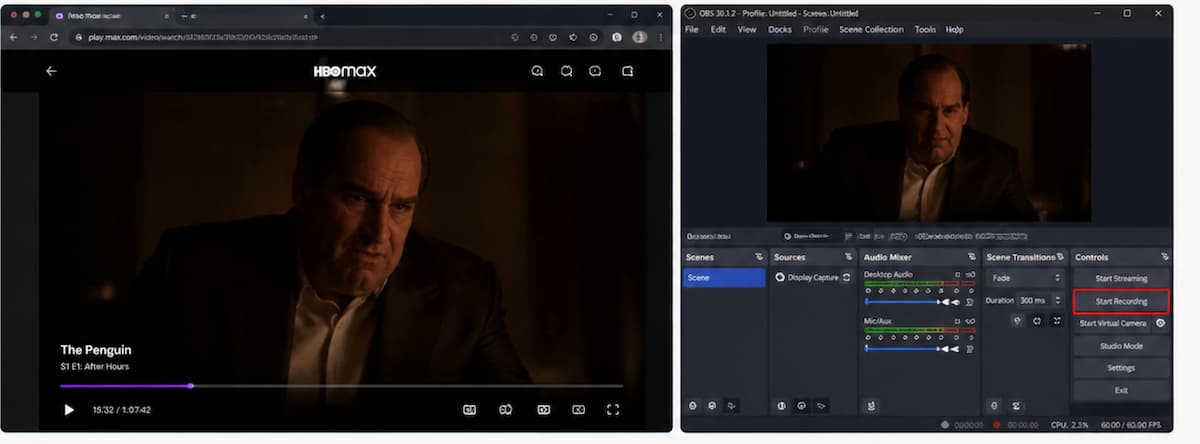
Alternative 2: Screen Record with OBS or QuickTime Player
You can also record HBO Max movies while they play using tools like OBS on Windows or QuickTime Player on Mac. This method captures the video in real time and saves it as a local file to your device.
The downside is that it is time-consuming, since you have to play the entire video, and the output quality may vary. In some cases, many browsers trigger black screen due to DRM protection, often leaving you with audio but no video. But you can usually fix that black screen issue by turning off hardware acceleration in your browser's settings.
Alternative 3: Use an Android Emulator (e.g., BlueStacks)
You can install an Android emulator like BlueStacks on your Windows laptop and run the HBO Max mobile app inside it. This allows you to access the official download feature as if you were using an Android device.
However, Android emulators are resource-heavy and can slow down older laptops. In addition, due to Widevine DRM restrictions, playback is often limited to Standard Definition (SD), so you won't get full 1080p quality.
Part 4. FAQs About HBO Max Movies Download on Laptop
Can I save HBO Max downloads to an external hard drive?
How many movies can I download from HBO Max?
What video quality can I get when downloading HBO Max movies?
Final Thoughts
Downloading HBO Max movies on a laptop isn't officially supported, but there are still practical ways to make it work. If you own a newer Apple Silicon Mac or a Chromebook, the official mobile apps offer a quick, built-in solution for occasional travel. However, for the millions of Windows users and those seeking a high-definition, permanent media library, a professional tool like VidiFab HBO Max Downloader is the superior choice.
 Free Download
 Secure Download
 Free Download
Secure Download
Free Download
Secure Download


I'm a video tech specialist with over 10 years of experience in digital media and streaming. I focus on making complex workflows simple and practical. Through my guides, you'll learn how to convert media, keep high-quality playback across devices, and manage your streaming video library with ease.
 Leave Your Comment