How to Download Movies from FMovies on PC and Mobile
 By Miles Kent
If you want to download movies from FMovies, here's the truth: don't count on FMovies for downloads. The site and its mirrors are unstable, the "Download" buttons are often misleading, and the whole experience is full of ad traps, redirects, and malware risk.
If you want to download movies from FMovies on your PC or phone without triggering viruses, you must use secure, independent tools. Here is your definitive, tested guide to downloading streaming videos safely.
- Many FMovies download buttons just redirect to ads or fake pages instead of saving videos.
- For direct downloads in your browser, try the Video DownloadHelper extension.
- Android users can use XBrowser to detect and download movies on FMovies.
- iPhone users can consider Aloha Browser for downloading video from FMovies.
- For safer 1080p downloads with subtitles and MP4 support, VidiFab Streaming Video Downloader is a more stable choice.
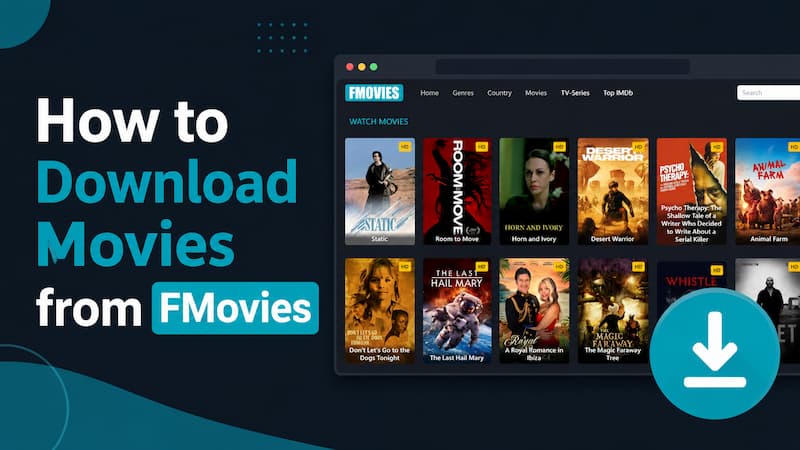
Part 1. Can You Download From FMovies?
My answer is no, not in any reliable or legitimate way.
FMovies is known primarily as a streaming site, not a proper download service. Even when a page seems to offer a download option, the button is usually there to generate ad revenue or push you into another page. That means the "download" experience is often fake, unstable, or unsafe.
Why Those "Download" Buttons Are a Trap
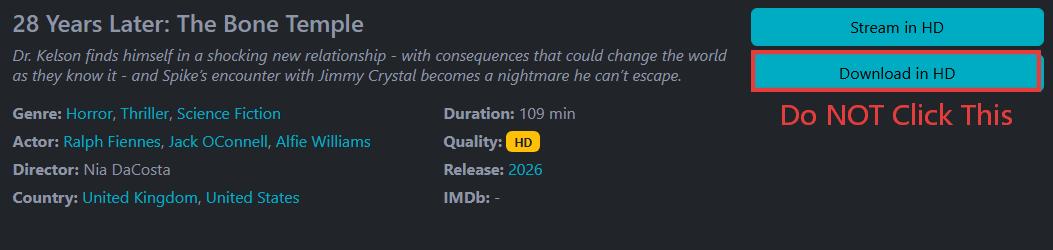
I clicked the Download button on FMovies and similar sites. Here's what happened and why I believe they're a trap you should avoid.
- Malicious redirects: When you click, instead of getting a file download prompt, you end up with pop-ups that lead you to gambling sites, adult content, or phishing scams.
- Trojan bait: A lot of these buttons automatically start downloading a disguised .exe (for PC) or .apk (for Android). If you run it, you could give attackers access to your browser passwords, cookies, and payment details.
Why the Video on FMovies Is Hard to Grab
There's also a technical reason the simple approach fails: many streaming sites run on HLS (HTTP Live Streaming), where the video is in segmented streaming formats rather than one neat movie file. That setup is designed for playback, not easy saving. So even if the page shows a button, it often cannot produce a clean offline file the way a real download service would.
Part 2. How to Download Movies From FMovies in Your Browser
The most reliable method I found on desktop is a browser extension called VideoDownloadHelper (VDH). It's available for Chrome, Firefox, and Edge through their respective extension stores. Please make sure you download it from the official extension store or directly from v10.downloadhelper.net.
How to Use VideoDownloadHelper Extension to Download from FMovies:
Step 1. Open a working FMovies mirror site and start playing the movie you want.
Step 2. Watch the VDH icon in your browser toolbar; it will change from gray to animated/colorful once it detects a video stream on the page.
Step 3. Click the icon, and a downloadable video will appear with a blue download button.
Step 4. To adjust the format and quality, click the settings gear icon in the bottom left corner.
Step 5. Hit the Download button to start the process. VDH will assemble the HLS fragments in the background and save a complete file to your computer.
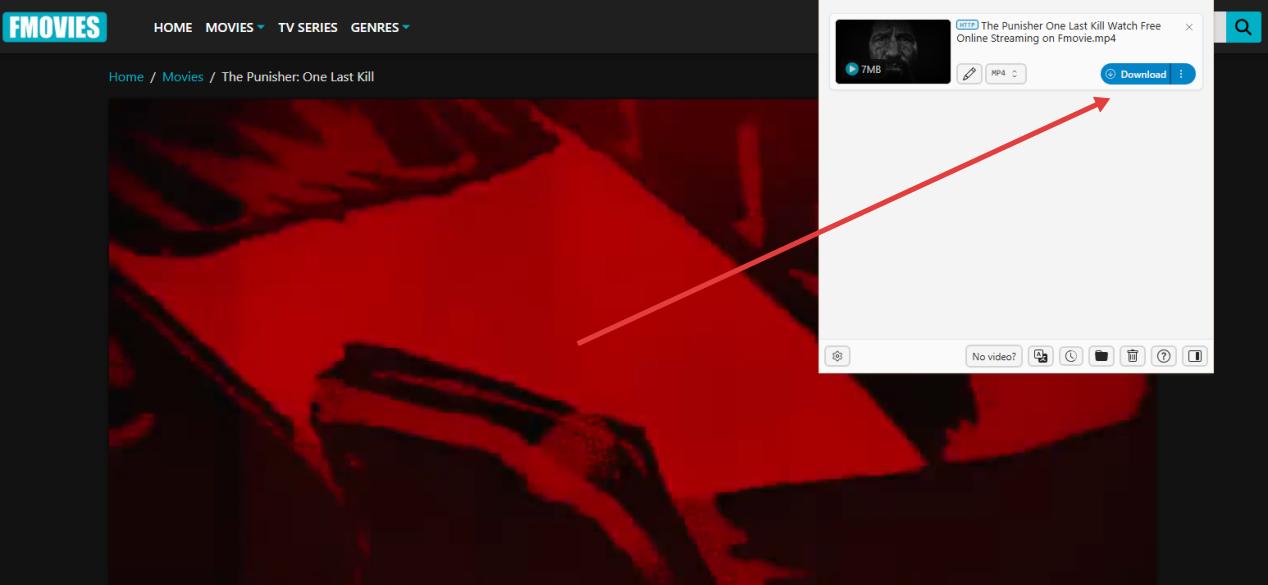

Currently usable mirror domains: fmoviess.org, leadsmovie.net, fullmovie1k, and others.
Official historical domains (permanently banned): fmovies.to, fmovies.is, fmovies.co, fmovies.tv.
Pros:
- The latest v10+ version doesn't need a companion app.
- It avoids fake download buttons.
- It works on Chrome, Firefox, and Edge.
Cons:
- Free downloads come with a watermark.
- To remove the large watermark, you need to pay $39 for Premium.
- It doesn't support resuming downloads.
- You need Premium to unlock 1080p or 4K downloads.
Free Alternative to VDH: XDM (Xtreme Download Manager)
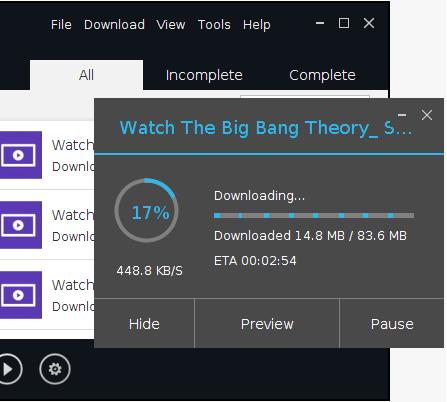
If you want zero watermarks and zero cost, XDM (Xtreme Download Manager) is the better desktop option. It's open-source, pairs with its own browser monitor plugin, and can intercept and assemble HLS streams cleanly. You get no watermarks, no download limits, and no fees.
I tested it myself and was able to pull full videos from FMovies mirrors without any restrictions. The trade-off is setup complexity: you install XDM as a standalone application, then install its browser plugin separately, and configure them to work together. It's a few extra steps compared to VDH, but the result is a clean, free download.
Part 3. How to Download Movies From FMovies on Android & iPhone
Mobile is trickier. Standard browsers like Chrome for Android or Safari on iPhone don't have the hooks needed to intercept HLS streams from third-party sites. You need browsers specifically built with video sniffing capabilities.
Download From FMovies on Android With XBrowser
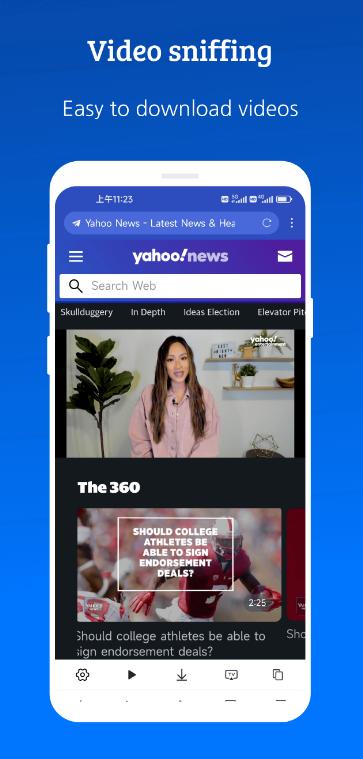
XBrowser is a lightweight browser (just a few MB) with a built-in video detection engine. You can find it on the Google Play Store.
Step 1. Install XBrowser from Google Play.
Step 2. Enable ad blocking first — go to Settings → Ad Blocking → turn on Enable Ad Block. This filters out the majority of FMovies' pop-up ads before they can fire.
Step 3. Open your FMovies mirror in XBrowser and start playing the movie.
Step 4. Watch for the yellow filmstrip icon — it appears in the toolbar when XBrowser detects a video stream. It may blink or animate.
Step 5. Tap the icon → Download. The movie saves to your local Android storage.
Pros:
- Free to use.
- Takes up only a few megabytes of phone storage.
- Built-in Ad blocker makes browsing FMovies mirrors less painful.
Cons:
- Android's battery saver often stops downloads if you lock your screen or switch apps.
- You can't resume a broken download.
- Downloading heavily drains your mobile processor and battery.
If your Android device pauses the download, go to System Settings, then Apps, find XBrowser, head to Battery, and set background activity to "Unrestricted" before starting any large download.
Download From FMovies on iPhone With Aloha Browser
Apple's WebKit restrictions mean Safari and Chrome for iOS can't touch HLS streams from third-party sites. Aloha Browser is one of the very few iOS browsers that can actually parse and reassemble these streams.
Step 1. Download Aloha Browser from App Store or its official site.
Step 2. Open your FMovies mirror in Aloha and start playing the movie.
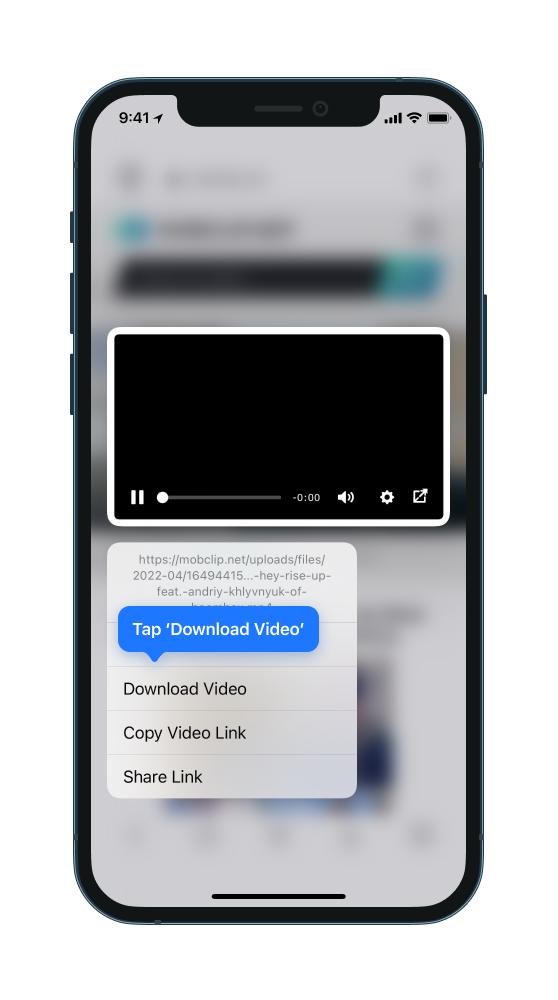
Step 3. Long-press the video (hold your finger on the video image for 2–3 seconds).
Step 4. Tap "Download Video" from the menu that appears.
Step 5. Find your file in Aloha's built-in Files section. You can play it directly there or export it to your iPhone's Photos app.
Pros:
- Long-pressing starts downloads for all videos on the page.
- It's free and safe to use.
- The built-in ad-blocker skips pop-ups on FMovies.
Cons:
- Downloading in 1080P requires an Aloha Premium subscription.
- Downloads can quickly fill your iPhone cache and cause "Storage Full" errors.
- Downloads may stop if you lock your phone or switch apps.
If the download gets paused when your iPhone is locked, you can go to Settings → Display & Brightness → Auto-Lock → set to Never while the download runs. Switch it back afterward.
Part 4. Better Alternative for Offline Streaming Downloads
After going through all of the above, I'll be honest: downloading from FMovies mirror sites feels like defusing a bomb every time. You're always one wrong click away from a malware infection, and even when things go right, you're dealing with watermarked video, broken downloads, and phones that overheat from trying to process unstable HLS streams.
If you want to watch movies offline in real 1080p with working audio and subtitles, use a reliable streaming downloader that connects to legitimate sources like Netflix, Prime Video, Disney+, and HBO Max.
Vidifab Streaming Video Downloader is what I switched to after testing the FMovies methods. Here's why it's different:
| Feature | FMovies Methods (Extensions/Phones) | Vidifab Downloader |
|---|---|---|
| Safety & Security | Malware risk on every visit | No ads, no malicious redirects |
| Video Quality | Compressed, often 720P max | True 1080p / No re-compression |
| Audio Quality | Variable, often desynced | EAC3 5.1 surround |
| Download Stability | No resume, frequent failures | Hardware-accelerated, resume supported |
| Batch Downloads | Impossible / Must click every file | Full seasons saved in minutes |
| Device Freedom | Browser/app-locked | Standard MP4/MKV, plays anywhere |
| Platforms Covered | Unstable, illegal pirate mirrors only | Netflix + 5 other major streaming services |
The key difference: Vidifab pulls from the actual streaming service, not a pirate mirror. The files are complete, properly encoded, and yours to move to any device — phone, tablet, TV — without any authorization hoops.
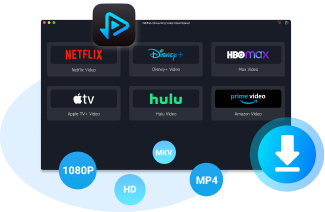
VidiFab Streaming Video Downloader
Download streaming videos as MP4/MKV in 1080p with Dolby Atmos for offline viewing on your iPhone, Android, desktop, and more devices.
How to Download Streaming Videos More Reliably With VidiFab
To give an example, I'll show you how to use VidiFab Streaming Video Downloader to download movies or shows from Netflix to your computer for local playback and storage. You can choose other popular mainstream streaming platforms in VidiFab if the title is available there.
Step 1. Install VidiFab and Choose MP4 Format
Download and open VidiFab Streaming Video Downloader on your Windows PC or Mac. Before downloading, open the Preferences menu and choose MP4 as the output format for better compatibility across phones, tablets, TVs, and media players. You can also set the format to MKV.
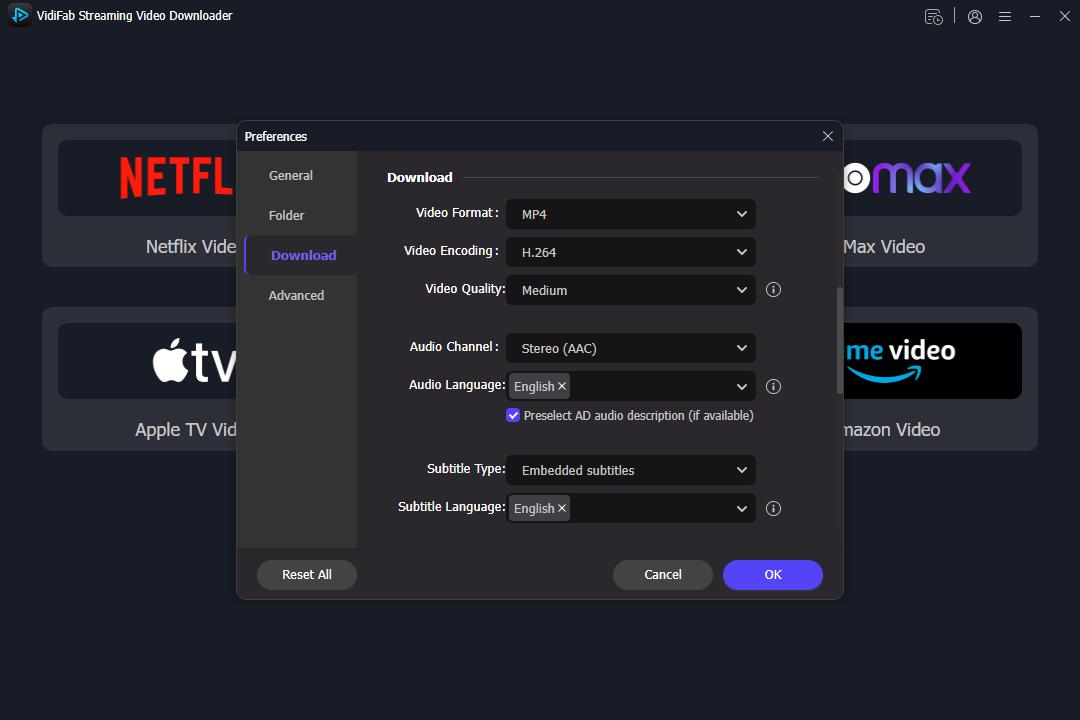
On the main interface, choose one of the streaming platforms from which you want to download movies. Click on its icon and log in to your account.
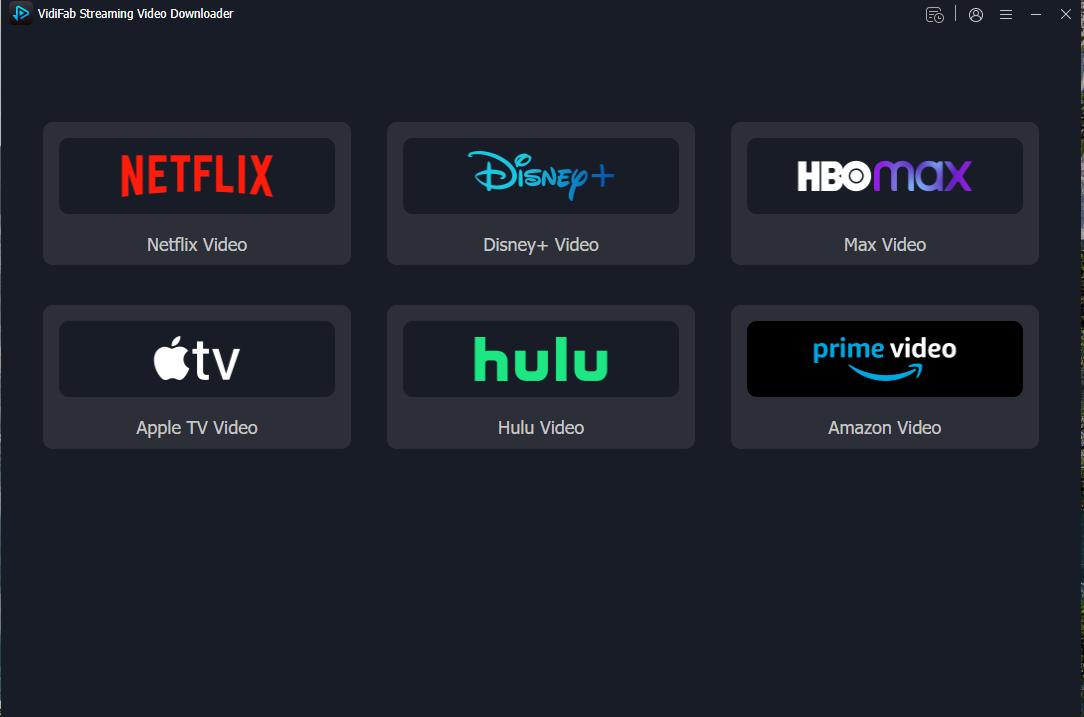
Step 2. Find the Movies You Want
You can search inside the built-in player for the streaming services or paste the URL of the title you want to download from that service. Once you find it, click the download arrow icon in the bottom right corner.
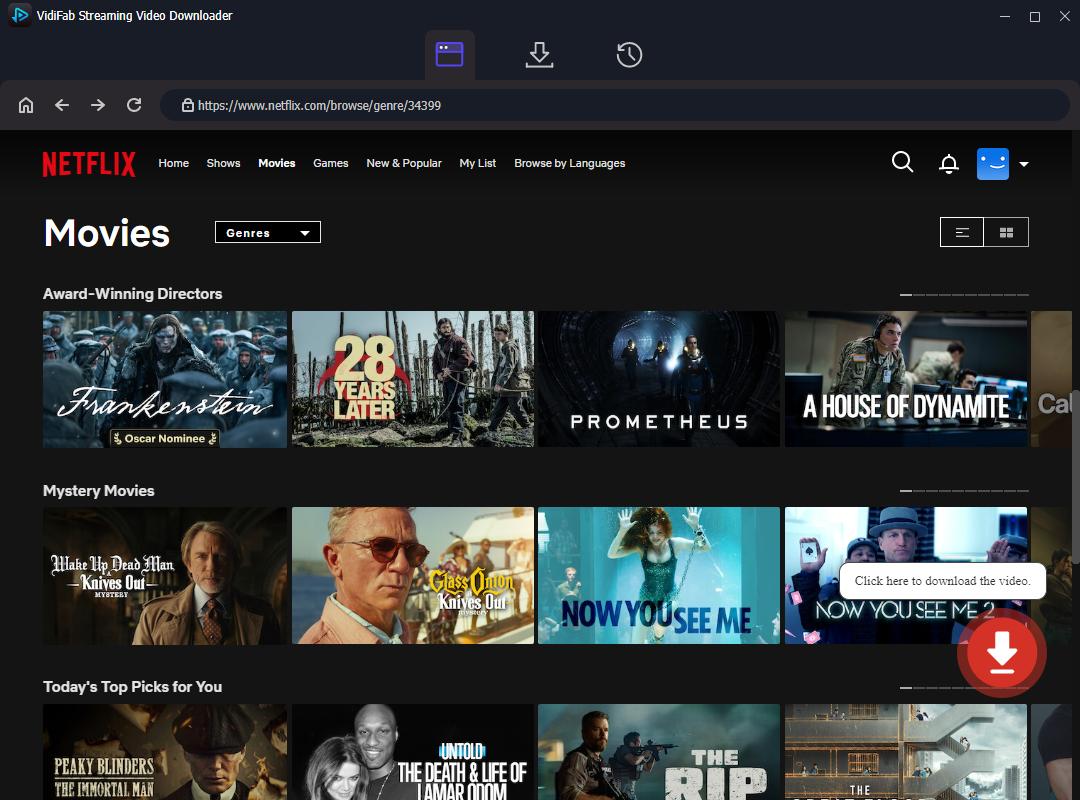
Step 3. Customize Video Quality and Subtitles
VidiFab will display download settings. Choose your preferred resolution, language for the audio track, and subtitles, and the subtitle type. Click Download to start downloading.
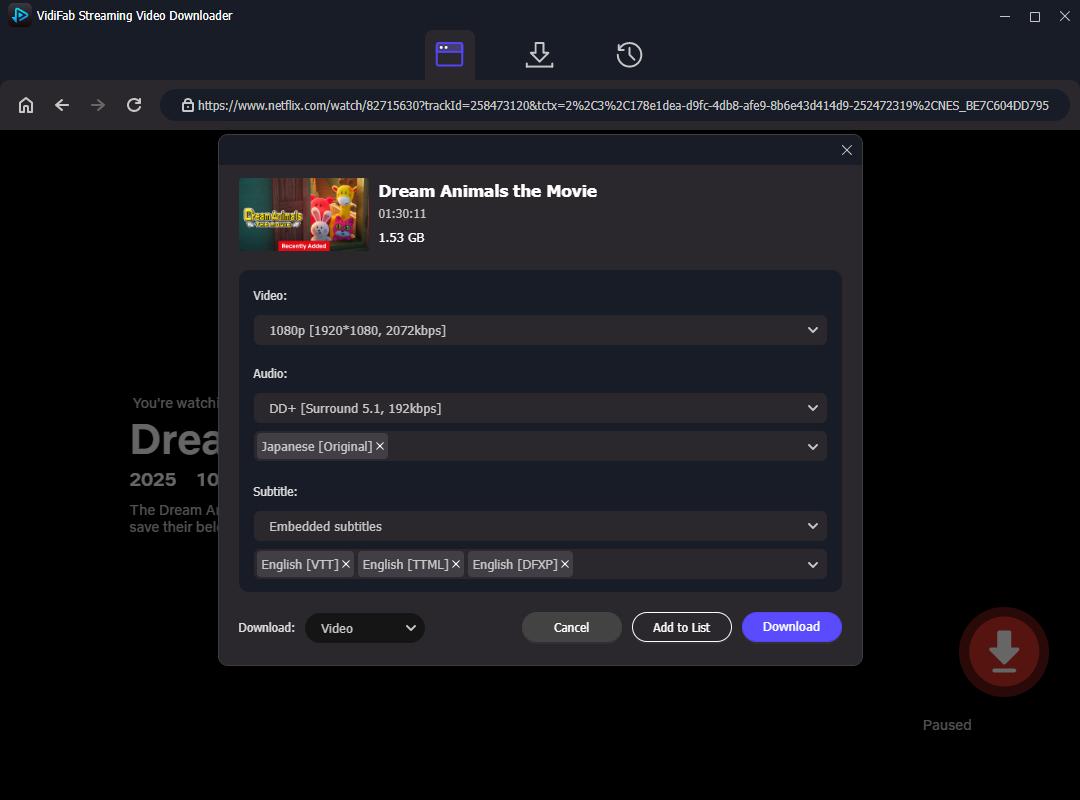
Step 4. Download and Watch Offline
After the download process finishes, you can find the downloaded MP4/MKV files in the output folder. The downloaded videos can also be transferred to phones, tablets, USB drives, or other devices for offline viewing. You can archive the videos and keep them on your device for as long as you want.
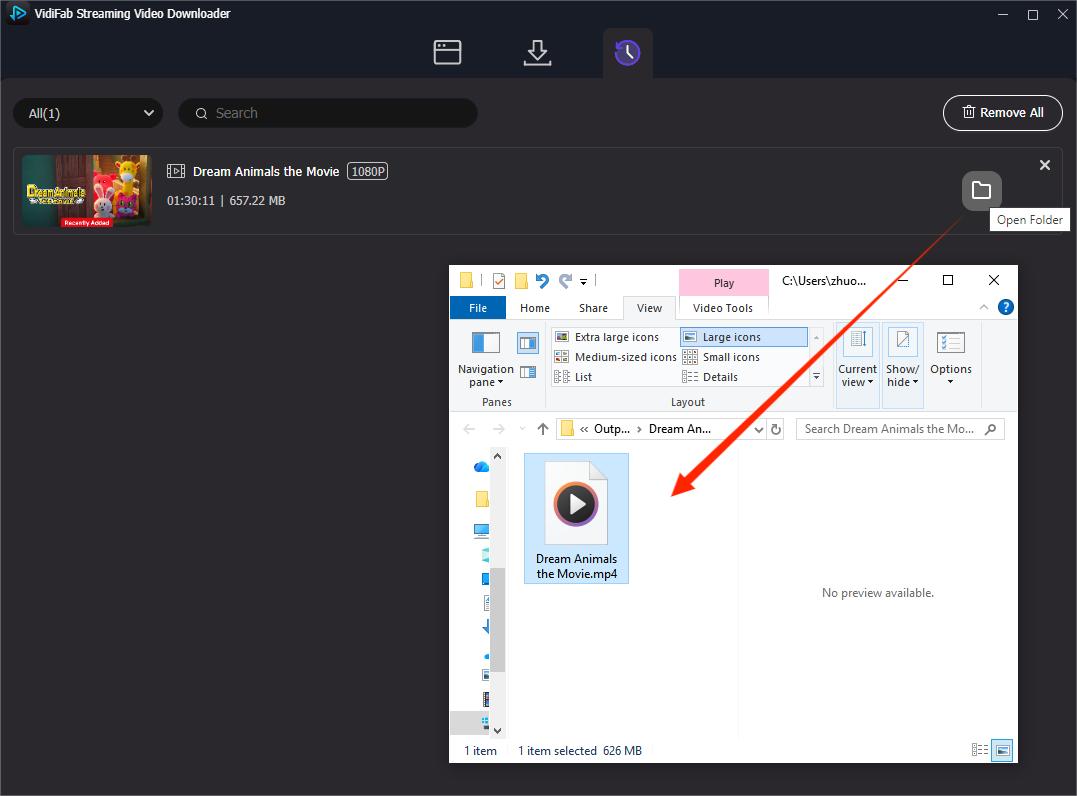
Disclaimer: This tool is intended for personal use only. Do not share or redistribute downloaded content. Always follow local laws and platform terms, and prefer official offline download options when available in your region.
Final Thoughts
FMovies is still around with its name, movie selection, and promise of free films, but now it's just a mix of clone sites that lack accountability and consistency. Getting a clean download from these sites can be a hassle, and you might face issues like downloads stopping at 90% or even worse, malware disguised as apps.
The tools mentioned here, like VideoDownloadHelper or XDM on desktop, XBrowser on Android, and Aloha on iPhone, can work if everything goes smoothly. But if you've hit roadblocks or want a more reliable experience, check out Vidifab for a legitimate streaming option.
 Free Download
 Secure Download
 Free Download
Secure Download
Free Download
Secure Download


I'm a video tech specialist with over 10 years of experience in digital media and streaming. I focus on making complex workflows simple and practical. Through my guides, you'll learn how to convert media, keep high-quality playback across devices, and manage your streaming video library with ease.
 Leave Your Comment